Query Connection Details
This topic describes how to query client status of Onsite Proxy and configured connection information between Onsite Proxy and Yeastar P-Series Software Edition.
Query client status
- Prerequisites
- You have installed Onsite Proxy and started the proxy services.
- Procedure
-
- Access the command line on the Onsite Proxy host.
- Run
sudo -ito switch to the root user.Note: If a password is required, enter your current user's password and pressEnter. - Run
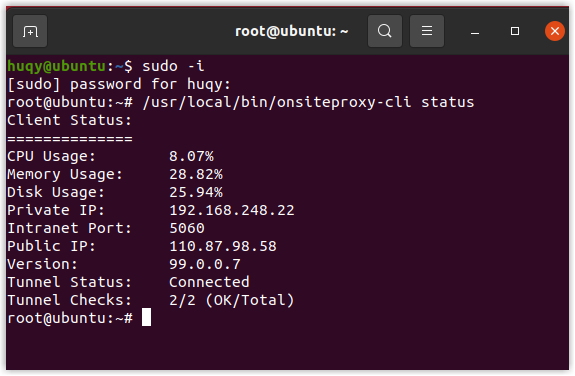
onsiteproxy-cli status.The command line shows the client status (system resource usage, IP address, port, client version, and connection status).Note: If the Tunnel Status is Abnormal, it indicates that the Onsite Proxy is connected to the PBX, but its system resource utilization has exceeded any of the following thresholds:- The CPU utilization exceeds 85%.
- The memory utilization exceeds 85%.
- The disk utilization exceeds 95%.
Query configured connection information
- Prerequisites
- You have configured connection information on Onsite Proxy.
- Procedure
- Access the command line on the Onsite Proxy host.
- Run
sudo -ito switch to the root user.Note: If a password is required, enter your current user's password and pressEnter. - Run
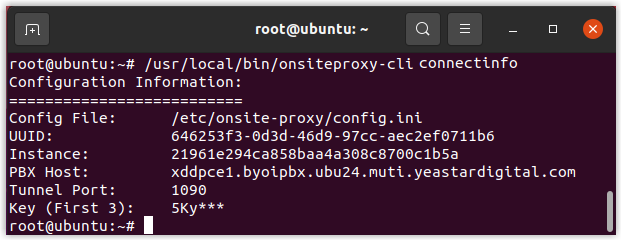
onsiteproxy-cli connectinfo.The command line shows the connection information.