Call Detail Record (CDR) Overview
Call Detail Record (CDR) provides information on incoming and outgoing calls made and received on Yeastar P-Series Software Edition, helping you analyze call activity and improve communication. This topic describes the views of CDR, the ways to access it, and the rules for automatic cleanup of call log data.
Views of CDR
Yeastar P-Series Software Edition allows you to check CDRs in two different views, each providing a different level of detail for call log data.
| View | Description |
|---|---|
| Standard View
|
The Standard View brings together essential
metrics for each call leg within a call in a flat, centralized
layout, providing an at-a-glance overview of call
activity. For more information, see View CDR and Key Metrics for CDR Details. |
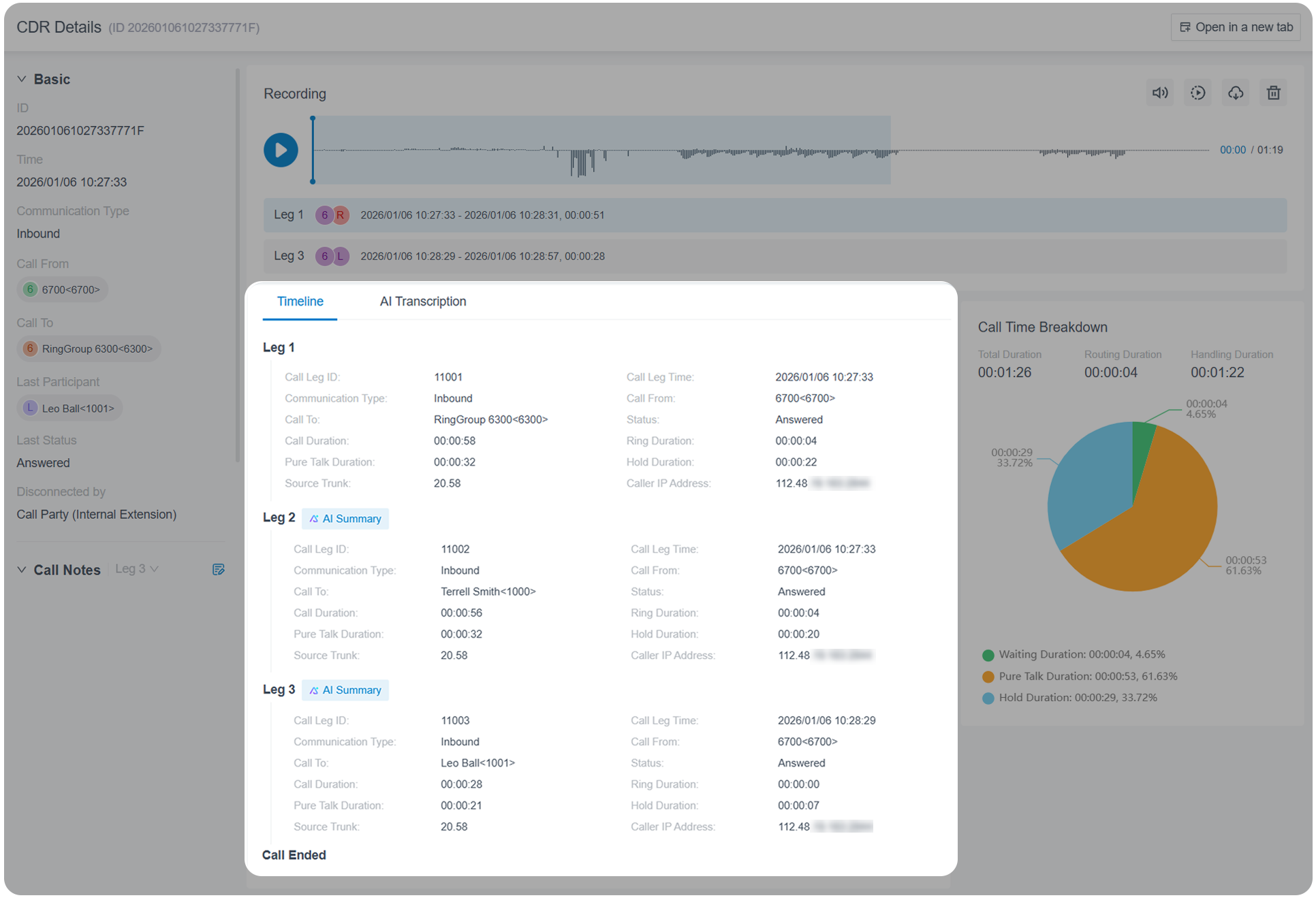
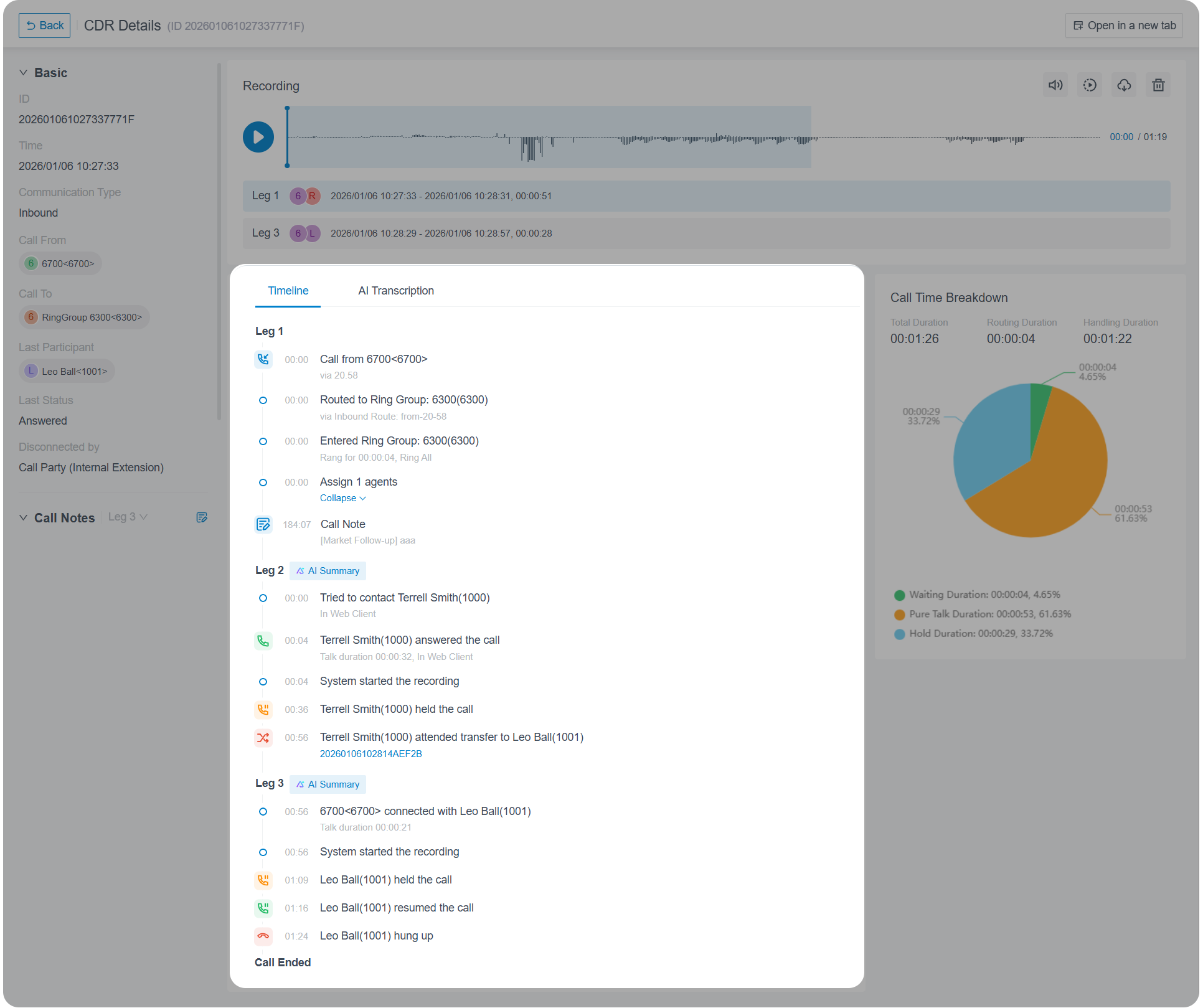
| Timeline View
|
The Timeline View presents CDRs with call timelines,
listing all events from the start to the end of a call in
chronological order, providing detailed and granular insights
into call activity. To access CDR in timeline view, the followings should be implemented:
|
Methods of accessing CDR
- On-demand View: Instantly view CDRs on PBX web portal, and download
them as needed.
For more information, see View CDR and Download CDR from PBX Web Portal.
- Scheduled Delivery: Schedule CDRs to be automatically sent to
specific mailboxes at a specified time, and download them as needed.
For more information, see Schedule Automatic CDR Delivery via Email.
Note: For scheduled CDRs that have been successfully sent, you can also download them directly from PBX web portal. For more information, see Download Scheduled CDR from PBX Web Portal.
Automatic cleanup of CDR
By default, when the total number of call logs reaches 200,000 (extensions < 1000) or 1,000,000 (extensions ≥ 1000) , the system automatically deletes the oldest call logs. You can adjust the maximum number of call logs, or set a maximum retention period as needed.
For more information, see Auto Cleanup Settings.