Grant Call Quality Monitoring Permission to Extensions
Yeastar P-Series Software Edition supports call quality monitoring for extensions to help diagnose and troubleshoot call issues more efficiently. You can enable call quality monitoring for extensions in bulk, or grant permissions for extension users to allow them to proceed in their own Linkus UC Clients. This topic describes how to grant call quality monitoring permission to extensions.
Requirements
To implement call quality monitoring, make sure both PBX Server and Linkus App meet
the following requirements.
- PBX Server
-
- Linkus App
-
- Linkus iOS Client: Version 5.27.18 or later
- Linkus Android Client: Version 5.27.12 or later
Procedure
- Log in to PBX web portal, go to .
- In the Preference Settings tab, configure the
following settings.
- Click
 beside the desired permission rule.
 - In the Configuration Item drop-down list,
select the checkbox of Monitor Call Quality
under Features.
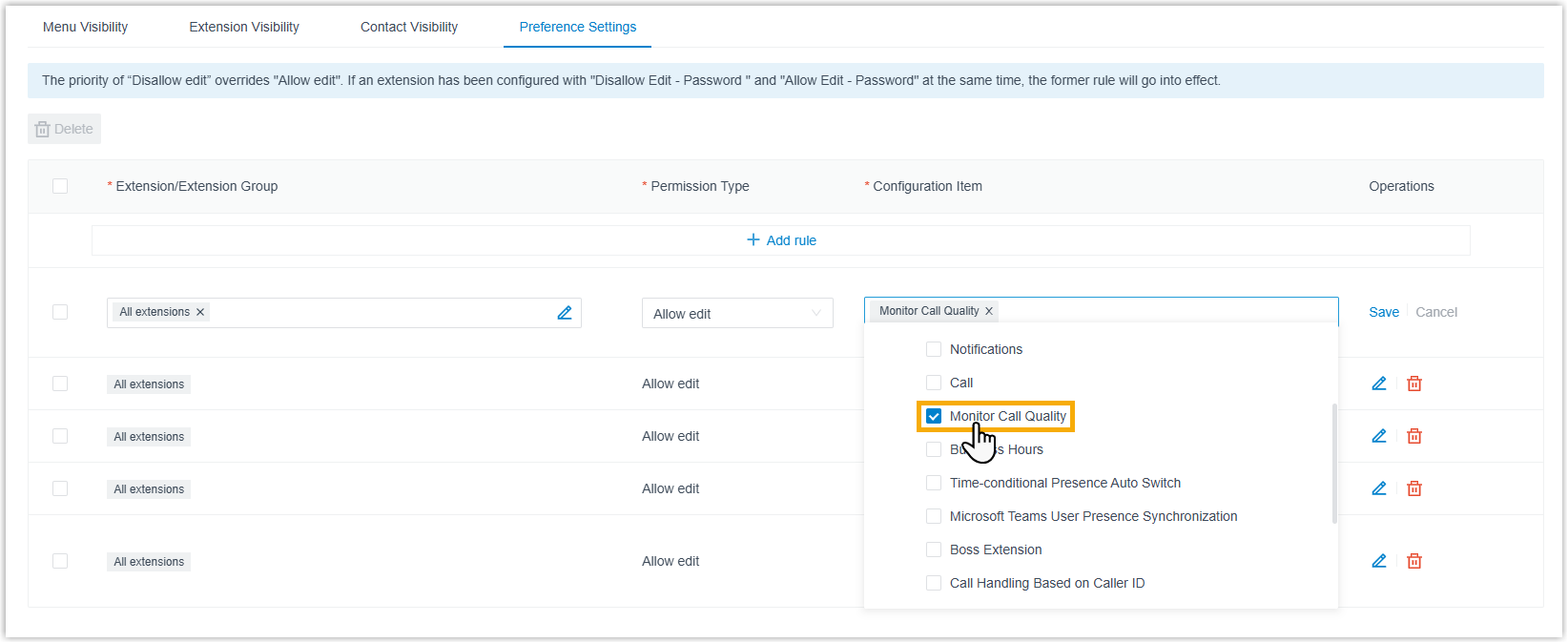
- Click Save.
- Click
Result
Extension users can set up call quality monitoring on their own Linkus UC Clients.
For more information, see the following topics: