Enable Stereo-separated Recording
Yeastar P-Series Software Edition supports separately recording the receive audio track (RX) and transmit audio track (TX) of one-on-one calls into the left and right channels, generating stereo-separated recording files. This allows clear voice differentiation between the two parties, improving the efficiency of post-processing for recordings. This topic describes how to enable stereo-separated recording.
Requirements
The firmware of Yeastar P-Series Software Edition is 83.20.0.74 or later.
Procedure
- Log in to PBX web portal, go to .
- Select the checkbox of Support generating stereo-separated
recording files (left/right channel)..

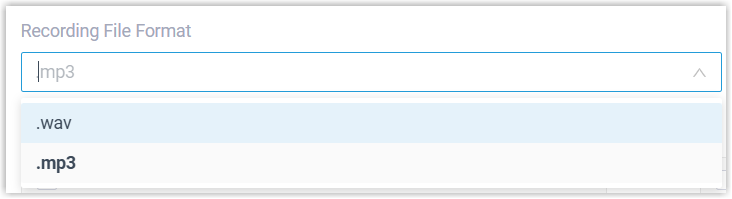
- In the Recording File Format drop-down list, select
the download format for recording files.
 Note:
Note:- All recording files in the system will be downloaded in the selected format.
- When the format is set to .mp3, downloading (via the API or the web platform) is limited to 1 concurrent request.
- Click Save and Apply.
Result
For one-on-one calls, the generated recording files will be saved in stereo-separated
format (left/right channel): the caller's voice is recorded in the left channel,
while the callee's voice and system prompts are recorded in the right channel.
Note: With Stereo-separated Recording enabled, the size of the
recording files will double.