Auto Provision IP Phones Remotely (PnP Method)
This topic takes Yealink SIP-T53W (firmware: 96.86.0.81) as an example to describe how to auto provision IP phones in a remote network via Yeastar Onsite Proxy and the PnP method.
Requirement
The firmware version of Yeastar P-Series Software Edition is 83.22.0.138 or later.
Scenario
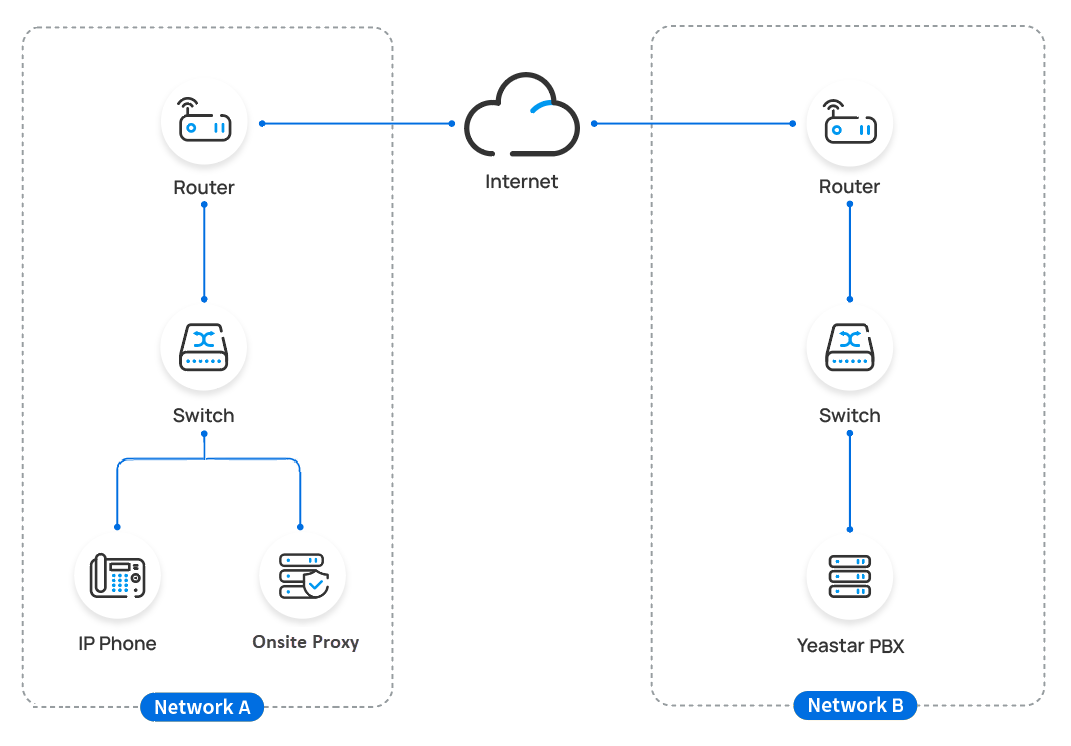
IP phone is deployed in a different network from Yeastar P-Series Software Edition, and the subnet where the IP phone is located has an Onsite Proxy deployed.
Prerequisites
- You have deployed an Onsite Proxy in the SAME subnet as the remote IP phones, and connected the Onsite Proxy to the PBX. For more information, see Onsite Proxy Overview.
- IP Phone MUST support PnP provisioning. For more information, see Auto Provisioning - Supported Devices.
- Make sure that you have downloaded the template for the desired phone model on the PBX (Path: ).
Procedure
- RESET the IP phone if it is previously used.
- Log in to PBX web portal, go to .
The phone list displays all IP phones discovered via Onsite Proxy with their related information including MAC, IP address, vendor and model.
Note: Restart the phones if they are not discovered and displayed on the phone provisioning list.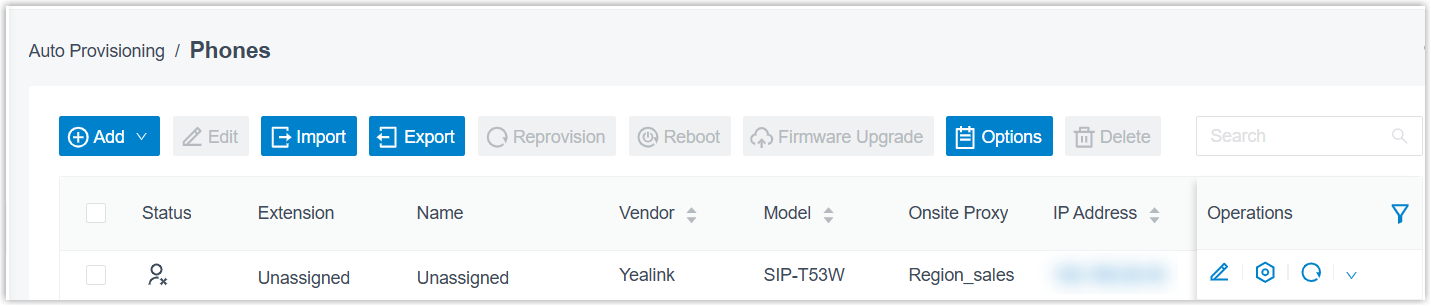
- Click
 beside the desired phone.
 - In the Options section, select a desired template
from the Template drop-down list.Note: The template provides configurations except extension assignment. You can select the default template corresponding to the phone model, or customize your own template.
For more information, see Create a Custom Auto Provisioning Template.
- In the Assign Extension section, assign an extension
for the phone.Tip: If your desired extension is not listed in the drop-down list, you can check if the extension has been associated with other IP phone or gateway.
- To release the previous phone or gateway, see Release an Extension from a Provisioned IP Phone/Gateway.
- To associate an extension with multiple IP phones, see Allow Multiple Registrations for One Extension Number.
- Click Save.
- Restart the phone.
Result
- The configurations will be automatically applied to the phone.
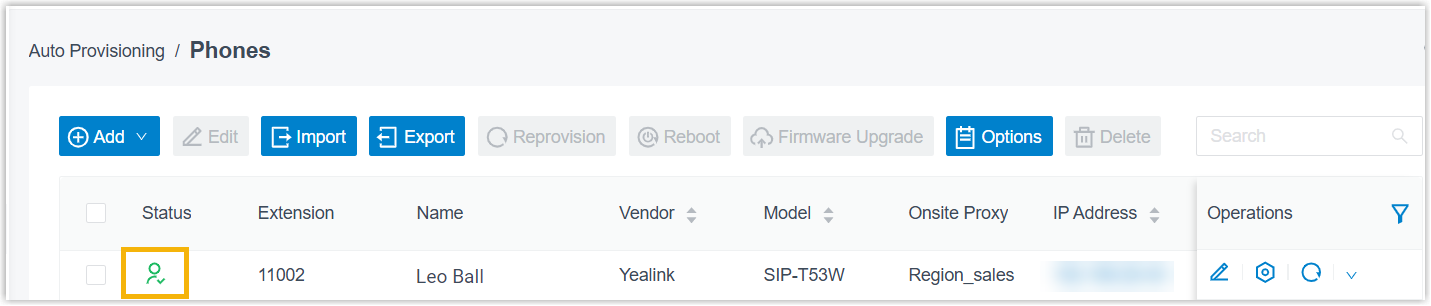
The extension is successfully registered on the IP phone via the Onsite Proxy, and the registration status of the IP phone is displayed on .
 : The assigned extension is
registered on the phone.
: The assigned extension is
registered on the phone. : The assigned extension is
unregistered on the phone.
: The assigned extension is
unregistered on the phone.