Switch Phonebook Line for an IP Phone Provisioned with Multiple Extensions
If an IP phone is provisioned with multiple extensions, you can switch phonebook lines for the phone to flexibly retrieve phonebook of different extensions. This topic describes how to switch phonebook line for a provisioned IP phone.
Procedure
- Log in to PBX web portal, go to , edit the desired phone.
- In the Assign Extension section, select a desired SIP
line from the Phonebook Line drop-down list.
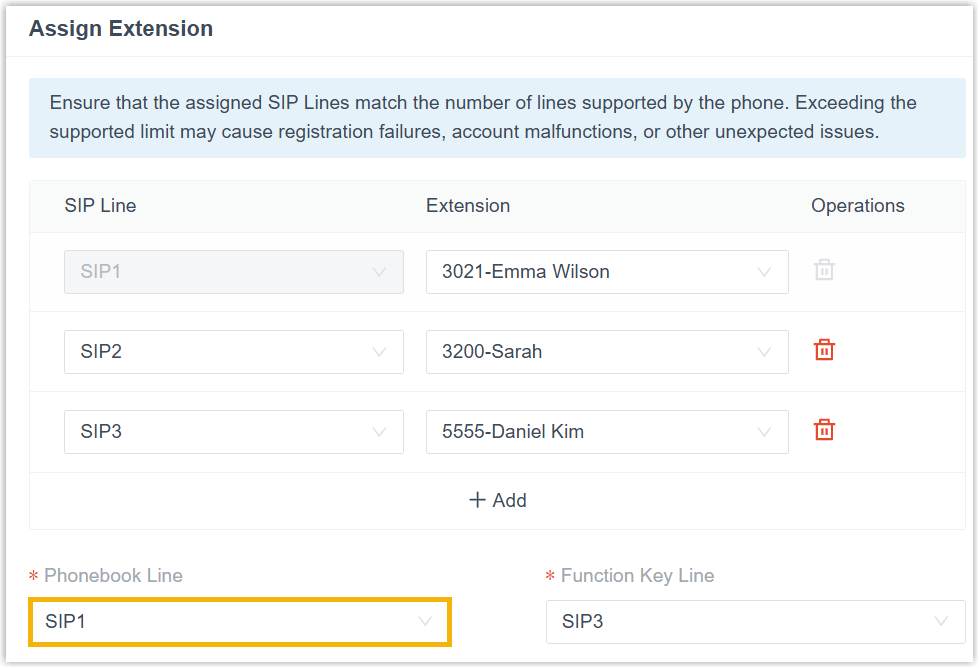
- Click Save.
Result
The phone automatically applies the authorized phonebook of the extension corresponding to the specified SIP line.