Configure Emergency Notification Prompt
Yeastar P-Series Cloud Edition provides a default voice prompt for emergency call notification, you can also customize your own prompt.
Background information
The default emergency announcement reminds the contacts that who dialed which emergency number.
Procedure
- Log in to PBX web portal, go to .
- Click Notification Prompt.
- In the pop-up window, change the notification prompt.
- In the Prompt drop-down list, specify a prompt.Note:
- The available prompts are synchronized from .
- If the desired prompt is not
available in the list, click Add beside the
drop-down list to create a new prompt using one of
the following methods.
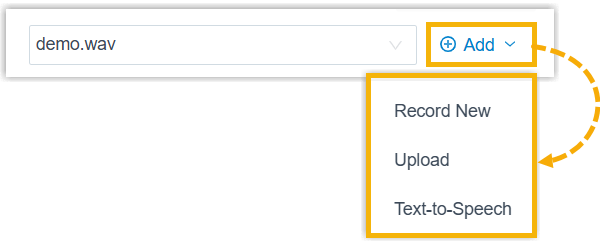
- Record a prompt by an extension.
- Upload a prompt. The upload prompt file should meet the audio file requirements.
- Generate a prompt using text-to-speech (TTS).
The newly added prompt will be displayed in the drop-down list and be synchronized to .
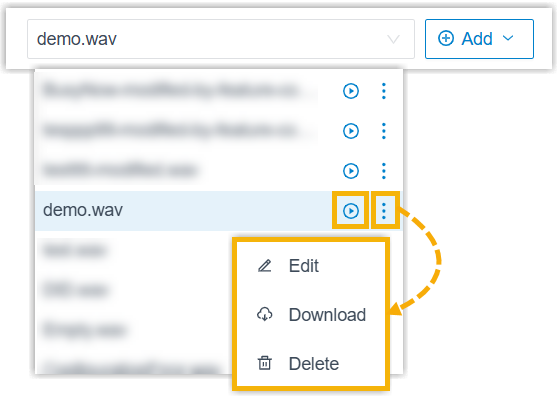
- In the drop-down list, you
can play, edit, download or delete the desired
custom prompt.
All changes will be synchronized to .
- In the Prompt Repeat Count field, set how many times to play the prompt.
- Click Save.
- In the Prompt drop-down list, specify a prompt.