Enable WebSocket Audio Streaming
This topic describes how to enable WebSocket Audio Streaming to transmit real-time audio streams from active calls to third-party platforms.
Requirements
- Firmware: 83.20.0.74 or later
- Subscription: Ultimate Plan
-
You have obtained the WebSocket server address of the third-party platform for receiving the audio stream.
- If authentication is required by the third party, ensure that you have obtained the appropriate credentials.
Procedure
- Log in to PBX web portal, go to .
- Turn on WebSocket Audio Streaming to enable the feature.
- Configure WebSocket audio streaming settings.
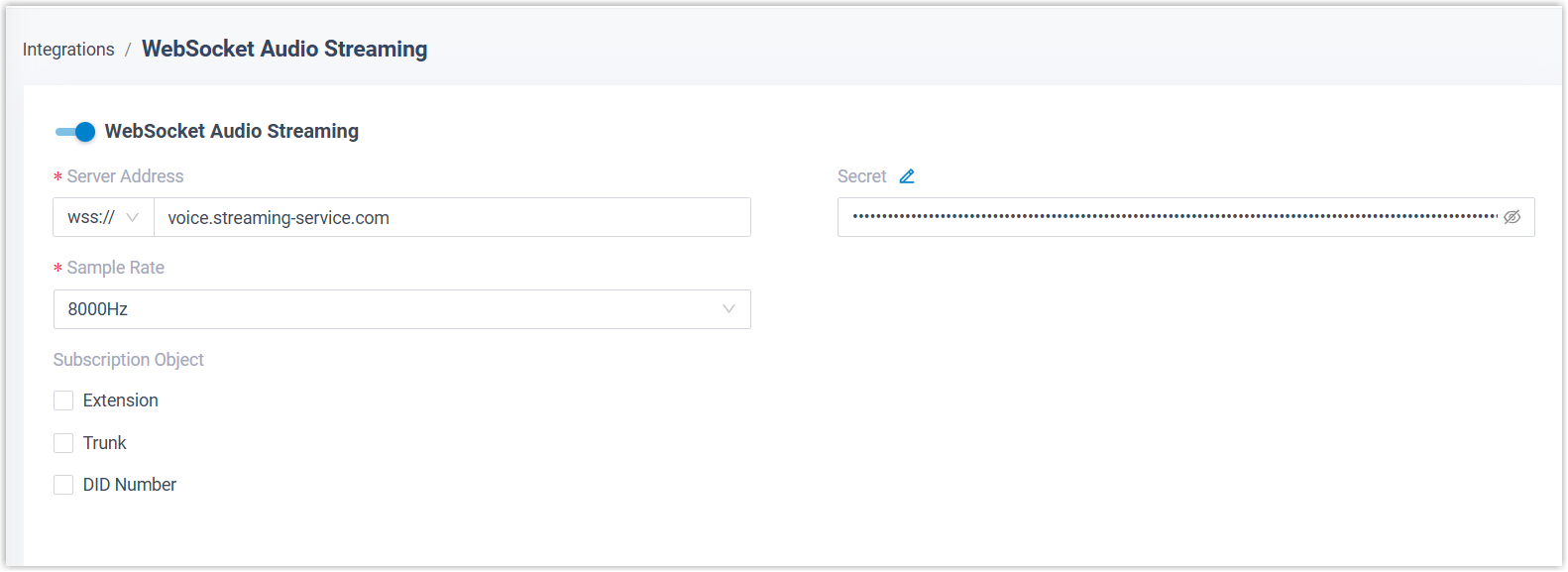
- In the Server Address field, select the
protocol (
ws://orwss://) as required by the third-party platform, then enter its server address to receive the audio stream. - Optional: In the Secret field, enter
the authentication credentials provided by the third-party platform. Note: You can click
 to customize the option name
based on the specific authentication field names required by
different platforms.
to customize the option name
based on the specific authentication field names required by
different platforms. - In the Sample Rate drop-down list, select the
sample rate of the audio stream to be transmitted.Note: The audio streams will be sent to the third-party platform in different fixed-duration fragments according to the sample rate:
- 8000Hz: Each fragment is 80 ms long.
- 16000Hz: Each fragment is 40 ms long.
- In the Subscription Object, specify which
calls will be transmitted to the third-party platform via WebSocket protocol.
Object Description Extension Audio streams from calls involving the selected extensions will be transmitted to the third-party platform. Trunk Audio streams from inbound and outbound calls routed through the selected trunks will be transmitted to the third-party platform. DID Number Audio streams from inbound calls to the specified DID numbers will be transmitted to the third-party platform.
- In the Server Address field, select the
protocol (
- Click Save.
Result
For calls that involve the subscribed extensions, trunks, or DID numbers, the audio
streams of all participants in the call will be transmitted to the third-party
platform via WebSocket in real time.
Note: The audio streams
are encoded as 16-bit little-endian
PCM, then Base64-encoded
and transmitted in JSON messages. For more information about the JSON messages,
see Audio Stream Fields.