Set up Music on Hold for Call Parking
This topic describes how to customize music on hold for call parking on Yeastar P-Series Cloud Edition.
By default, the system plays a default music on hold (set on ) to the parked party when a call is parked. You can refer to this topic to customize the music for call parking.
Requirements
The firmware version of PBX server is 84.25.0.23 or later.
Procedure
- Log in to PBX web portal, go to .
- Configure the MoH playlist.
- To set global MoH playlist for all parking numbers, select a MoH playlist from Parking Number Global Music on Hold drop-down list.
- To group parking numbers and specify a MoH playlist for each group,
complete the following settings.
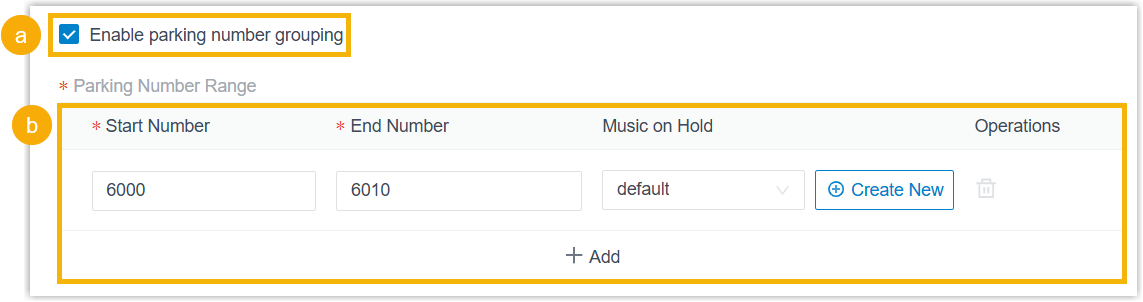
- Select the checkbox of Enable parking number grouping.
- Click Add, then specify start parking
number, end parking number, and MoH playlist in the newly
added group.To add more groups, repeat this step.Note:
- The start and end numbers must not exceed the parking number range.
- Numbers between groups can not overlap.
- Up to 10 number groups are supported.
When parking a call to a number that belongs to a group, the corresponding MoH playlist applies; for other ungrouped numbers, the global MoH playlist applies.
Note:- The available MoH playlists are synchronized from .
- If the desired MoH playlist is not available in the
list, click Create New beside the drop-down
list to create a new playlist and upload your MoH
audio files.
The newly added MoH playlist will be displayed in the drop-down list and be synchronized to .
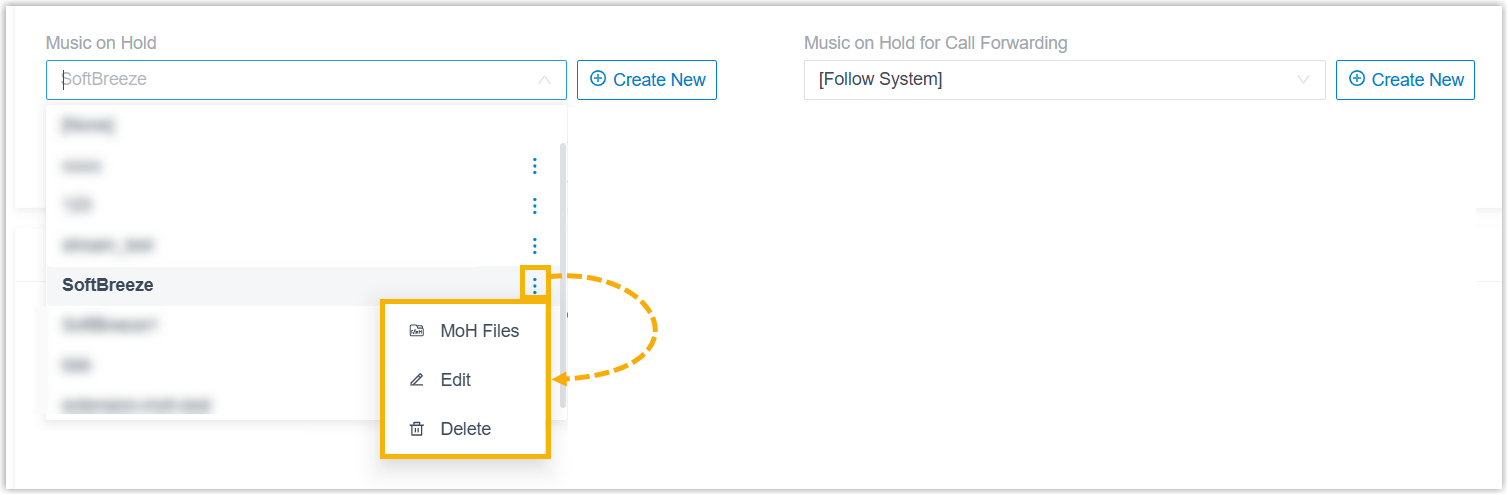
- In the drop-down list, you can click
 beside the desired MoH
playlist to manage it.
You can manage MoH audio files within the playlist (upload, edit, play, download or delete audio files), edit the playlist (modify its name, play order, or streaming music URL), or delete the playlist.
All changes will be synchronized to .
- Click Save and Apply.