Set Distinctive Caller ID Name
Distinctive Caller ID Name allows you to control how incoming calls are displayed on employees' phones. You can set the display of contact name, caller ID name, call feature name (Queue, IVR, Ring Group, or Call Flow), and trunk DID/DDI name.
Set display priority of contact name and caller ID name
- Log in to PBX web portal, go to .
- In the Caller ID Name Display Rules section, configure
the followings:
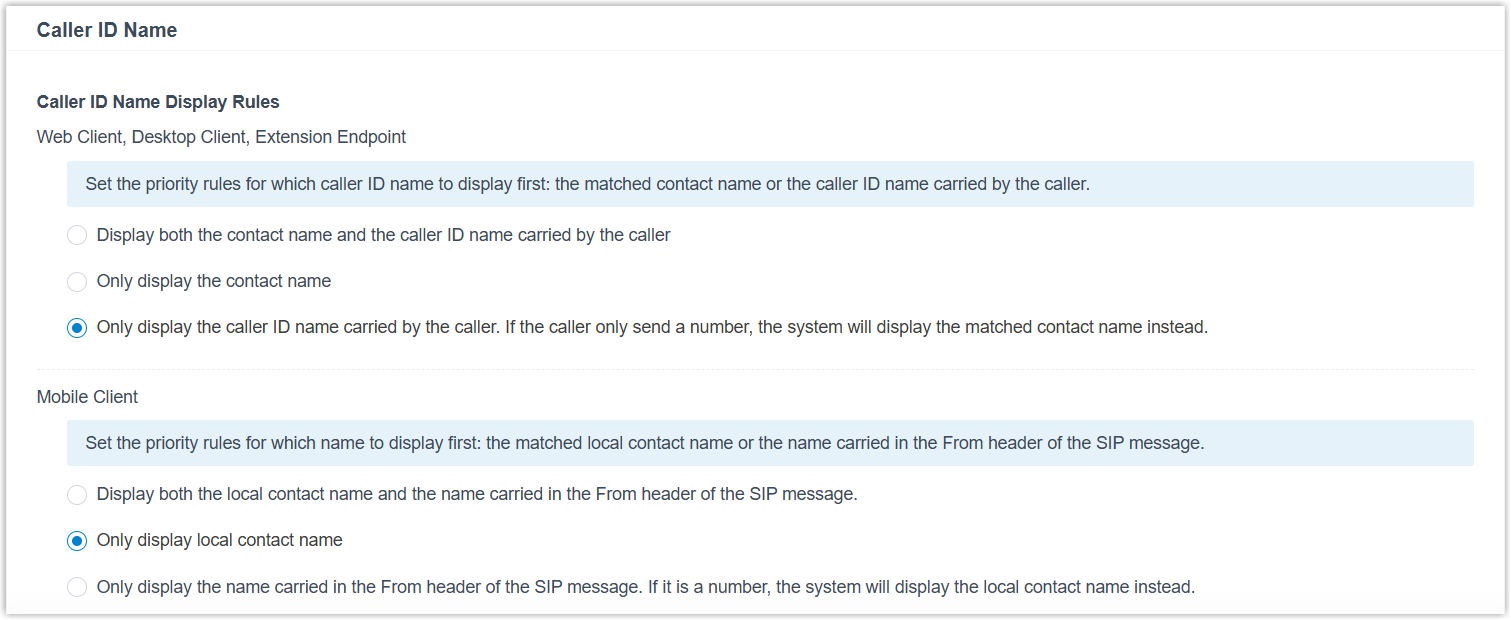
Setting Description Web Client, Desktop Client, Extension Endpoint Set the display rule for Caller ID Name on Linkus Web Client, Linkus Desktop Client, and extension endpoints (e.g. IP phones and softphones). Note: The display rule currently applies only to the incoming call screen and the call interface.- Display both the contact name and
the caller ID name carried by the
callerNote: If distinctive call feature name or DID/DDI name is enabled, the distinctive name will appear between the matched contact name and the caller ID name.
- Only display the contact name
- Only display the caller ID name
carried by the caller. If the caller only send a
number, the system will display the matched
contact name instead.Note: If distinctive call feature name or DID/DDI name is enabled, the distinctive name will appear in front of the matched contact name or the caller ID name.
Mobile Client Set the display rule for Caller ID Name on Linkus Mobile Client. - Display both the local contact name and the name carried in the From header of the SIP message.
- Only display local contact name
- Only display the name carried in the From header of the SIP message. If it is a number, the system will display the local contact name instead.
Note: To apply the setting to Linkus Mobile Client, extension users must update Linkus app to the following versions:- Linkus iOS Client: Version 5.21.3 or later
- Linkus Android Client: Version 5.21.7 or later
- Display both the contact name and
the caller ID name carried by the
caller
- Click Save and Apply.
Enable or disable the display of call feature name
The call feature name refers to the name of an IVR, a Ring Group, a Queue, or a Call Flow.
- Log in to PBX web portal, go to .
- In the Distinctive Caller ID Name section, configure
the followings:
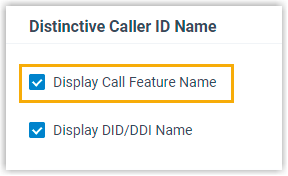
- To display Queue names, Ring Group names, IVR names, and Call Flow names, select the checkbox of Display Call Feature Name.
- To hide Queue names, Ring Group names, IVR names, and Call Flow names, unselect the checkbox of Display Call Feature Name.
- Click Save and Apply.
Enable or disable the display of trunk DID/DDI name
- Log in to PBX web portal, go to .
- In the Distinctive Caller ID Name section, configure the
followings:
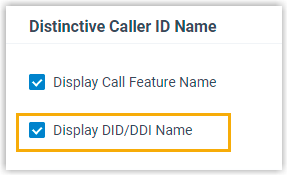
- To display trunk DID/DDI name, select the checkbox of Display DID/DDI Name.
- To hide trunk DID/DDI name, unselect the checkbox of Display DID/DDI Name.
- Click Save and Apply.