Upload a Custom Ringtone
This topic describes how to upload a custom ringtone, which can be used as the Linkus distinctive ringtone for members of IVRs, queues, and ring groups, allowing them to receive calls with personalized ringtones on their Linkus clients, thus helping them quickly identify the call source.
Prerequisites
- Ensure that the firmware of PBX server is 37.20.0.21 or later.
- Prepare an audio file that meets the following requirements:
- File format:
.wavor.mp3Tip: If file format does not meet the requirement, you can convert audio files via WavePad or G711 File Converter online. - File size: Up to 4MB.Note: To ensure the quality of the incoming ringtone, we recommend that you use audio files under 1MB.
- File format:
Limitation
| Product Model | P520 | P550 | P560 | P570 |
|---|---|---|---|---|
| Max number of Custom Ringtones | 32 | 64 | 128 | 128 |
Procedure
- Log in to PBX web portal, go to .
- Click Upload.
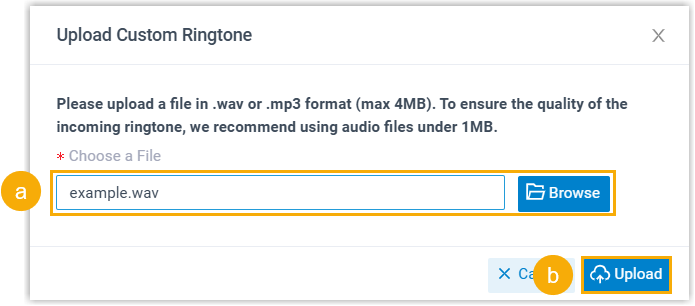
- In the pop-up window, click Browse to select an audio
file from your local PC, then click Upload.
Result
The uploaded file is displayed on Custom Ringtone page.
What to do next
Set the custom ringtones for specific call features to enable distinctive ringtones on the member's Linkus client. For more information, see the following topics: