Subscribe to PSE Custom Domain Service
After subscribing to the PSE Custom Domain service, you can configure your own custom FQDN (Fully Qualified Domain Name) for your P-Series Software Edition, which allows you to access the PBX via a secure, managed tunnel, eliminating the complexity of public IP setup, NAT, and firewall rules.
Procedure
- Log in to Yeastar Partner Portal, go to Products & Purchase.
- On the product list, click Purchase on
Add-on Service.
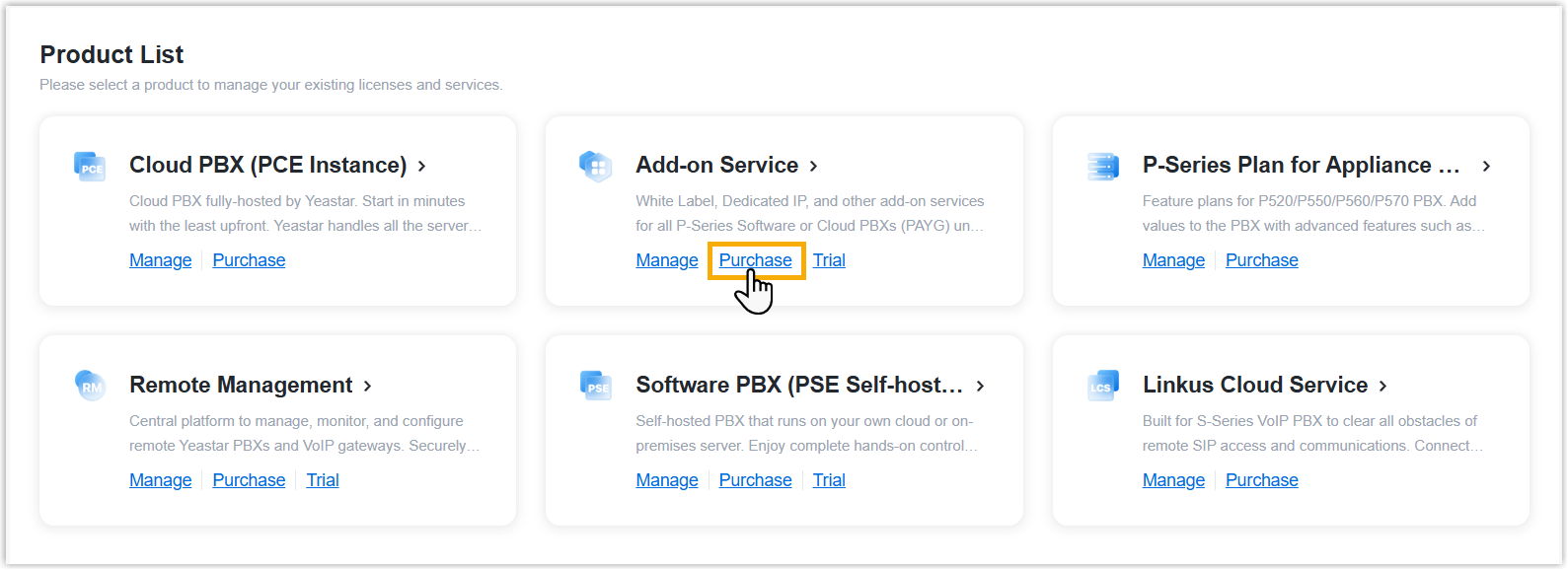
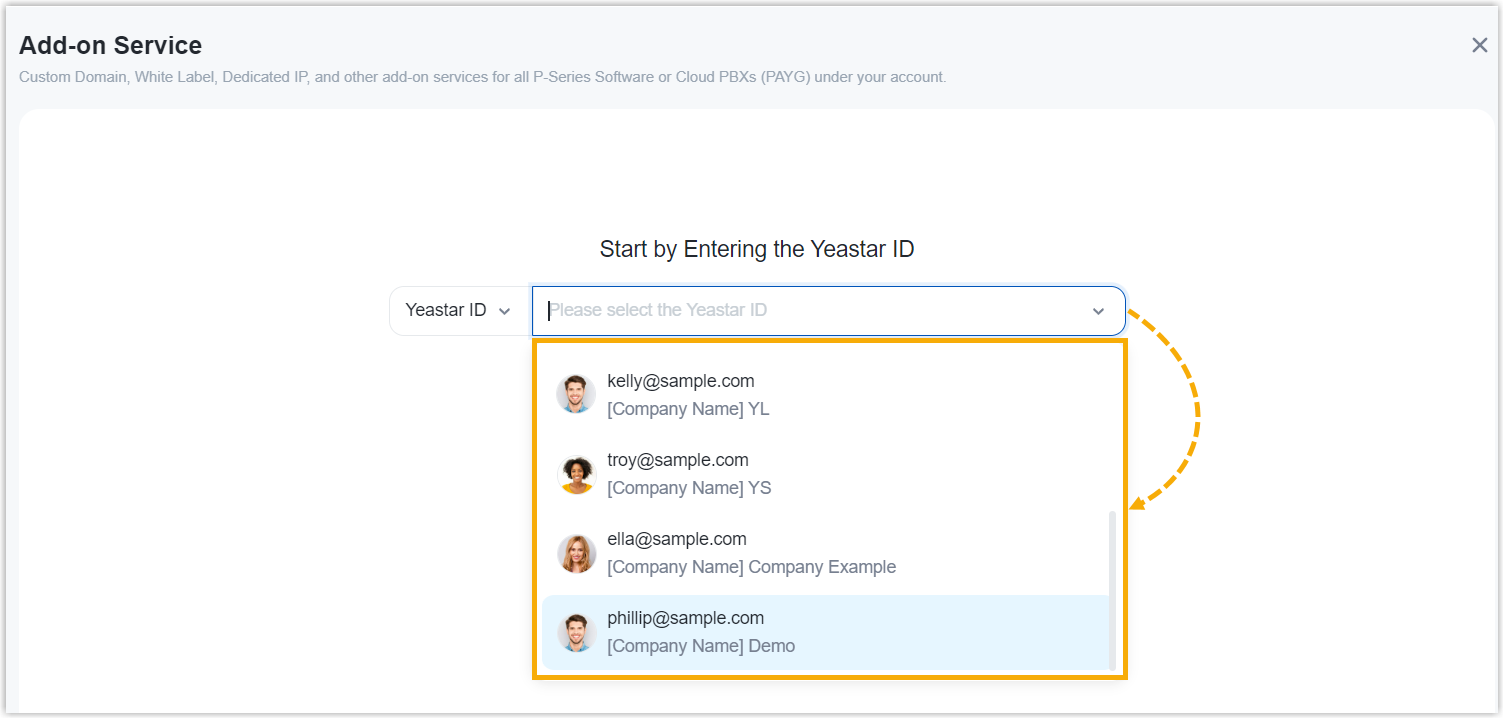
A side panel slides in from the right of the page.
- Search and select the user for whom you want to subscribe
to PSE custom domain service from the drop-down list.
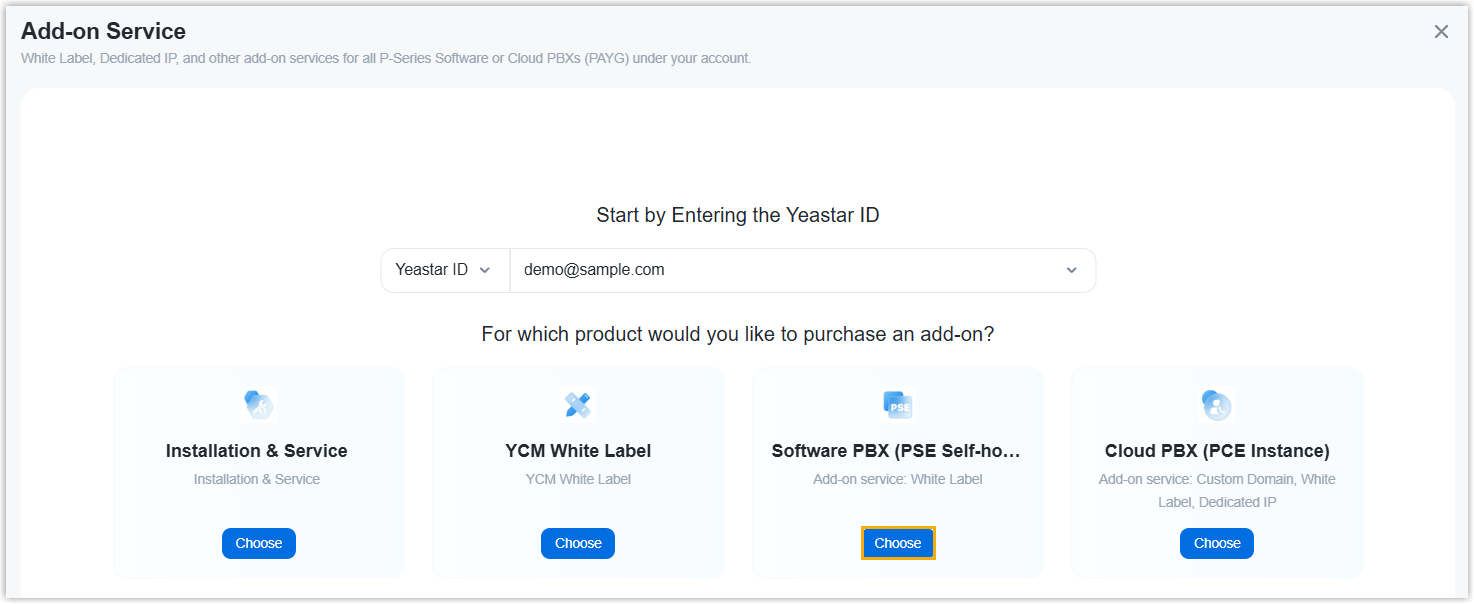
-
Click Choose on Software PBX (PSE Self-hosted).
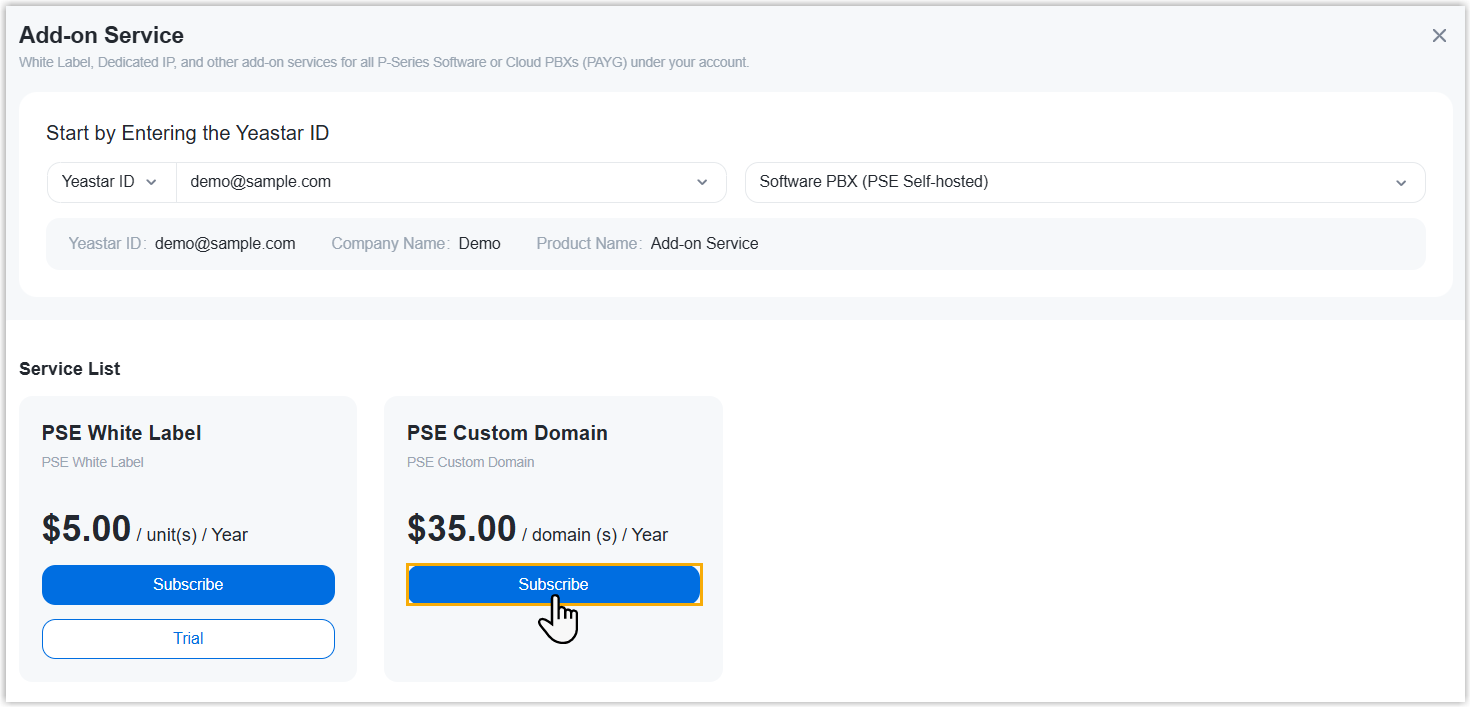
- Subscribe to PSE Custom Domain service.
- In the Service List, click
Subscribe on the PSE Custom
Domain.
- In the Custom Domain field, specify the
number of custom domain names that you want to purchase.
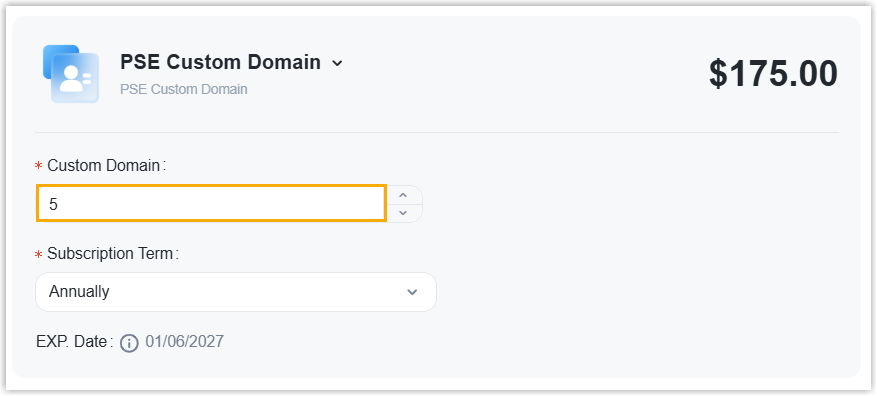
- In the Service List, click
Subscribe on the PSE Custom
Domain.
- Optional: On the left Assign This Product To
section, search and select a user to associate with the product.
The selected user will have access to view the subscription details within the Partner Portal (Path: ).
Note: If the desired user doesn't exist, you can click Add Partner to add a user. This will create a new Partner Portal account, and an account activation email will be sent to the assigned email address. If you DO NOT want your customer to receive this email, DO NOT click Add Partner here.
- On the right Order Summary section, click Checkout.
-
Review the service information and billing information, then complete payment.
Result
PSE custom domain service has been subscribed for the selected user.