Purchase Installation Service for Hub Expansion
If you host and manage cloud phone systems in your own environment, you can expand PBXHub at any time as your business grows or set up a High Availability(HA) architecture to ensure service continuity and minimize downtime. To achieve this, purchase hub expansion service and contact Yeastar to proceed.
Procedure
- Log in to Yeastar Partner Portal, go to Products & Purchase.
- On the product list, click Purchase on
Add-on Service.
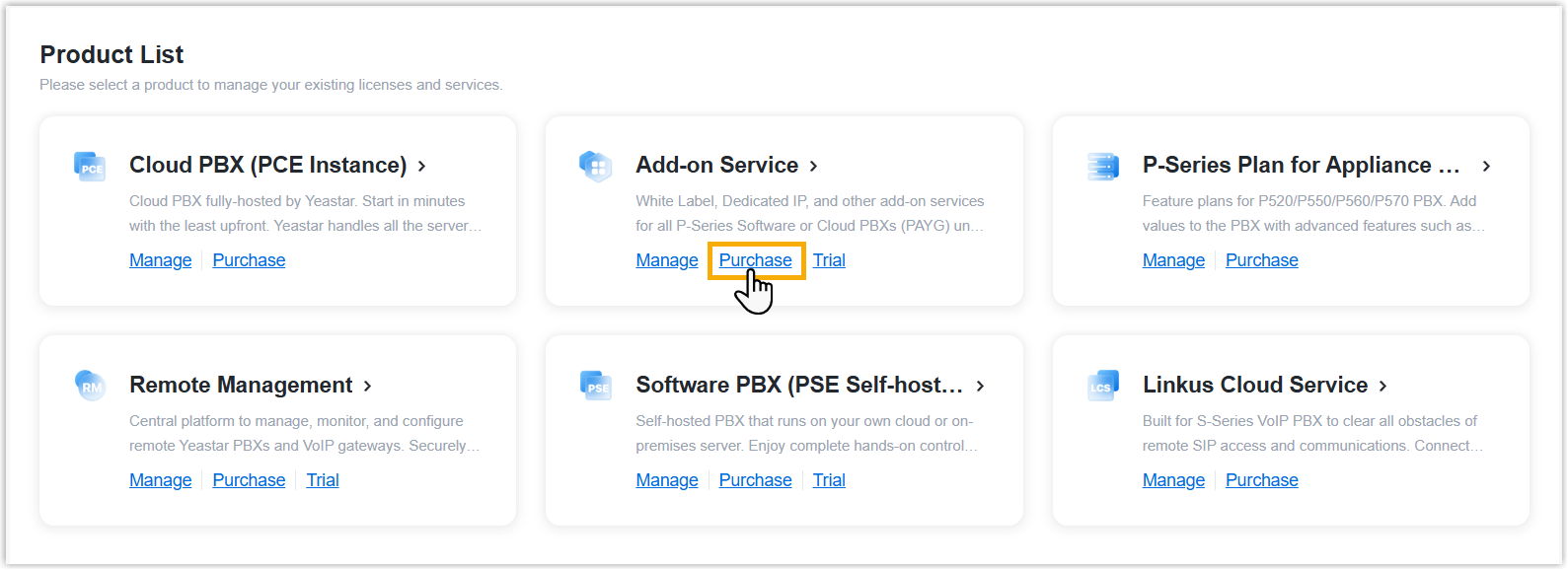
A side panel slides in from the right of the page.
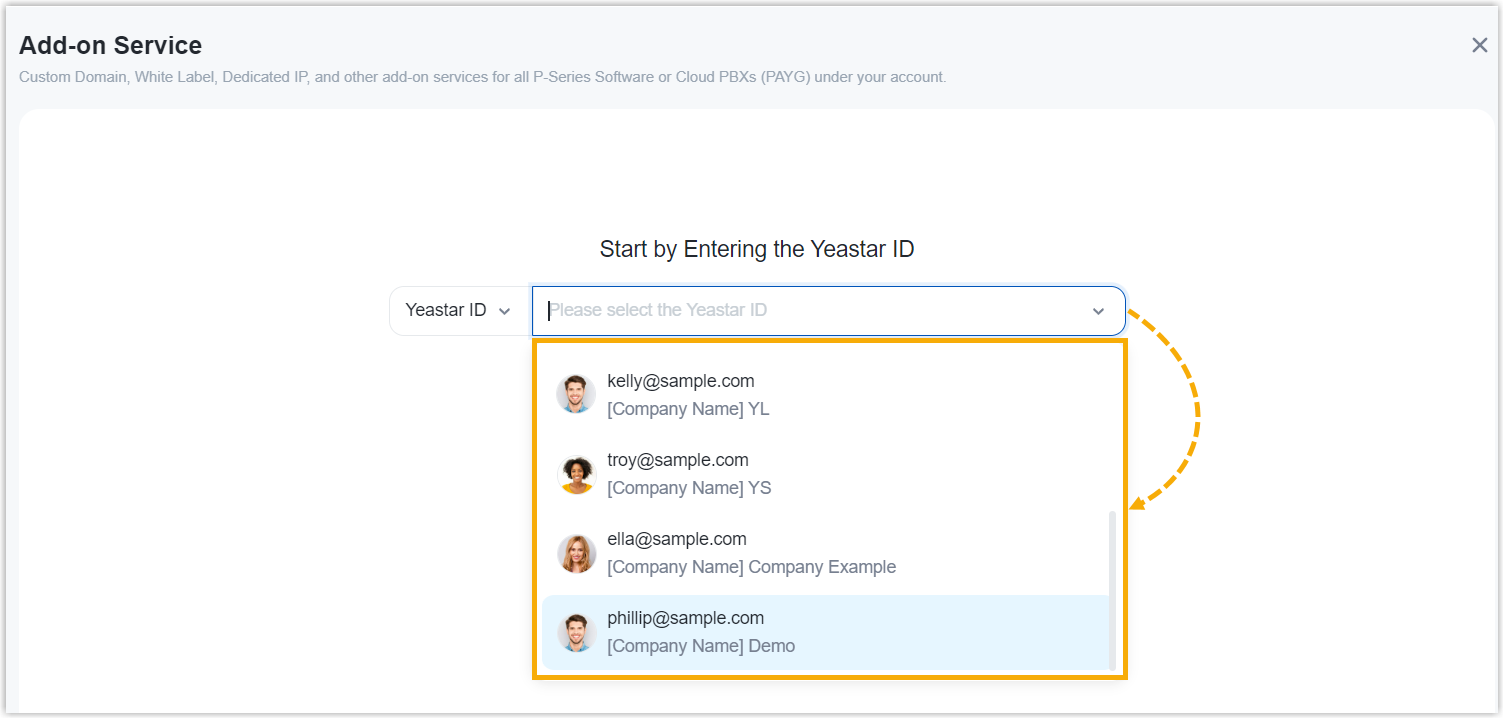
- Search and select the user for whom you want to purchase
hub expansion installation service from the drop-down list.
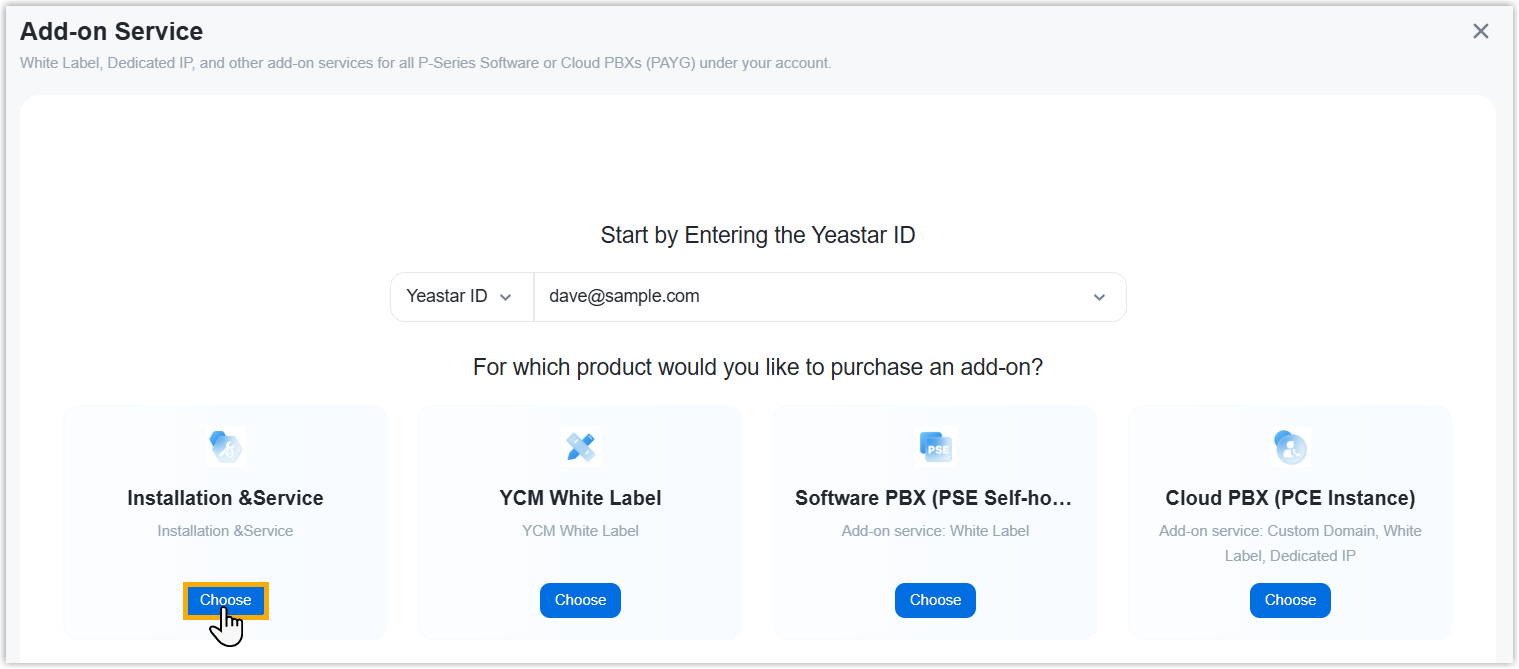
- Click Choose on Installation
& Service.
- Purchase hub expansion installation service.
- On the service list, click Purchase on
Hub Expansion Installation.

- Retain the default value of Hub Installation,
or edit it as needed.

- On the service list, click Purchase on
Hub Expansion Installation.
- Optional: On the left Assign This Product
To section, search and select a user to associate with the
product.
The selected user will have access to view the subscription details within the Partner Portal (Path: ).
Note: If the desired user doesn't exist, you can click Add Partner to add a user. This will create a new Partner Portal account, and an account activation email will be sent to the assigned email address. If you DO NOT want your customer to receive this email, DO NOT click Add Partner here.
- On the right Order Summary section, click Checkout.
-
Review the service information and billing information, then complete payment.
Result
Hub expansion installation service is now available for the selected user.
What to do next
Contact Yeastar Sales/Support to deploy the server(s).