Mark or Remove Favorite Contacts
This topic describes how to mark or remove favorite contacts on Linkus Mobile Client.
Requirements
Your Linkus version meets the
following requirement:
- Linkus iOS Client: Version 5.4.4 or later
- Linkus Android Client: Version 5.4.9 or later
Mark a favorite contact
You can mark the desired contacts as favorites for quick location and retrieval.
- On Linkus Mobile Client, go to .
- Find the desired contact and mark him or her as favorites.
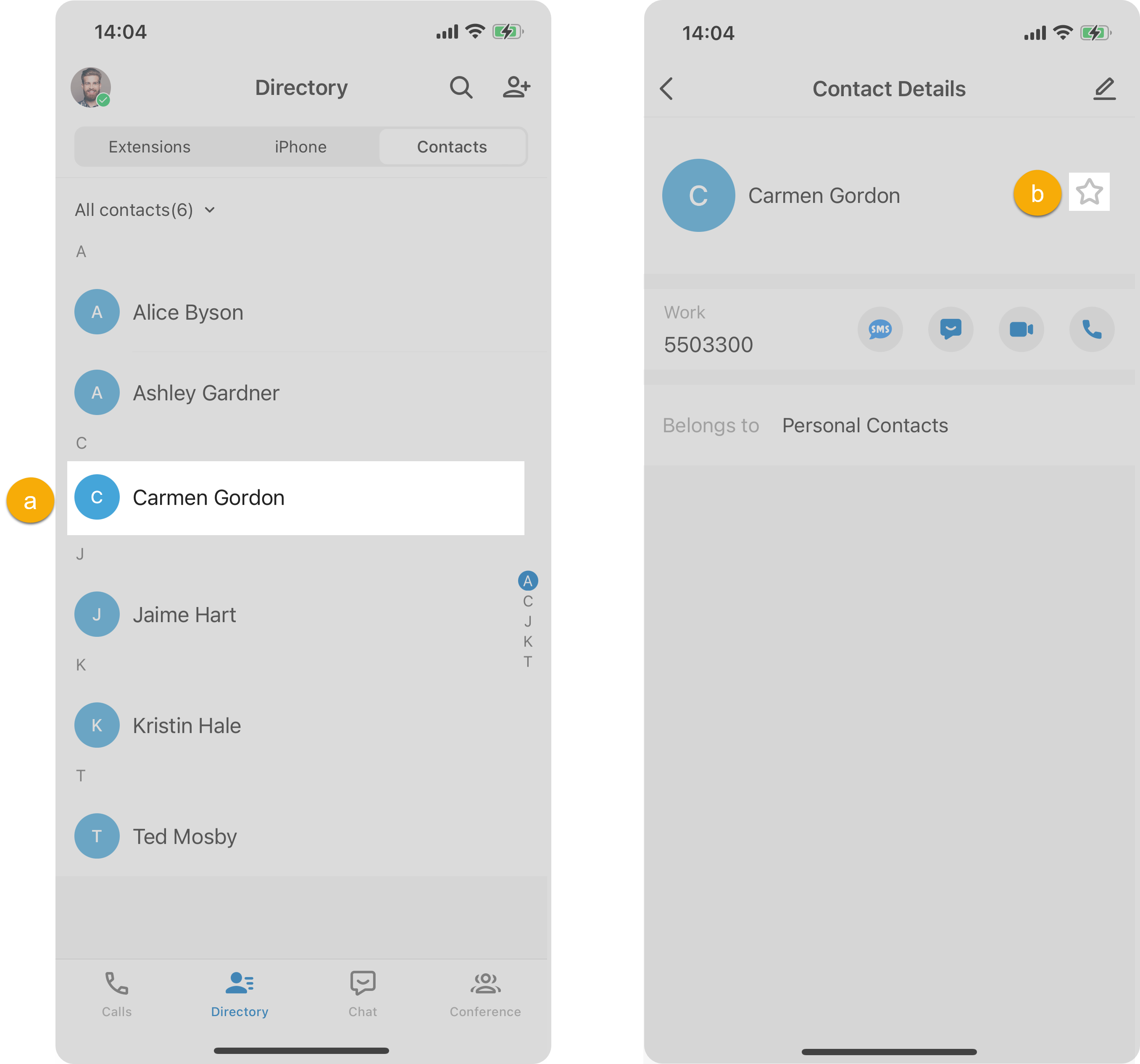
- Tap the desired contact.
- On the Contact Details page, tap
 beside the contact name.
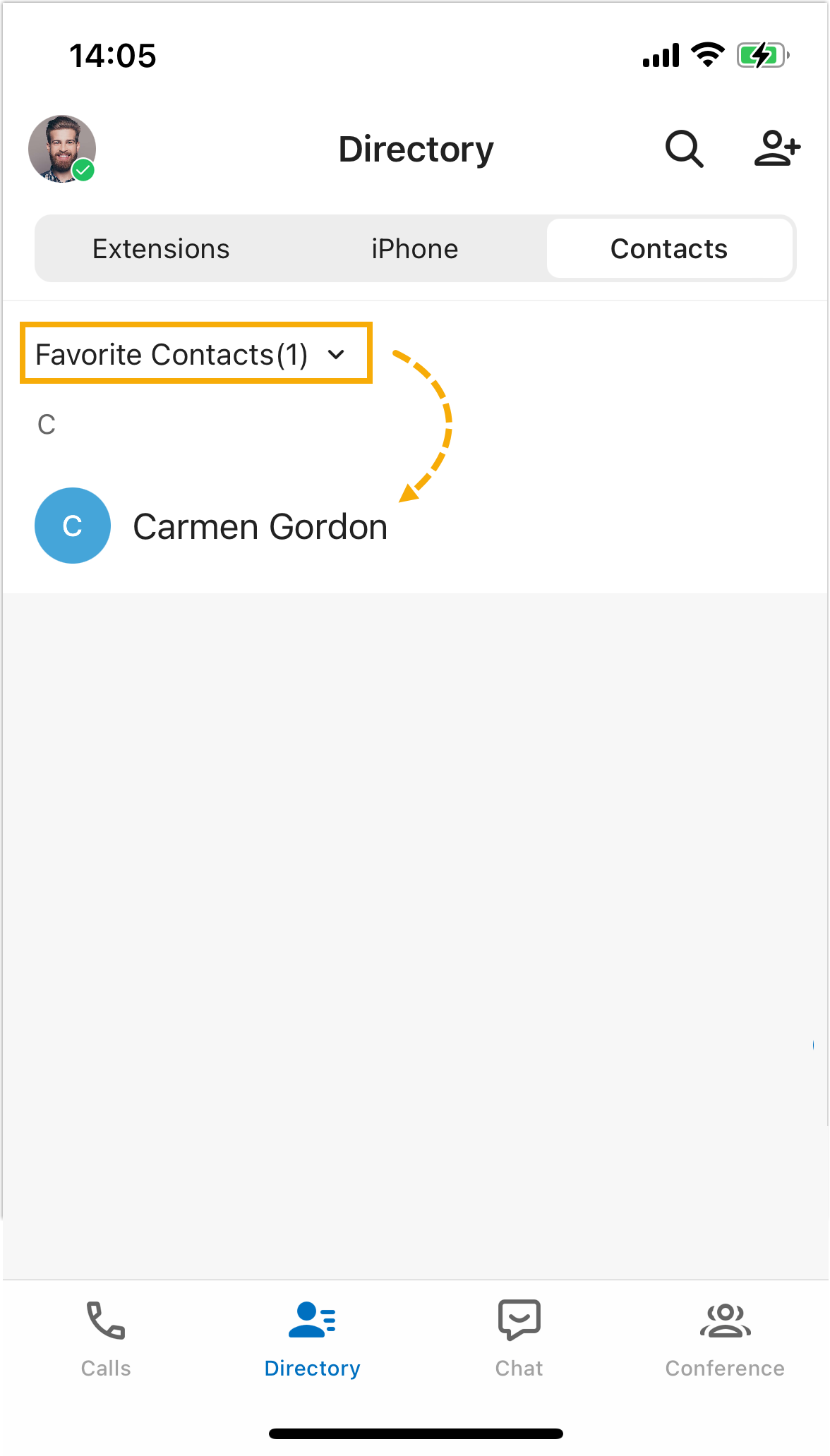
This contact is marked as favorites, which can be found in the Favorite Contacts list.
Remove a favorite contact
- On Linkus Mobile Client, go to .
- At the top-left corner, select Favorite
Contacts.
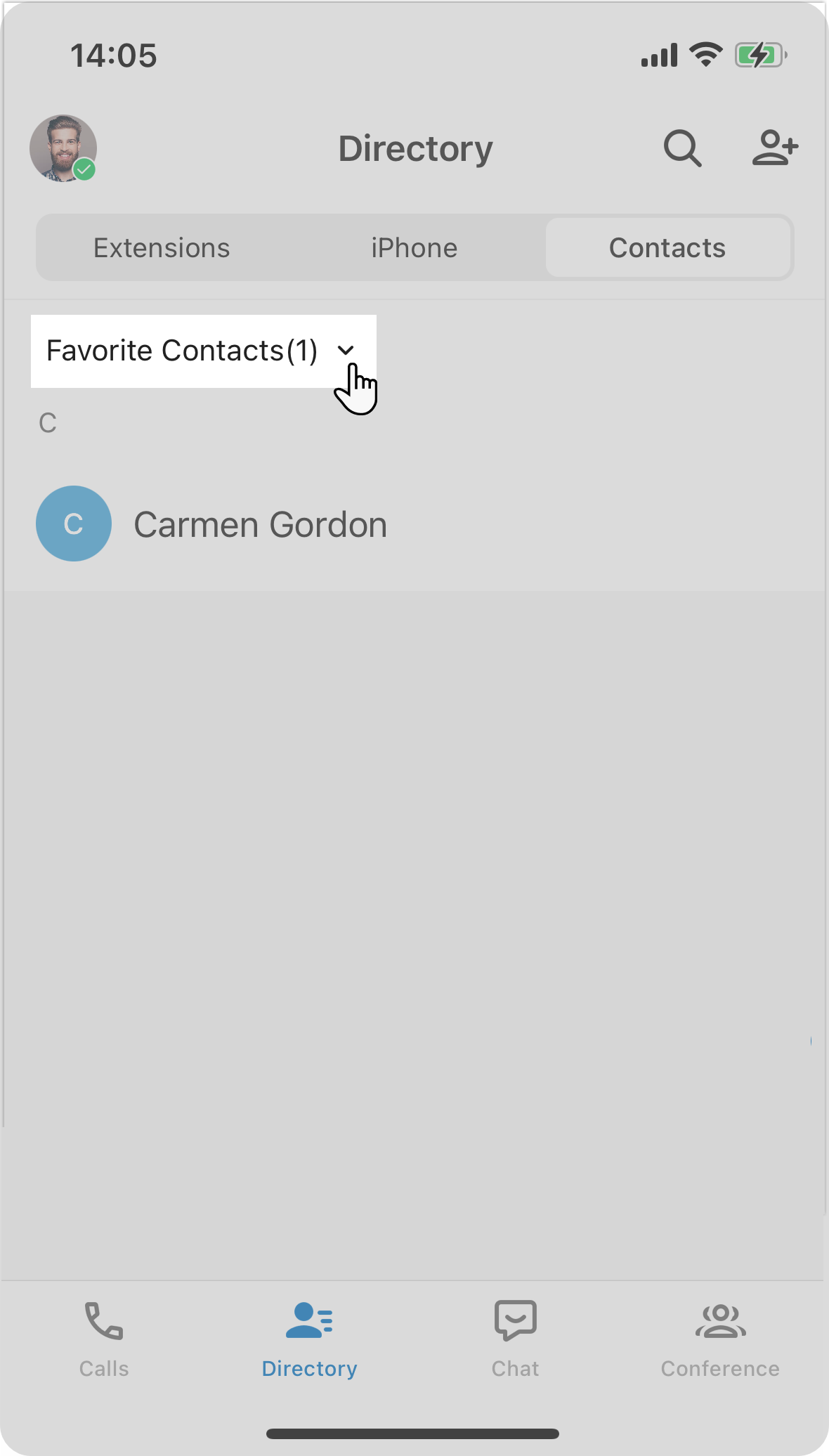
- Tap the desired contact, then tap
 beside the contact name.
This contact is removed from your Favorite Contacts list.