Set Up Function Keys for Users Individually
You can configure function keys individually for each user extension.
Supported function key types
NovoOne supports multiple function key types, each providing different functionality.
The following table lists the supported function key types and their functions. For detailed configuration instructions and examples, refer to the corresponding topics.
| Key Type | Function |
|---|---|
| N/A | No function is assigned to the key. |
| Line | Select a SIP account for making calls. Note: The key type is supported on IP
phones only.
|
| BLF |
For more information, see Monitor User's Extension Status on an IP Phone. |
| Speed Dial | Place a call to frequently dialed numbers. |
| Check Voicemail |
|
| Park & Retrieve |
For more information, see Park a Call. |
| Intercom | Place an intercom call to a specific extension. |
| DTMF | Send DTMF digits without entering them manually each time. Note: Only numbers,
#,
and * are supported. |
| Agent Login/Logout |
|
| Agent Pause/Unpause |
|
| Call Forward | Always forward incoming calls to a specified destination. Note: The key type is supported on IP
phones only.
For more information, see Forward All Incoming Calls. |
| Action URL | Send an HTTP GET request to a specified URL. Note: The key type is supported on IP
phones only.
|
Procedure
- Log in to NovoOne Tenant portal, go to .
- Click
 beside the
desired user.
beside the
desired user. - In the Function Keys tab, add and configure function
keys.
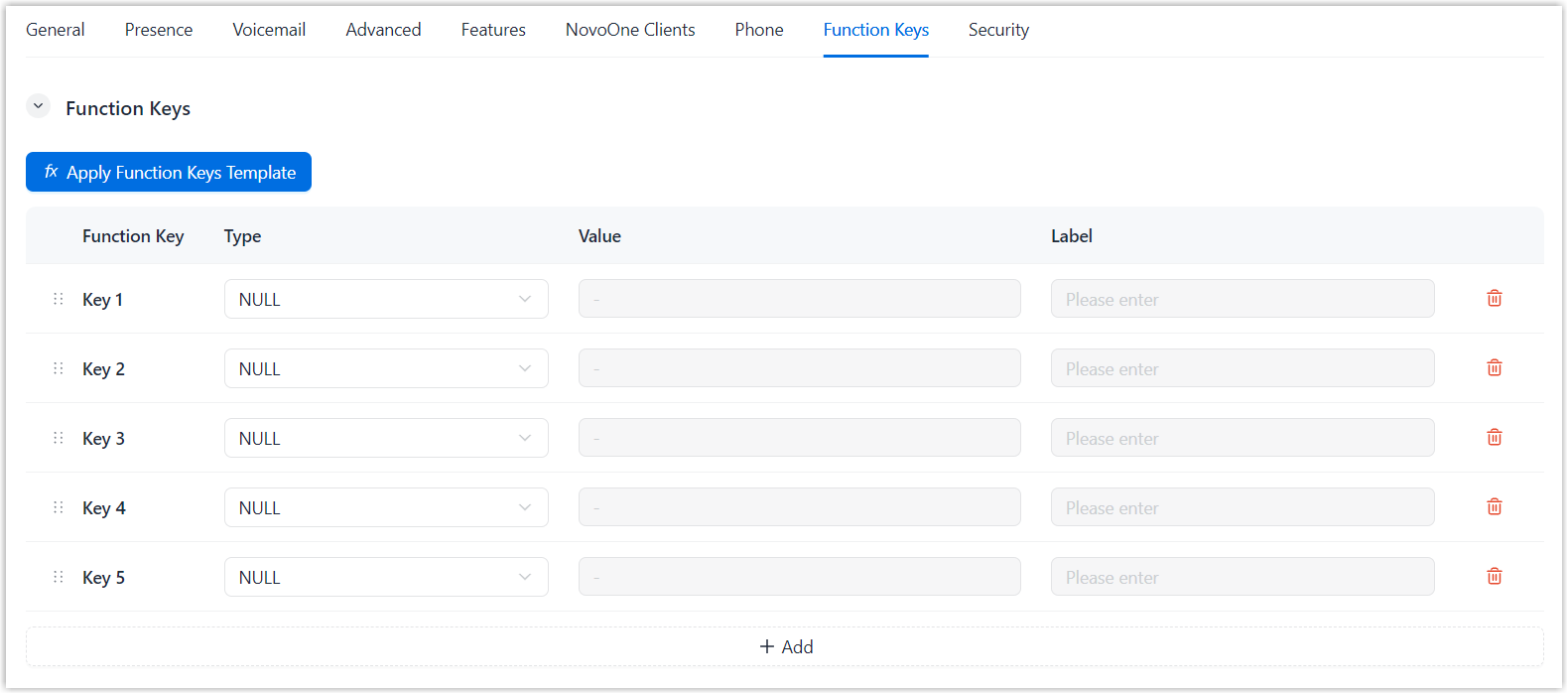
- Click Save.
Result
The configured function keys are applied to the user's NovoOne Web Client and provisioned IP phone.