Configure VoIP Settings for Users
Configure VoIP settings for user extensions, including DTMF transmission, SIP transport, and media encryption.
Procedure
- Log in to NovoOne Tenant portal, go to .
- Click
 beside the
desired user.
beside the
desired user. - In the Advanced tab, configure the VoIP
settings.
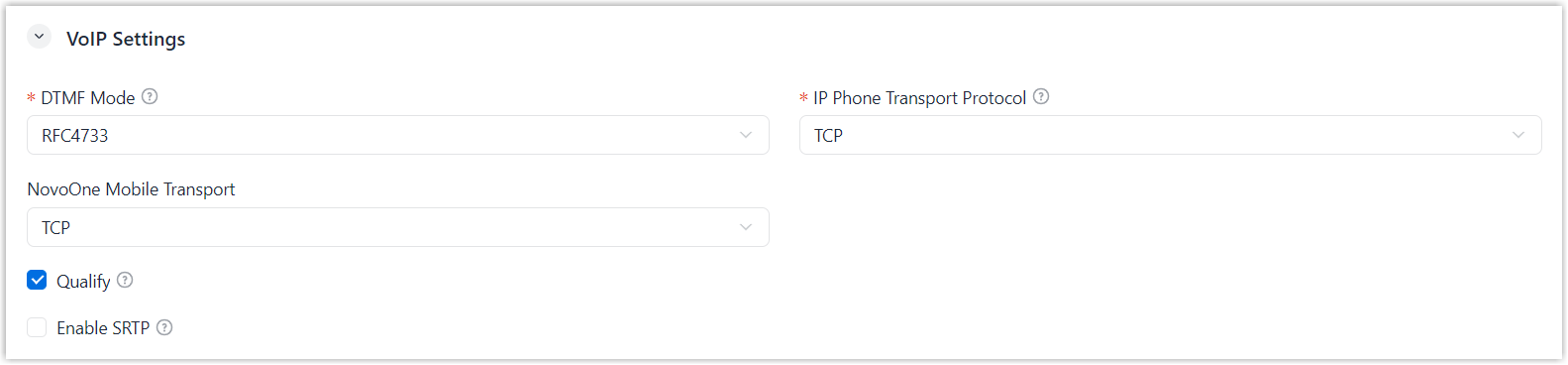
Setting Description DTMF Mode Select the mode used to send DTMF tones. - RFC4733 (RFC2833): DTMF tones are carried in dedicated RTP packets.
- Info: DTMF tones are carried in SIP INFO messages.
- Inband: DTMF tones are carried in the audio stream.
- Auto: RFC4733 (RFC2833) is used if supported by the device; otherwise, Inband is used.
IP Phone Transport Protocol Select the preferred transport protocol for an IP phone to register the user extension through auto provisioning. Note: This setting does not restrict the transport protocols that can be used for registration. For example, if TCP is selected, the user extension can still be registered using UDP.- UDP
- TCP
- TLS
NovoOne Mobile Transport Select the transport protocol used by NovoOne Mobile Client. - TCP
- TLS
Qualify Set whether to periodically send SIP OPTIONS packets to check whether the SIP device is online. Enable SRTP Set whether to encrypt RTP packets using SRTP. - Click Save.