System Preferences
This topic describes the preference settings that are applied globally to the tenant.
Note: To configure preference settings, go to .
Basic

| Setting | Description |
|---|---|
| Tenant Name | Display the tenant name, which cannot be edited. |
| Country | Select the country where the tenant is located. |
| Tone Region | Select a country to apply the default dial tone, busy tone, and ring tone. |
| Login Credential Validity (Days) | Set the validity period of the login QR code and link for NovoOne Clients. |
Number Preferences
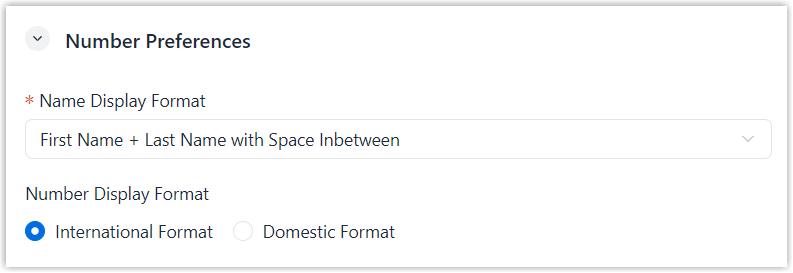
| Setting | Description |
|---|---|
| Name Display Format |
Set the format used to display names.
|
| Number Display Format |
Set the format used to display phone numbers.
|
Caller ID Preference
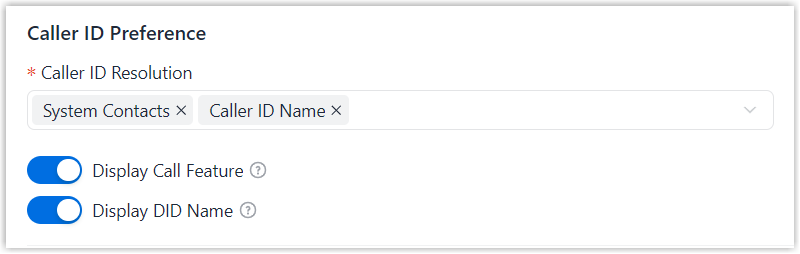
| Setting | Description |
|---|---|
| Caller ID Resolution | Set the rule for displaying contact name in Caller ID.
|
| Display Call Feature |
Set whether to include the call feature name in the Caller ID Name for incoming calls routed through a ring group, queue, or IVR. Note: If a call is routed through
multiple call features, only the name for the last call
feature is displayed.
|
| Display DID Name |
Set whether to display the associated DID name when receiving incoming calls through a DID number. |
Default Number Range
By default, the system assigns the first available virtual number from the
corresponding default range when you create resources. You can modify the default
range as
needed.
Note:
- When modifying a default number range, the range must meet the following
requirements:
- The number length must be between 1 and 11.
- The number must not start with 0.
- When creating resources, you can assign a number within or outside the configured range, except for Call Parking.
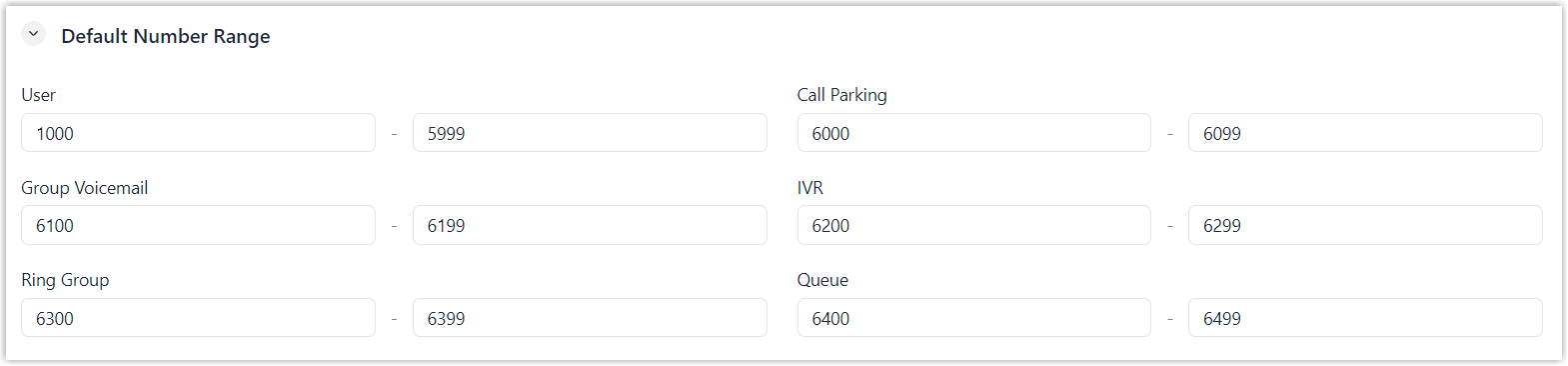
| Feature | Description |
|---|---|
| User | 1000 - 5999 |
| Call Parking | 6000 - 6099 |
| Group Voicemail | 6100 - 6199 |
| IVR | 6200 - 6299 |
| Ring Group | 6300 - 6399 |
| Queue | 6400 - 6499 |
Date and Time Settings
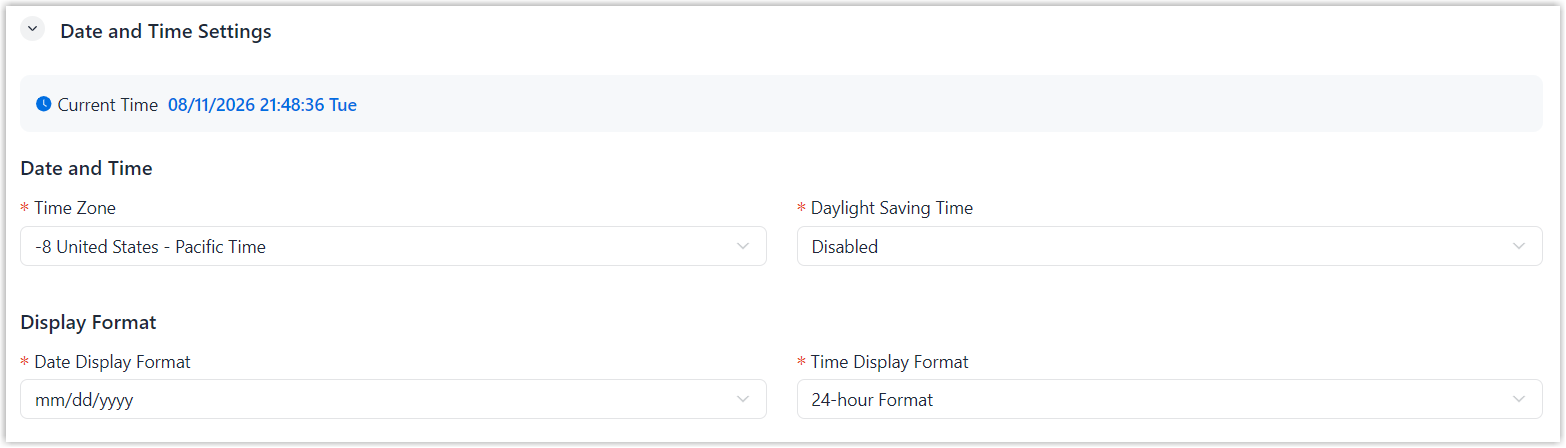
| Setting | Description |
|---|---|
| Date and Time | |
| Time Zone | Select the time zone. |
| Daylight Saving Time | Set whether to enable daylight saving time. |
| Display Format | |
| Date Display Format | Select date display format.
|
| Time Display Format | Select time display format.
|