View Operation Log
NovoOne records operations performed in each Tenant portal, helping you track user activities and review operation details.
Procedure
- Log in to NovoOne Tenant portal, go to .
- Set filter criteria to filter the desired operation logs.

- Specify a time range.
- Search by operator, username, email address, object, or IP address.
- Set column filters to further narrow down the results.
Result
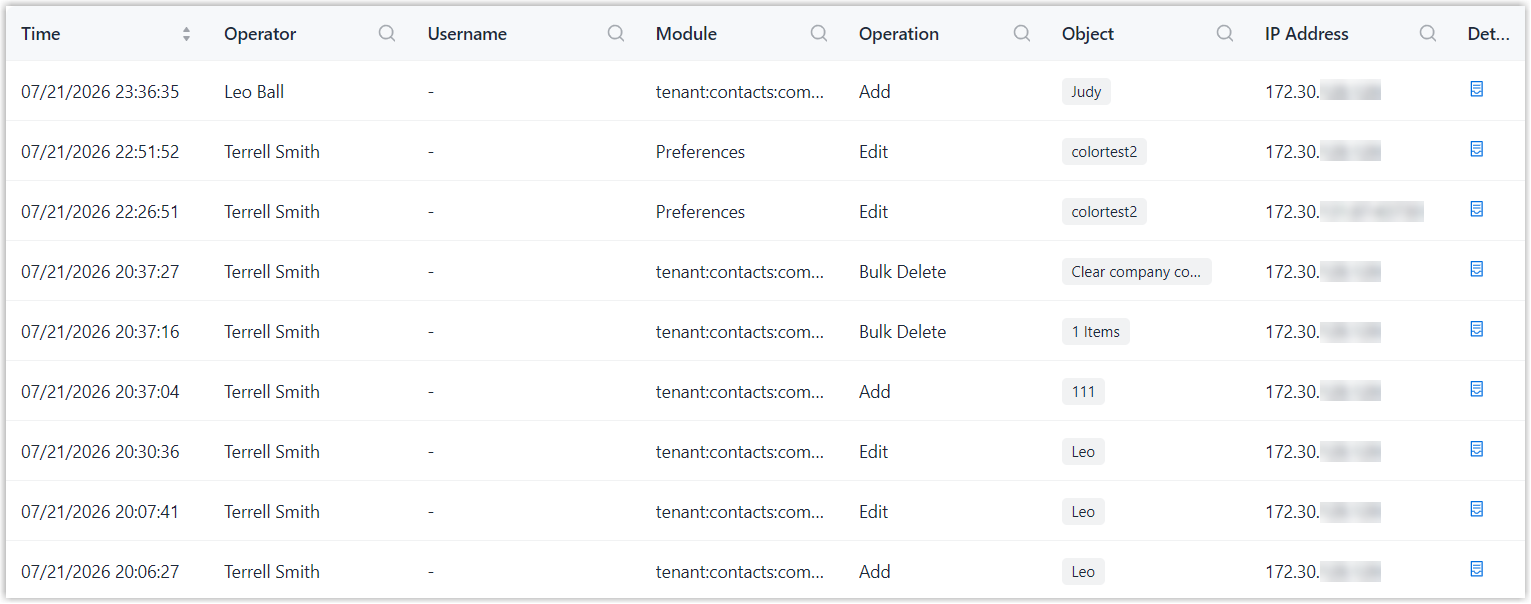
Operation logs that match the filter criteria are displayed in the list. The following table describes the information available in the operation log list.
| Item | Description |
|---|---|
| Time | The time when the operation was performed. |
| Operator | The user who performed the
operation. Note: Service
Provider indicates that the operation was
performed by service
provider. |
| Username | The account used to perform the operation. Note: A blank value indicates that the
operation was performed by service
provider.
|
| Module | The module on which the operation was performed. |
| Operation | The type of the operation performed. |
| Object | The object on which the operation was performed. |
| IP Address |
The IP address from which the operation was performed. |
| Details | Quick access to view the detailed changes before and after the operation. |
What to do next
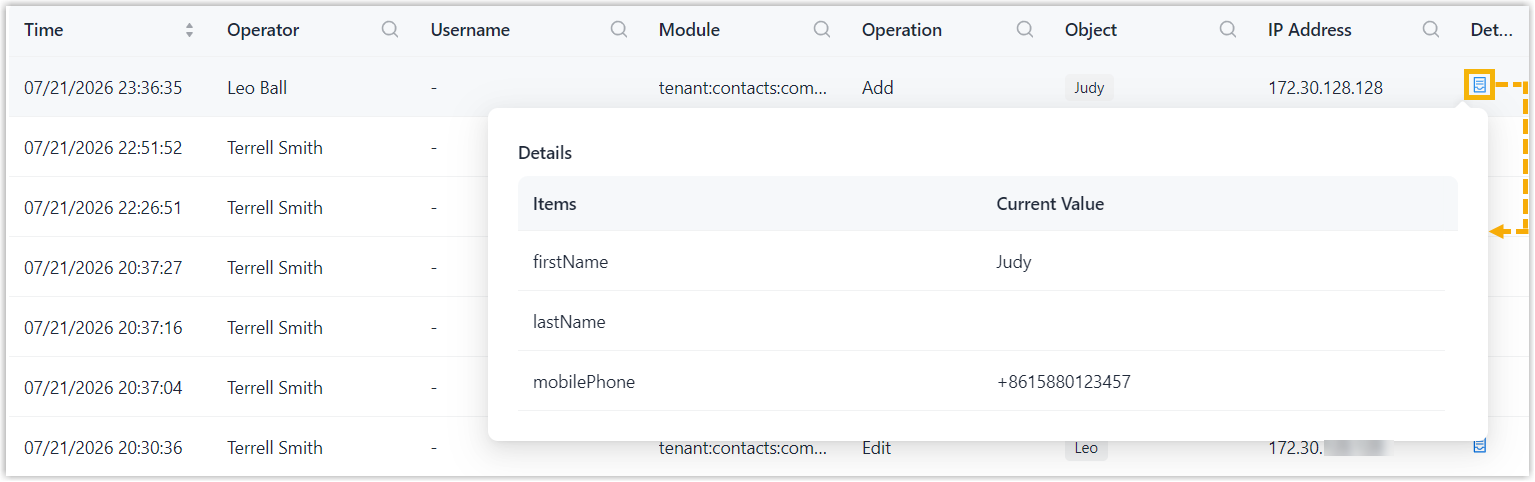
In the Details column, click  to view the detailed changes before and
after the operation.
to view the detailed changes before and
after the operation.