Restore a Cloud PBX backup on P-Series Cloud Edition
This topic explains how to migrate from Yeastar Cloud PBX to the P-Series PBX system by restoring backup files to the target system, ensuring a smooth transition of your configurations and data.
Prerequisites
- Create P-Series Cloud Editions on Yeastar Central Management using the same domain as the original Cloud
PBXs.Note: The firmware of P-Series Cloud Edition should be 84.19.0.70 or later.
- Obtain backup files for Yeastar Cloud PBX from YMP server.
Supported methods
Restore backup on Yeastar Central Management
- Log go to Yeastar Central Management, go to .
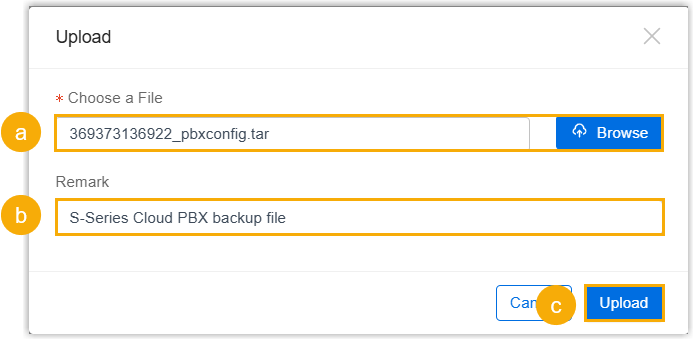
- Click Upload, and do as follows in the pop-up
window.
-
Click Browse to select the backup file you downloaded.
-
Optional: In the Remark field, add a note to help you identify the file.
-
Click Upload.
After the backup file is successfully uploaded, click Confirm to close the window; the backup file is displayed in the backup file list.
-
- Restore the P-Series Cloud Edition from the backup file.
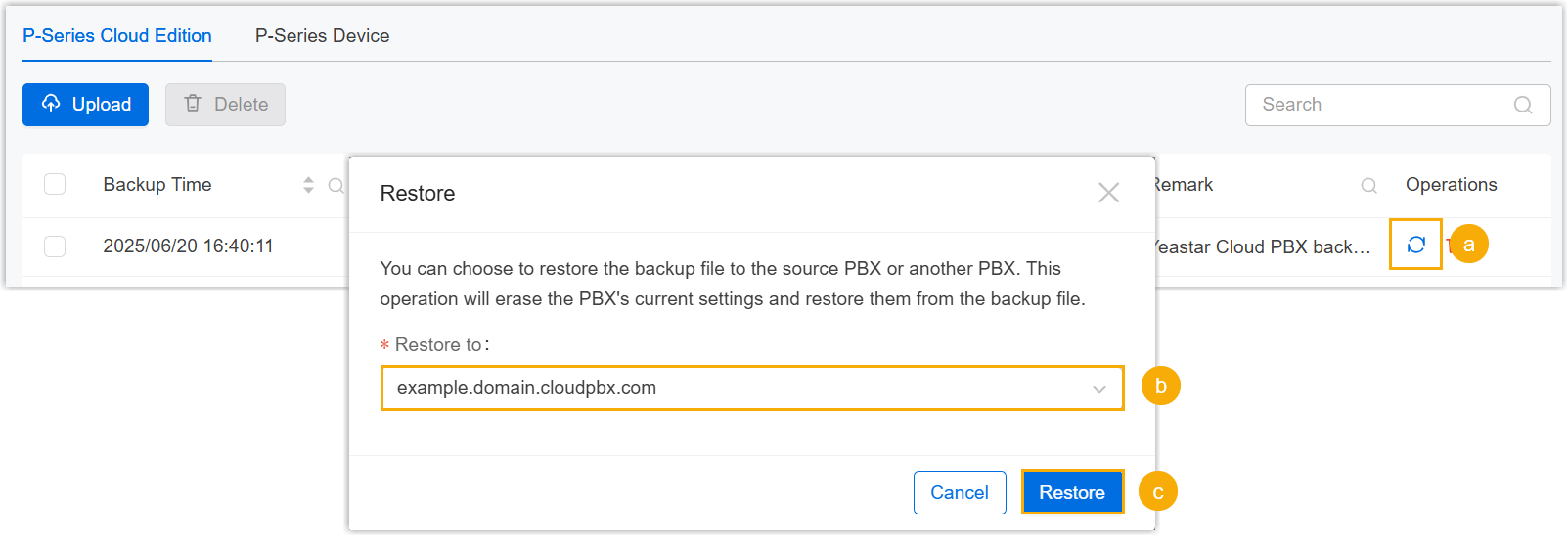
- Click
 beside the backup file.
 - In the Restore to drop-down list, select the desired P-Series Cloud Edition instance.
- Click Restore.
- Click
Restore backup on P-Series Cloud Edition instance
- Log in to the PBX web portal of your P-Series PBX system, go to .
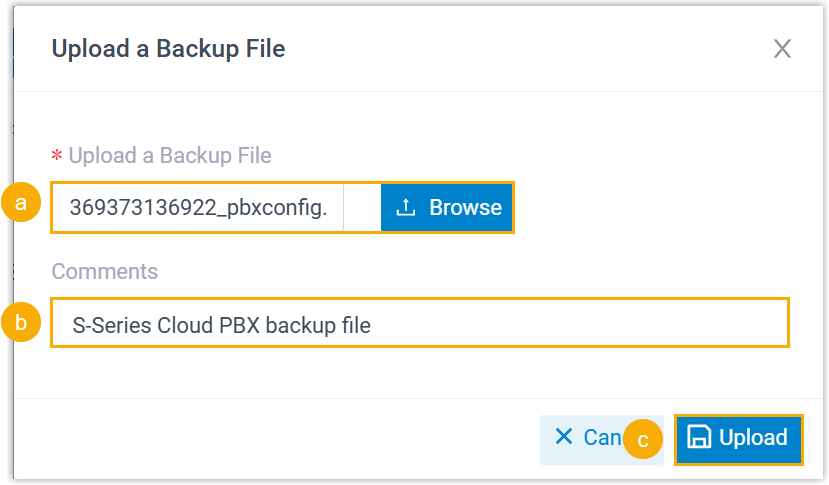
- Click Upload, and do as follows in the pop-up
window.
-
Click Browse to select the backup file of Cloud PBX.
-
Optional: In the Comments field, add a note to help you identify the backup file.
-
Click Upload.
The backup file is uploaded and displayed in the list.
-
- Restore the PBX system from the backup file.
- Click
 beside the backup file.
- In the pop-up window, click OK.
- Reboot the PBX to take effect.
- Click
Result
The configurations on your P-Series PBX system are overwritten with the data from the Cloud PBX backup file.
What to do next
- Verify that if the P-Series PBX system can be accessed via the original Cloud PBX domain name.
- Verify that the settings and data have been correctly migrated from Yeastar Cloud PBX to your P-Series PBX system.