Co-brand PBX
YMP allows Yeastar partners to co-brand Yeastar Cloud PBX by customizing the logo, product name, web icon (favicon), and email template. Offering the co-branded PBXs to your customers is an increasingly effective way to accelerate and scale your business.
Who can co-brand PBX
Yeastar Cloud PBX Co-branding service is available for the following types of partners:
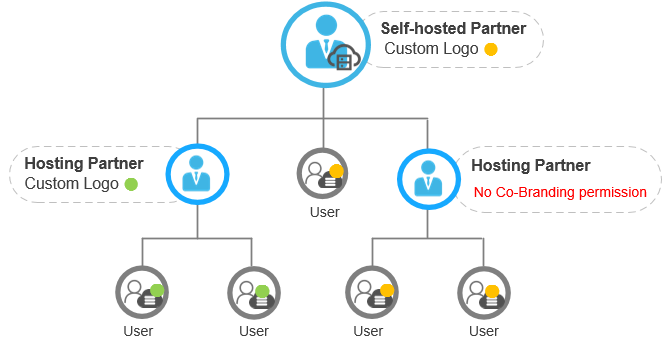
- The partners with self-hosted YMP
As you are the super administrator of your self-hosted YMP, you can grand Co-branding privileges to your YMP hosting partners.
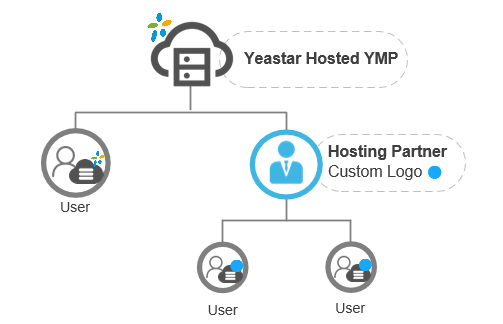
- The hosting partners with Yeastar-hosted YMP
Type of Co-branding assets
You can customize the following assets for your co-branded PBX:
- Logo
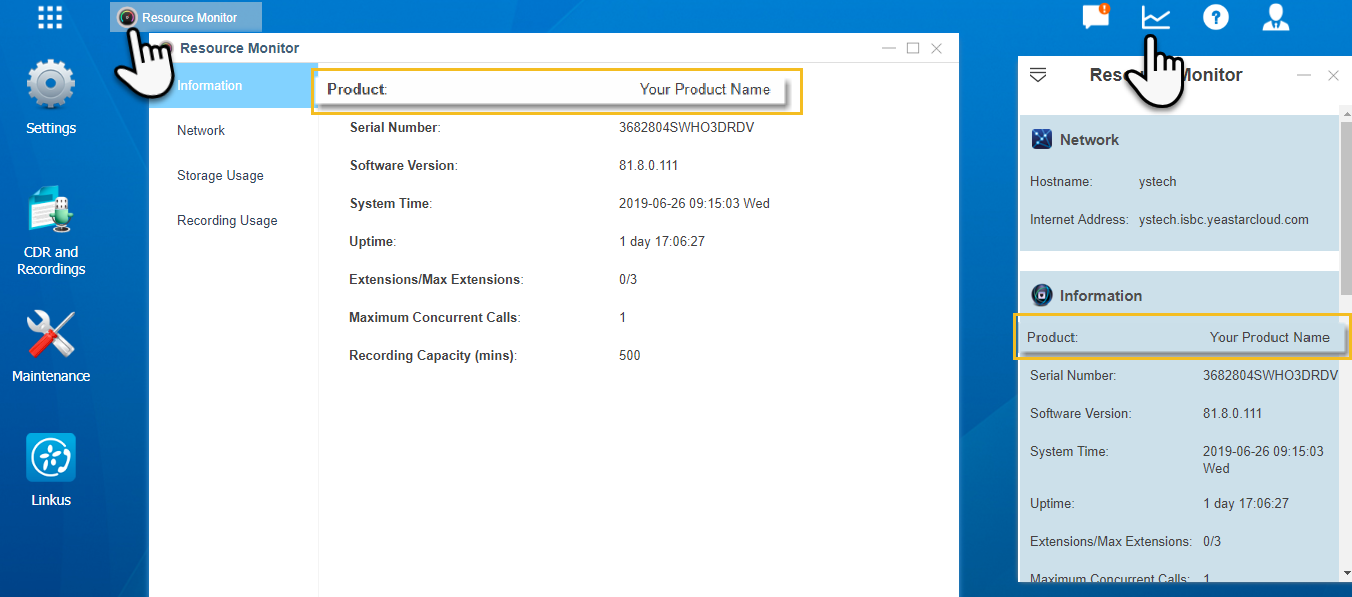
- PBX Product Name
- Favicon (Web icon)
- Email Template
How to co-brand Yeastar Cloud PBX
Prerequisite:
- YMP version: 82.8.0.50 or later
- PBX version: 81.8.0.112 or later
Procedure:
- Upgrade YMP to 82.8.0.50 or later.
- Contact Yeastar to enable PBX Co-Branding feature.Note: Co-Branding feature is not available for all Yeastar partners, if you need to co-brand Yeastar Cloud PBX, contact Yeastar.
- Log in YMP, go to to change the following settings.Note: Each Time you change the Co-branding settings, you need to reboot your customers' PBXs to take effect.
- Product Name: Enter the product name of PBX.
- Favicon: Upload an ico file. The icon
will be displayed as the web icon.
The ico file should meet the following requirements:
- File size: Less than 300KB.
- Dimensions: 16×16, 32×32
- Logo Image: The logo will be displayed on
the PBX login page.The logo file should meet the following requirements:
- File format: PNG, JPG, or JPEG
- File size: Less than 1MB
- Optimum dimensions: 200×90
- Go to to Customize Email Notification Template.
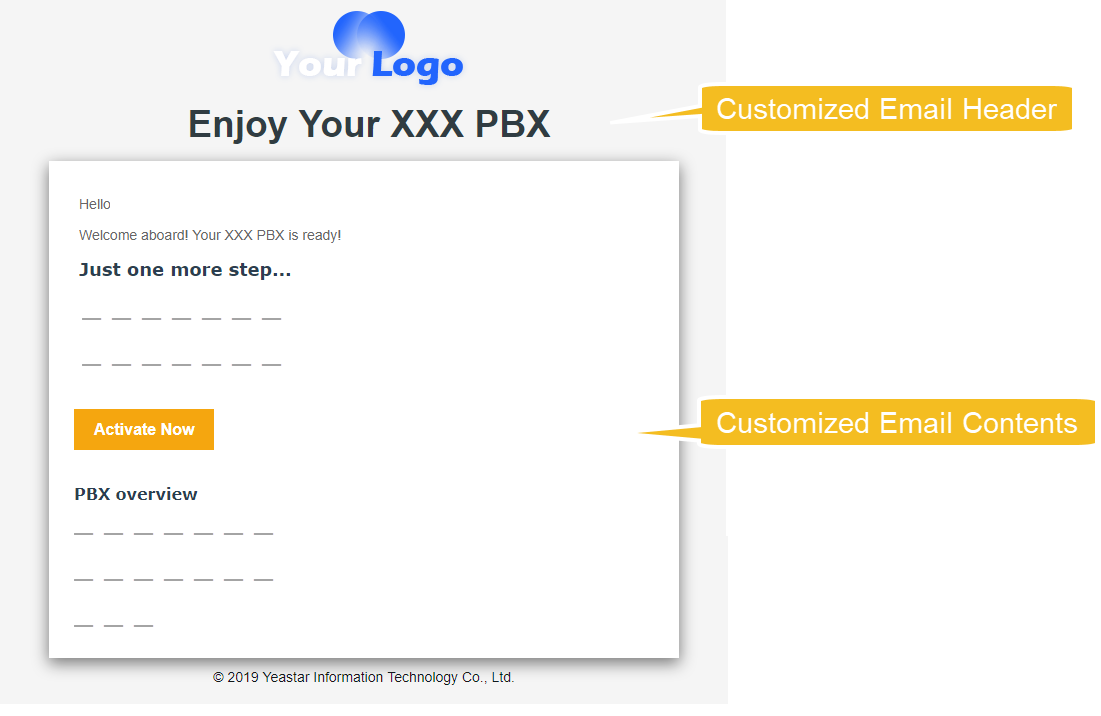
When you send email notifications to your customers, the customized Email title, logo, and email contents will be displayed.
- Upgrade PBX Firmware to 81.8.0.112 or later.
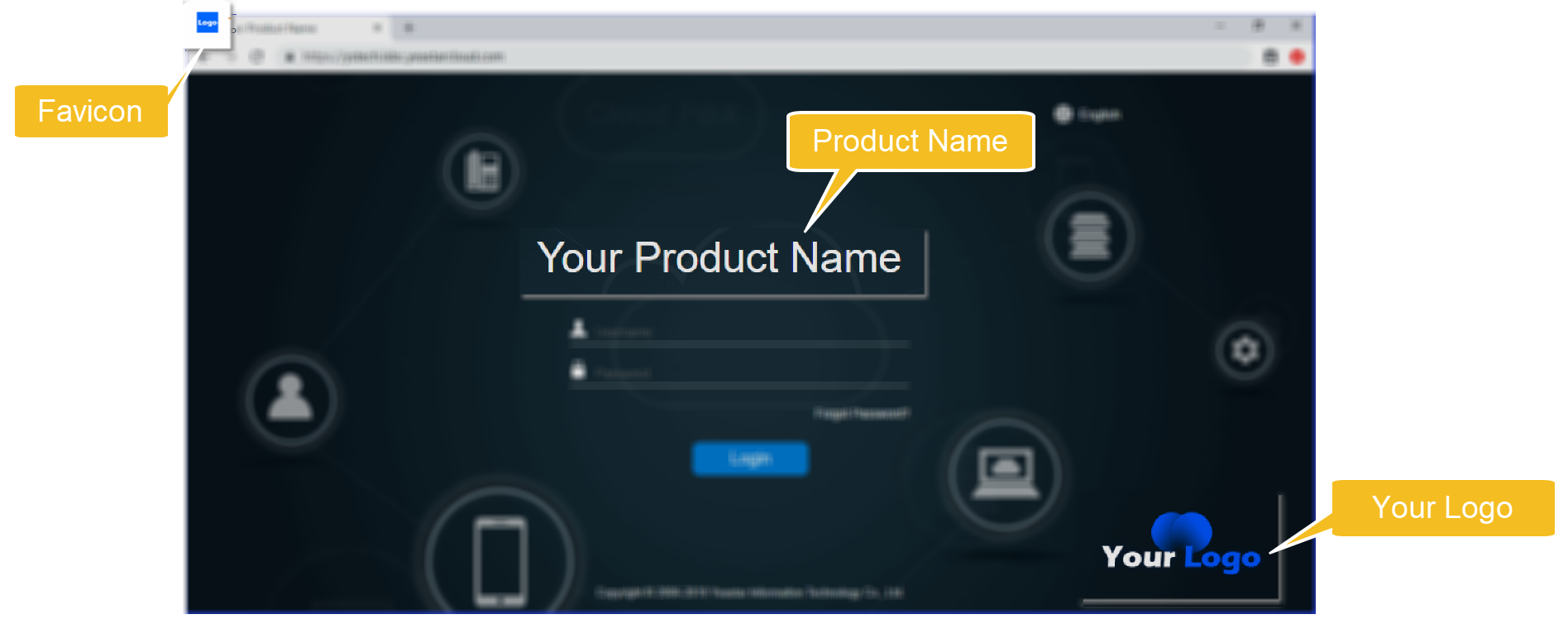
After the PBX starts up, a new PBX login page and your customized product name will be displayed on the PBX.
Example: Co-branded PBX
Example: customized Email Notification