Delete a PBX
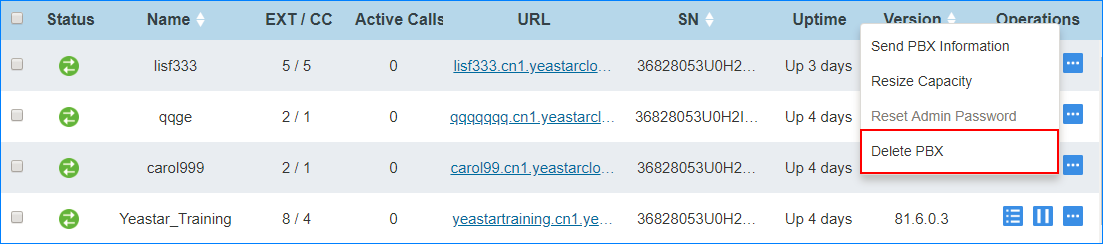
To save the YMP capacity, you can delete a PBX if the associated customer no longer needs the PBX.
- Go to .
-
Click
 beside the
desired PBX.
beside the
desired PBX.
-
Click Delete PBX.
- In the pop-up dialog, enter the CAPTCHA and click Confirm.