Export PBX Information
You can export the information of all PBXs to a CSV file, then check and manage the PBXs in bulk.
- Go to , click Export.
-
In the pop-up dialog, check the desired information.
The exported file is in CSV format.
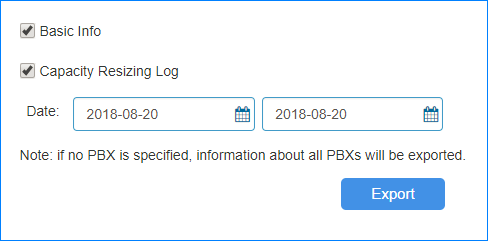
- Basic Info: The PBX domain, name, SN, create time, creator, uptime, capacity, associated customer, etc.
- Capacity Resizing Log: The capacity resizing log for the PBX.
- Click Export.