Resize PBX Capacity
According to your customer's requirements, you can resize the Extension capacity, Concurrent Call capacity, and Call Recording capacity of the customer's PBX.
- Go to .
-
Click
 beside the
desired PBX.
beside the
desired PBX.
-
Click Resize Capacity.
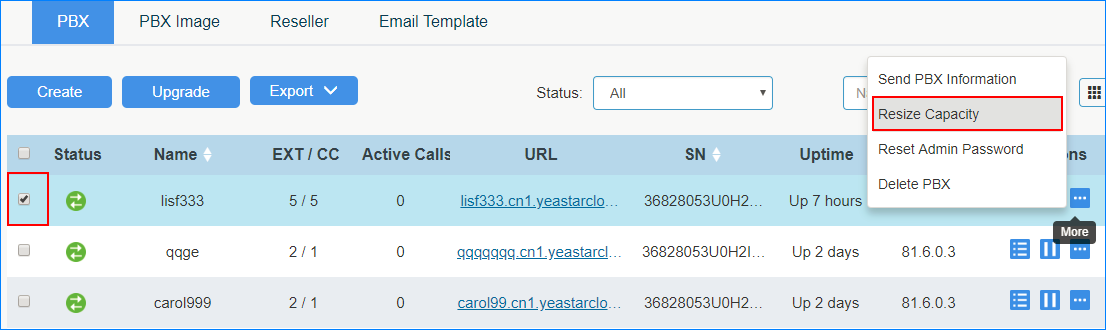
-
In the pop-up dialog, enter the desired number for Extension, Concurrent Call
and Call Recording.
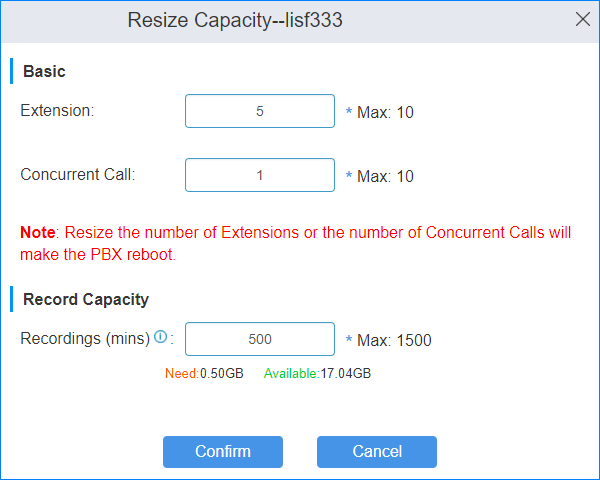
-
Click Confirm.
Note: If you change the Extension capacity or the Concurrent Call capacity, the PBX will reboot automatically to take effect.