Enable/Disable PBX Features
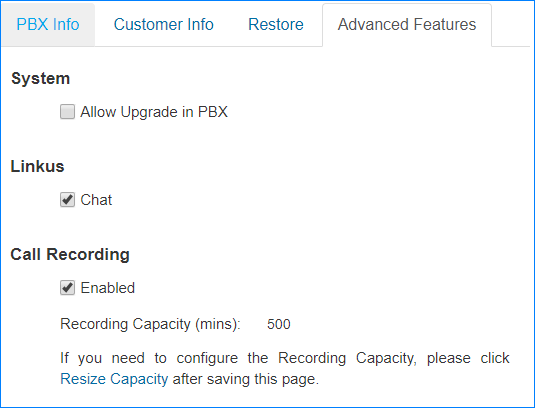
You can decide whether to enable the Linkus Chat, Firmware Upgrade, Call Recording functions on your customers' PBXs.
- Go to .
-
Click
 beside
the desired PBX.
beside
the desired PBX.
- On the Settings page, click Advanced Feature tab.
- To enable the desired feature, select the checkbox.
-
To disable the desired feature, unselect the checkbox.
- Click Save.