Upload SHAKEN Certificate and Private Key
Before enabling outbound call signing feature, you need to upload a private key for signing and its corresponding SHAKEN certificate for the called party to verify call authenticity in Yeastar Central Management.
Requirements
You have the permission to manage
STIR/SHAKEN feature.
Note: If you don't have this
permission, the STIR/SHAKEN tab (Path: ) is not visible to you. In the case, you can still enable outbound
call signing feature for a shared trunk, and the system will
automatically inherit and use the SHAKEN certificate and the private key
configured by your service provider (if available).
Prerequisites
-
You have generated an ECDSA key pair using the P-256 curve, and stored the private key securely.
- You have submitted a CSR (Certificate Signing Request) containing the public key
to the STI-CA (Secure Telephone Identity Certification Authority), and obtained
a valid SHAKEN certificate that meets the following requirements:
- Signature algorithm:
ECDSA with SHA-256 (ES256) - Format:
.cer,.crt, or.pem
- Signature algorithm:
Procedure
- Log in to Yeastar Central Management, go to .
- In the Signature Certificate Management section, complete
the following settings.
- In the Public Key Certificate section, click
 to upload the SHAKEN certificate.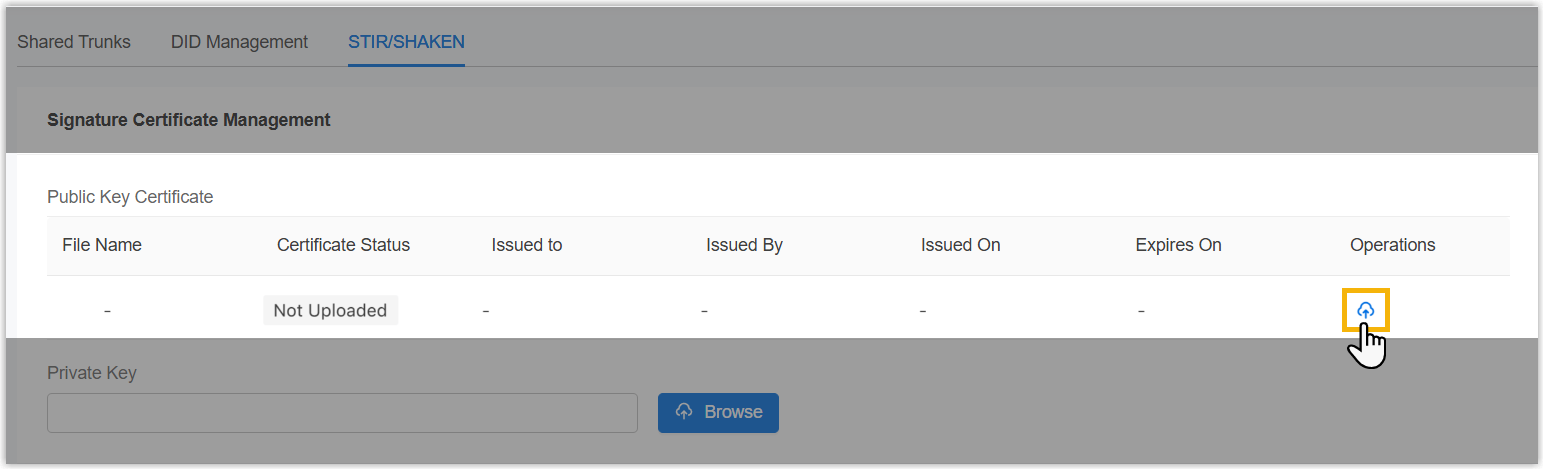
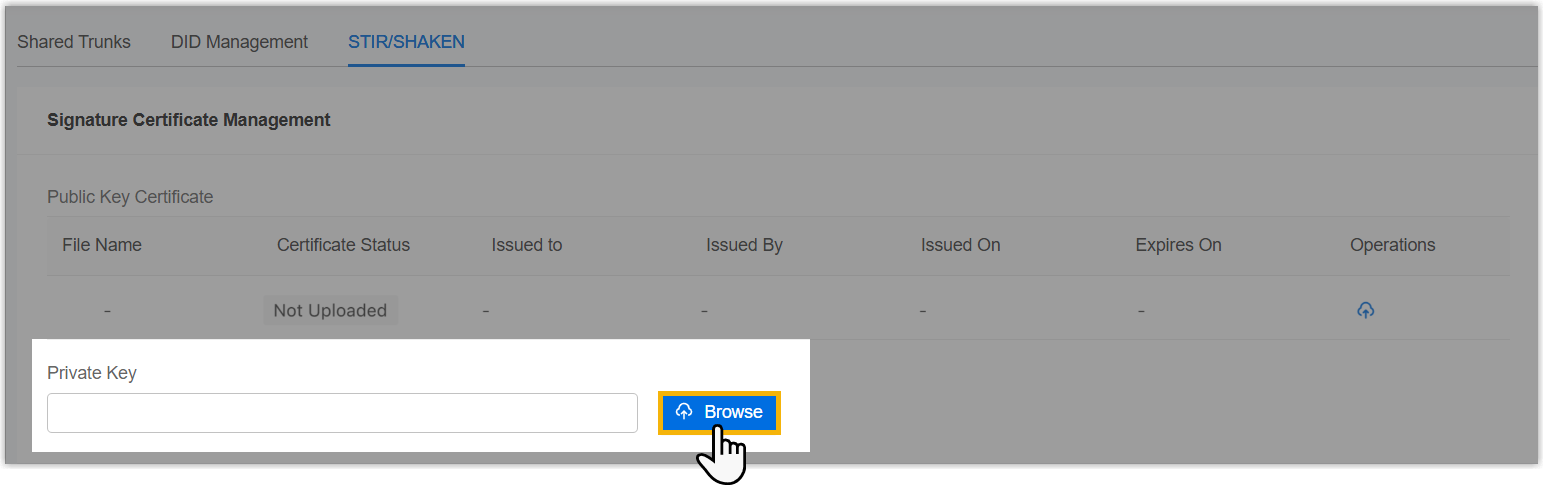
- In the Private Key section, click
Browse to upload the private key.Note: The private key must correspond to the public key in the SHAKEN certificate.
- In the Public Key Certificate section, click
- Click Save.
Result
-
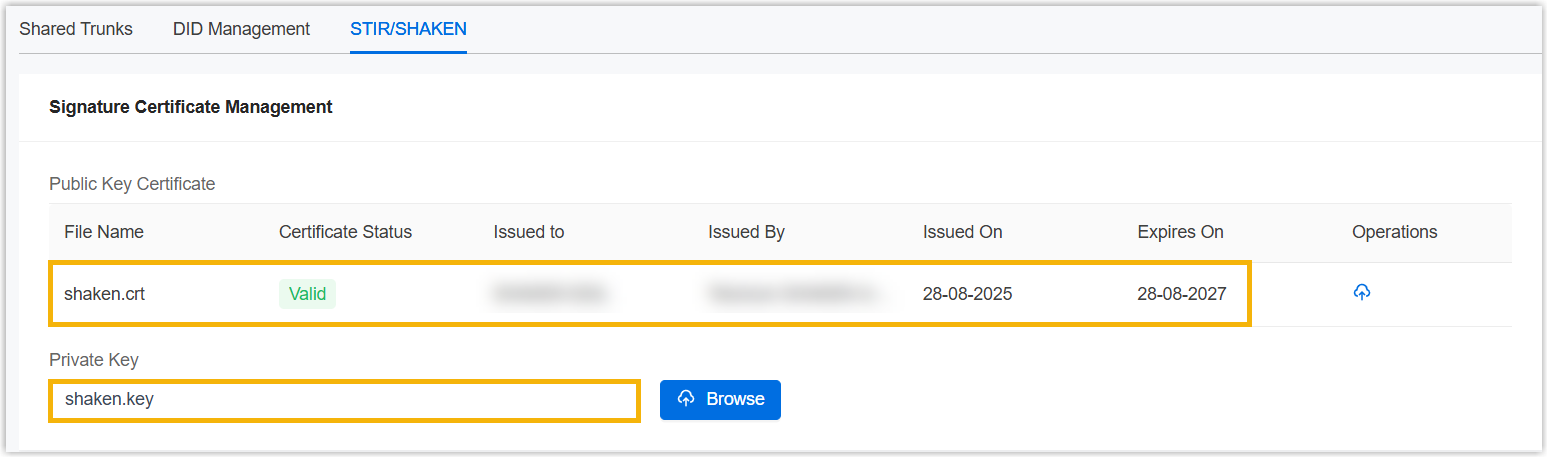
The uploaded SHAKEN certificate and private key are displayed in the Signature Certificate Management section, and can be applied to all shared trunks in the system.
- The system automatically monitors certificate validity. If the certificate has 30, 15, or 1 day left until expiration and the alarm notification STIR/SHAKEN Certificate Expiration Reminder is enabled, the relevant alarm will be triggered.