Trunk Sharing Overview
Trunk sharing simplifies SIP trunk deployment across multiple P-Series Cloud PBX instances by allowing them to share a single centrally managed trunk set in Yeastar Central Management, which streamlines trunk management and prevents excessive SIP requests.
Requirements
- The firmware of P-Series Cloud PBX is 84.21.0.16 or later.
- You have access to the trunk sharing feature.Tip: Confirm this permission by checking the visibility of the menu . If the menu is absent, please request access from your service provider.
How trunk sharing works
With trunk sharing, Yeastar Central Management centrally registers a single SIP trunk with the ITSP, eliminating the need for each PBX instance to register individually. Multiple PBX instances share this centrally managed trunk for both inbound and outbound calls, with each PBX identified by a unique set of DID numbers. Outbound calls are sent to Yeastar Central Management and routed through the shared trunk, while inbound calls are directed to the appropriate PBX based on the DID number.
Setup workflow
Follow the steps below to configure trunk sharing for P-Series Cloud PBXs on Yeastar Central Management:
1. Create a shared trunk
Create a SIP trunk and configure the trunk settings according to your specific requirements. For more information, see SIP Trunk Overview.
To verify caller ID authenticity and prevent caller ID spoofing, you can enable STIR/SHAKEN for the shared trunk. For more information, see STIR/SHAKEN Overview.
Do not configure the same trunk as a shared trunk on Yeastar Central Management and as a SIP trunk on P-Series Cloud Edition at the same time, as this may affect calls.

2. Add DID numbers to the trunk
Add the DID numbers provided by your ITSP to the shared trunk. For more information, see Add DID Numbers to a Trunk.
3. Assign DID numbers to a P-Series Cloud PBX
Assign the DID numbers to the corresponding Cloud PBX instances to bind them to the shared trunk and ensure correct inbound call routing.
- To assign DID numbers when creating a Cloud PBX, see Create a P-Series Cloud PBX.
- To assign DID numbers to an existing Cloud PBX, see Assign DID Numbers to a P-Series Cloud PBX.

4. Assign the trunk access permission to subordinate users
Assign the trunk access permission to subordinate users, allowing them to assign the shared trunk and associated DID numbers directly to their managed cloud PBXs. For more information, see Assign Trunk Access Permission to Users.
Event notification
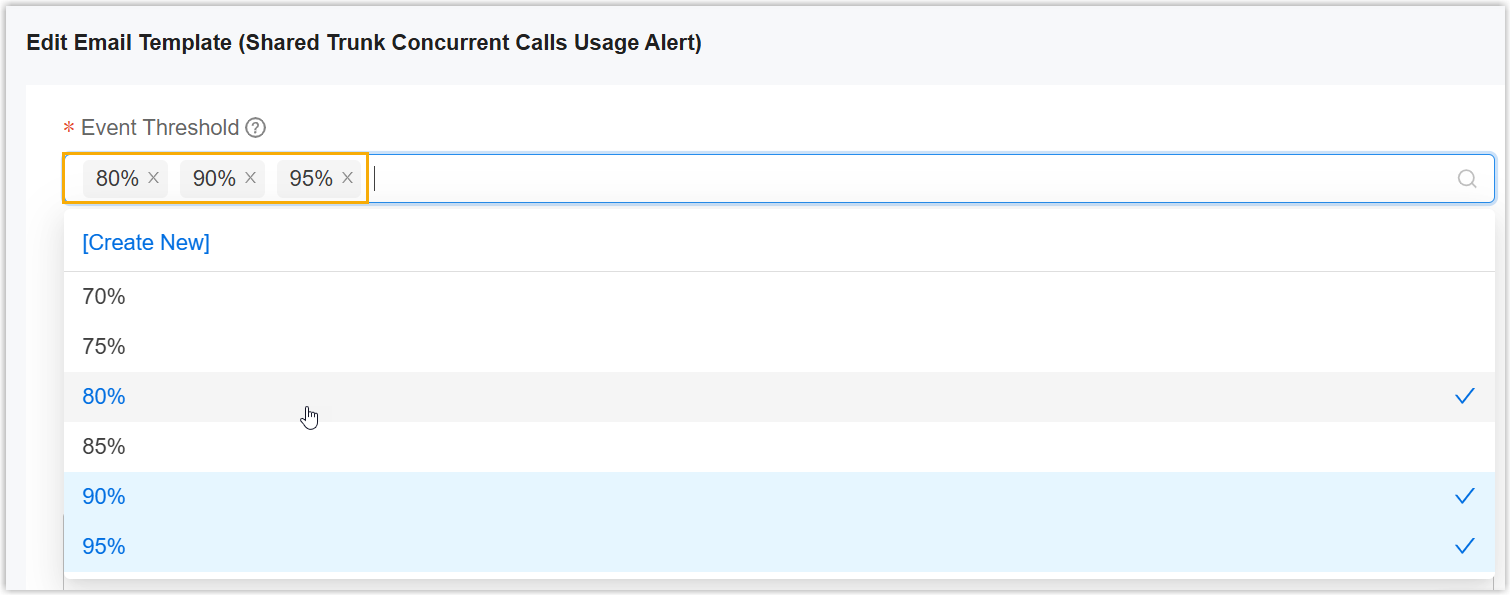
The system automatically monitors the concurrent call usage of shared trunks. When the actual usage of a shared trunk reaches the preset threshold, the Shared Trunk Concurrent Calls Usage Alert is triggered and the system will notify the associated contacts through emails immediately.
You can customize the alarm threshold in the alarm settings (Path: Alarm > Alarm Settings > Event > Shared Trunk Concurrent Calls Usage Alert >  > Event Threshold).