Configure Inbound Call Verification Policy
Before enabling inbound call verification feature, you need to configure inbound call verification policy on Yeastar Central Management, including signature valid time, certificate download timeout and rejection criteria.
Requirements
Background information
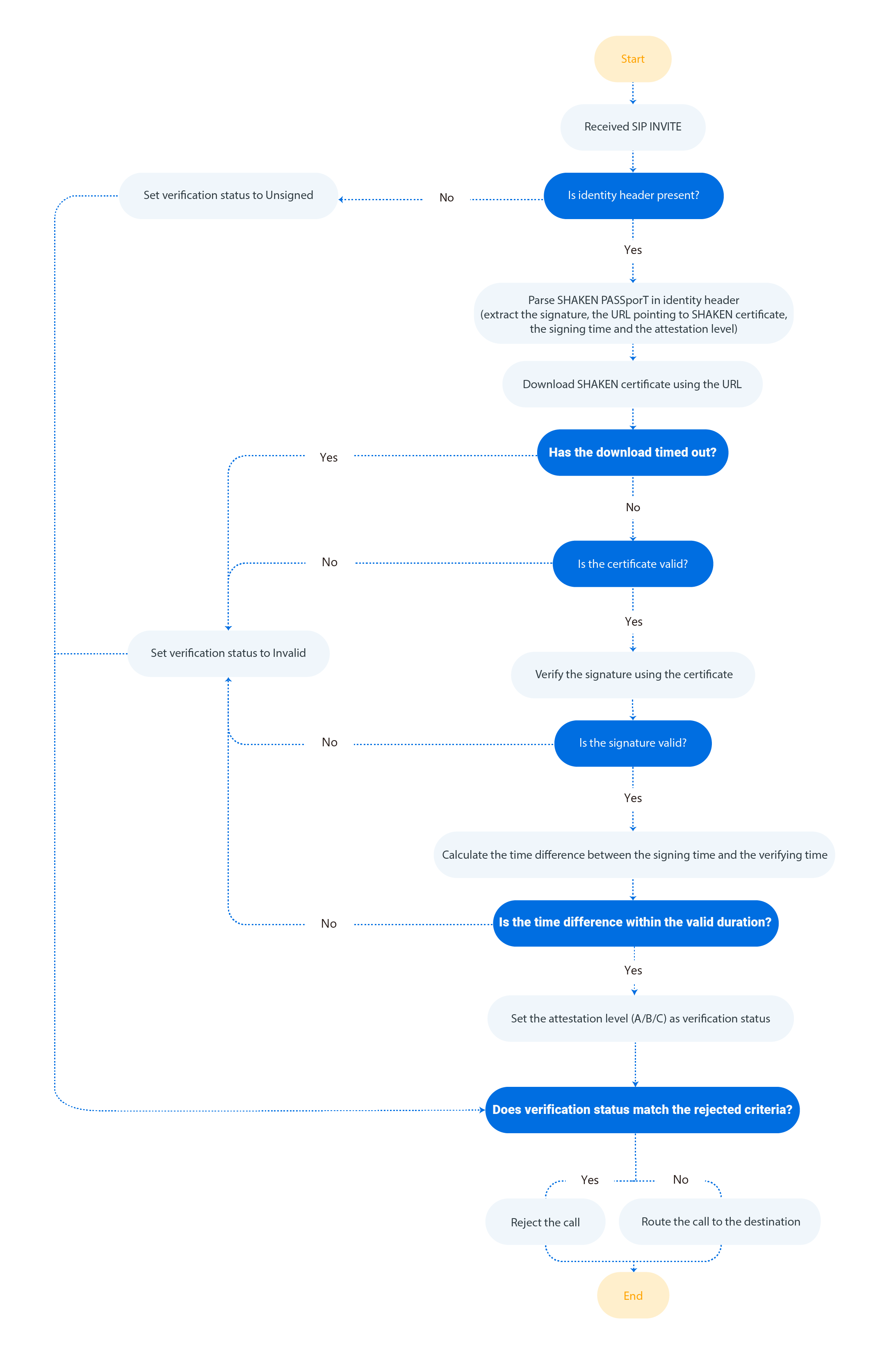
When an inbound call is routed through a shared trunk, the associated PBX performs direct verification and obtains a verification status. If the status matches the pre-defined rejection criteria, the PBX will reject the call.
The following diagram (for reference only) illustrates the key steps of how a PBX verifies an inbound call.
Procedure
- Log in to Yeastar Central Management, go to
- In the Verification Settings section, complete the
following settings.
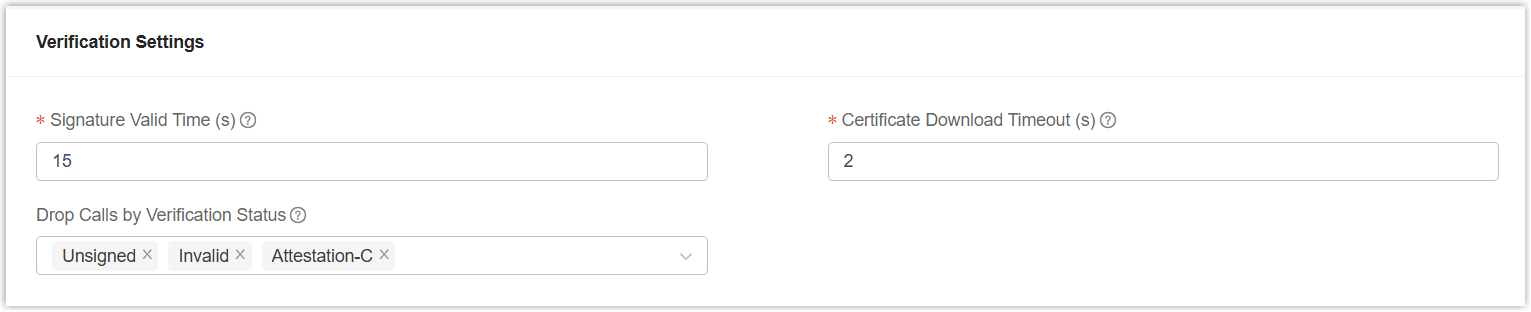
Setting Description Signature Valid Time (s) Set the valid duration for a signature. If the time difference between the signing time and verifying time exceeds this value, the signature is considered invalid.
Note: The supported value is 1 to 300.Certificate Download Timeout (s) Set the timeout for downloading SHAKEN certificate. Note: The supported value is 1 to 30.Drop Calls by Verification Status Select one or more verification statuses that will trigger call rejection. - Unsigned: The SIP
Identifyheader is missing. - Invalid: The signature is invalid (e.g., a call with invalid signature or revoked certificate).
- Attestation-C: The call comes from a legitimate gateway, but it cannot be confirmed whether the number belongs to a legitimate user and the number is authentic (e.g., a call routed through legacy PSTN or from international transfer).
- Unsigned: The SIP
- Click Save.
Result
The inbound call verification policy has been saved and can be applied to all shared trunks in the system.