Yeastar P-Series Cloud Edition 84.20.0.21
New features
- Message Campaign
- Yeastar P-Series Cloud Edition supports a Message Campaign feature. With this feature, you can create SMS campaigns or WhatsApp campaigns to send a specified message content, file, or a WhatsApp message template to multiple recipients simultaneously via the SMS channel or WhatsApp channel, helping you to efficiently deliver bulk messages with minimal manual effort.
- Message Channel
-
- Added support for WhatsApp Message Template. PBX can
automatically synchronize approved message templates from the
associated WhatsApp Business Account ID for a WhatsApp channel.
With these message templates, users can initiate or restart
conversations in a WhatsApp channel outside the 24-hour customer
service time window.
For more information, see View WhatsApp Message Templates.
- Added support for the SMS messaging integration with Skyetel and Athena, which allows you to set up SMS message channels for these Service Providers on Yeastar P-Series Cloud Edition.
- Added support for WhatsApp Message Template. PBX can
automatically synchronize approved message templates from the
associated WhatsApp Business Account ID for a WhatsApp channel.
With these message templates, users can initiate or restart
conversations in a WhatsApp channel outside the 24-hour customer
service time window.
- Linkus Distinctive Ringtone
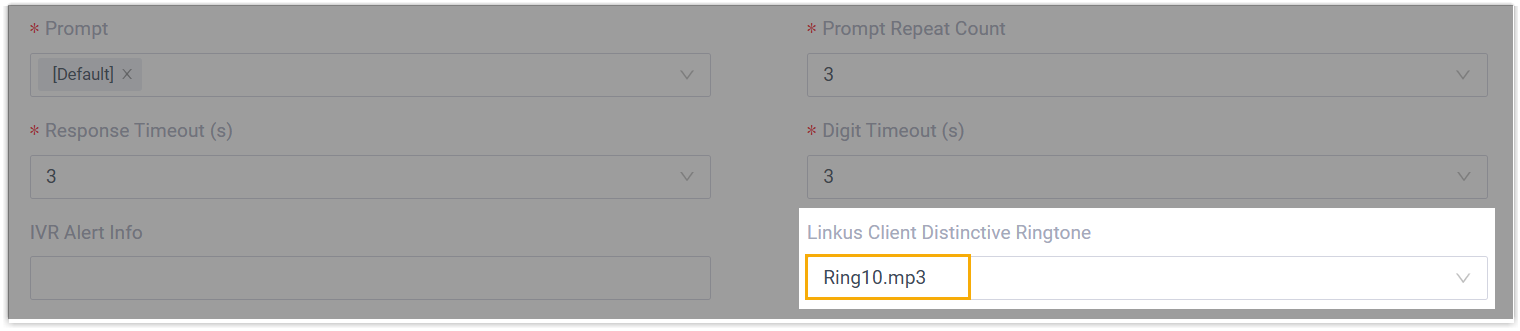
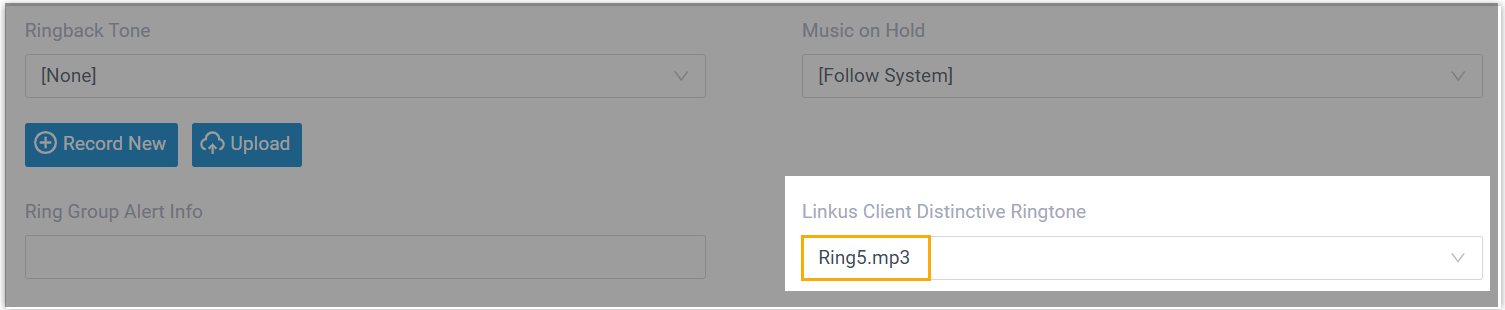
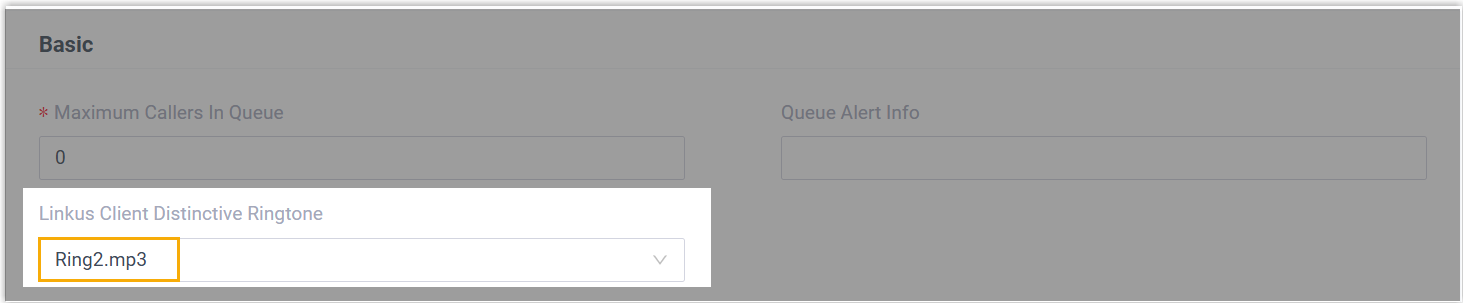
- Added support for assigning distinctive ringtone to user's Linkus UC
Clients for specific call features. When users receive calls from
designated call sources, their Linkus UC Clients will play the assigned
ringtone, allowing them to easily recognize different types of incoming calls.Note: Users can also set distinctive ringtones for internal calls, external calls, and specific contacts independently on their Linkus UC Clients. For more information, see Set Ringtones for Incoming Calls on Linkus Web Client, Set Ringtones for Incoming Calls on Linkus Desktop Client, and Set Ringtones for Incoming Calls on Linkus Mobile Client.
Feature Description IVR Path:
Ring Group Path:
Queue Path:
Improvements and bug fixes
- Trunk
- Added support for configuring a Tech Prefix on a SIP trunk, which will
be appended to the dialed numbers routed through the trunk.Note: This feature is available only if the ITSP supports Tech Prefix.
- LDAP Server Integration
- Fixed the contact synchronization issue: After the integration was disconnected, the synchronized contacts could not be deleted.
- Auto Provisioning
-
- Added support for uploading templates for unsupported phone
models from Yeastar-supported vendors (Path: ), which allows you to add these phones to the PBX
system for auto provisioning.
For more information, see Upload a Template for a Custom Phone Model.
- Added support for the following IP phone configurations (Path: Auto Provisioning > Phones >
 > Preference):
- Power LED notification settings for voicemail and missed call
- Screensaver-related settings, including backlight timeout and screensaver exit behavior
- Added support for synchronizing contacts data to remote phonebook of Yealink DECT phones, which allows users to query and place calls to contacts from the remote phonebook.
- Added support for uploading templates for unsupported phone
models from Yeastar-supported vendors (Path: ), which allows you to add these phones to the PBX
system for auto provisioning.
- Outbound Route
- Optimized the data exporting: Added support for exporting all dial pattern rules of an outbound route.
- AutoCLIP Route
- Optimized the setting for Record Keep Time (Path: ), which allows you to customize the record keep time,
instead of selecting from pre-defined values.

- Call Flow Designer
- Optimized the Transfer component: You can set a custom destination using either a specific phone number or a dynamic expression, as well as enabling direct transfer to voicemail if the custom destination has a mailbox.
- Queue
- Fixed the ringback tone issue: A ringback tone was set for a queue, but callers could not hear the ringback tone after the queue calls were routed to the failover destination.
- Call Recording
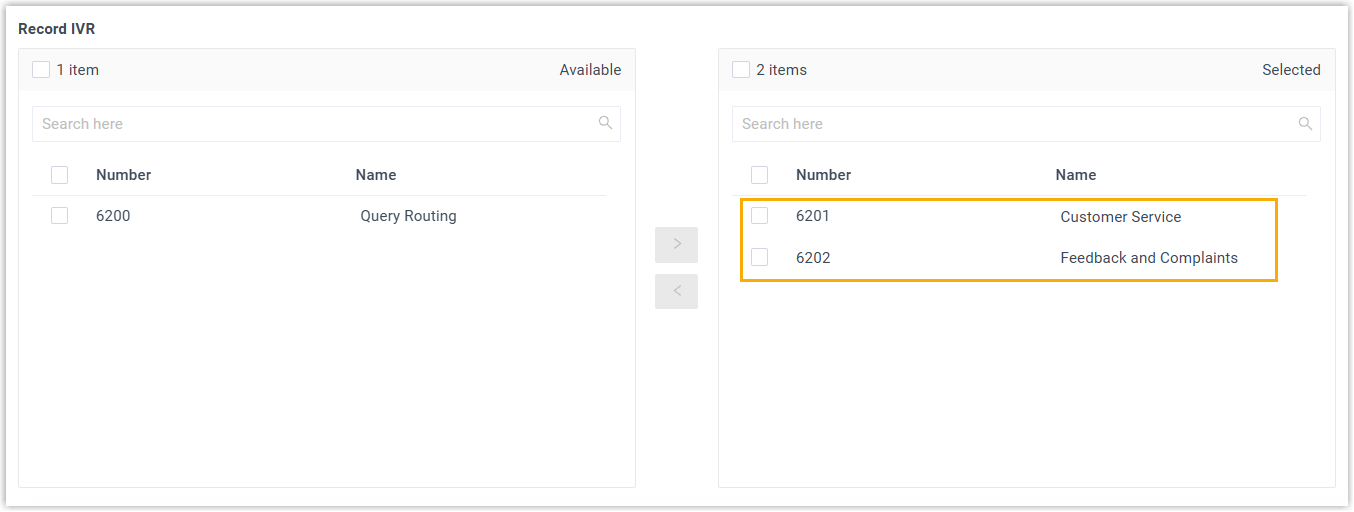
- Added support for setting up call recording for IVRs (Path: ). If set, the system automatically records calls on the selected IVRs.
- WhatsApp Message Channel
- Optimized the WhatsApp messaging integration:
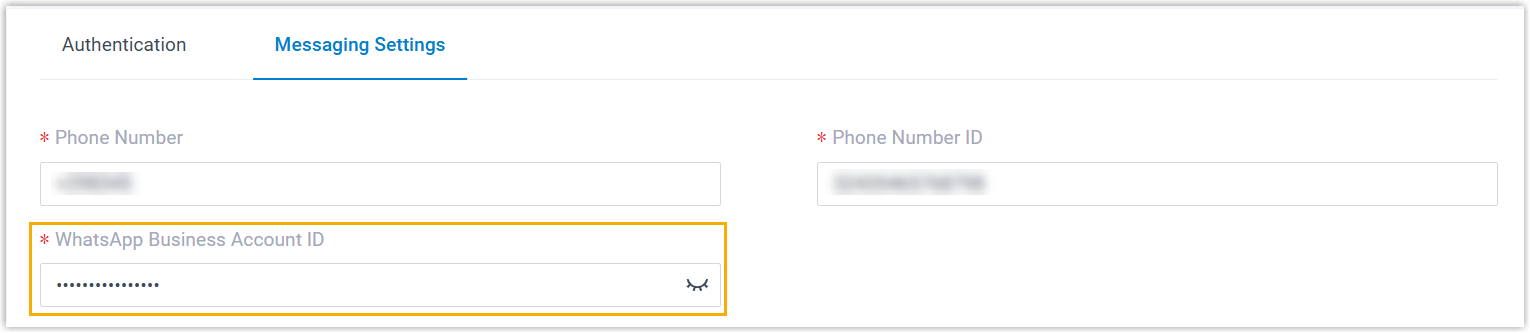
- WhatsApp Business Account ID is mandatory when setting up a
WhatsApp channel, so that PBX can automatically synchronize the
related message templates based on it.
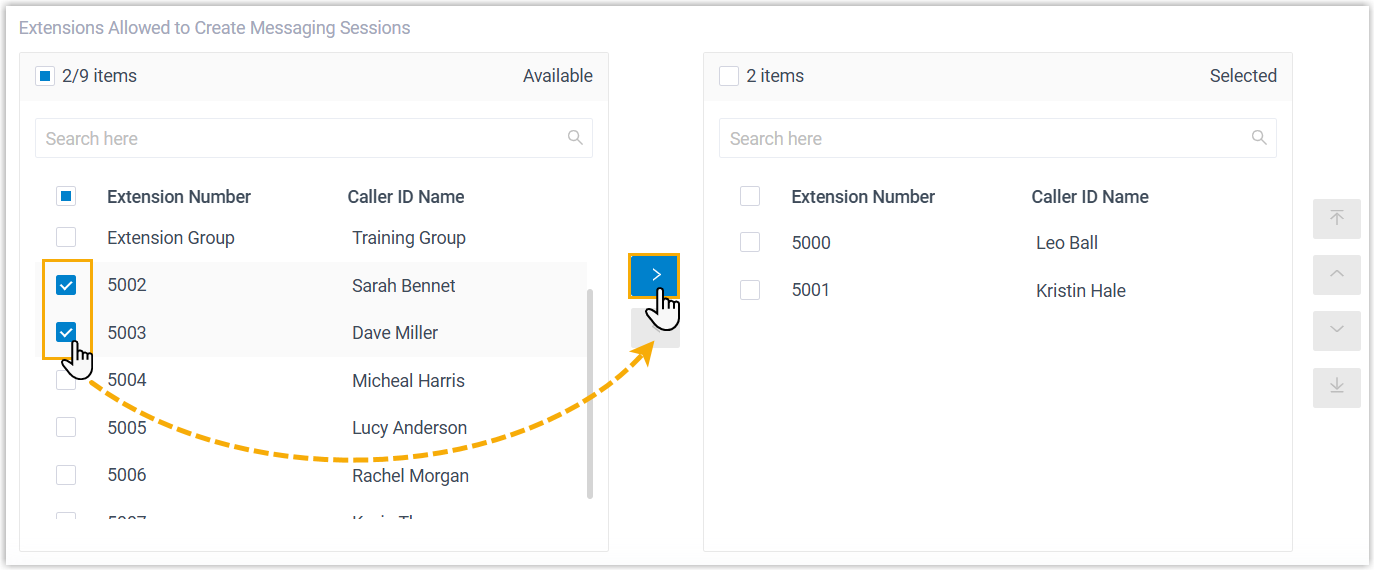
- Added a configuration item Extensions Allowed to
Create Messaging Sessions, which allows you to
select the extensions that are allowed to initiate a messaging
session with customers.
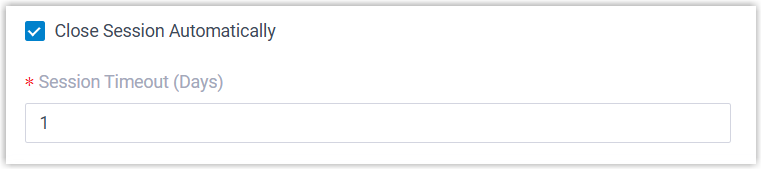
- Added a configuration item Close Session
Automatically, which can be used to control the
closure of the session. If you want the system to automatically
close the sessions that have been inactive for a specific period
of time, enable this option and set a desired timeout.
- WhatsApp Business Account ID is mandatory when setting up a
WhatsApp channel, so that PBX can automatically synchronize the
related message templates based on it.
- Message Queue
- Added a configuration item Chat Assignment Mode for message queue, allowing flexible control over how a session is assigned in the queue. Supported modes include manual session pickup, automatic session assignment, and a pickup-disabled mode.
- Archive
- Fixed the remote archiving issue: Failed to remotely archive recording data via FTP server.
- Security
- Added support for setting password policies for extensions, which can be
used to specify minimum password length for user password and
registration password, and restrict the reuse of previous user passwords
(Path: ).Note: This feature is only accessible for super administrator.
- Active Directory Integration
- Fixed the AD user synchronization issue: When searching specific users from a specified OU, the AD users with "Password never expires" set were not displayed in the search results.
- Microsoft Entra ID (Azure Active Directory) Integration
-
- Added support for synchronizing specific Entra ID (Azure AD)
users. You can search in specific groups and select the desired
users to synchronize, and individually assign existing
extensions or create new extensions for these users.
For more information, see Synchronize Users from Microsoft Entra ID to Yeastar P-Series Cloud Edition.
- Added support for selecting specific Entra ID (Azure AD) users
in specific group when setting up to synchronize personal
contacts of selected users to their Linkus Contacts
directory.
For more information, see Synchronize Microsoft Outlook Contacts to Yeastar P-Series Cloud Edition.
- Added support for synchronizing specific Entra ID (Azure AD)
users. You can search in specific groups and select the desired
users to synchronize, and individually assign existing
extensions or create new extensions for these users.
- Dynamics 365 CRM Integration
- Optimized the call recording security: Only users who have logged in to Linkus for Dynamics 365 can play call recordings synchronized to the CRM.
- Custom CRM/Helpdesk Integration Template
- Added an authentication method Bearer
Token. When enabled, all HTTP requests to the
CRM/Helpdesk will automatically include the header
Authorization: Bearer {{.AccessToken}}, and the access token can be automatically refreshed at a specified interval.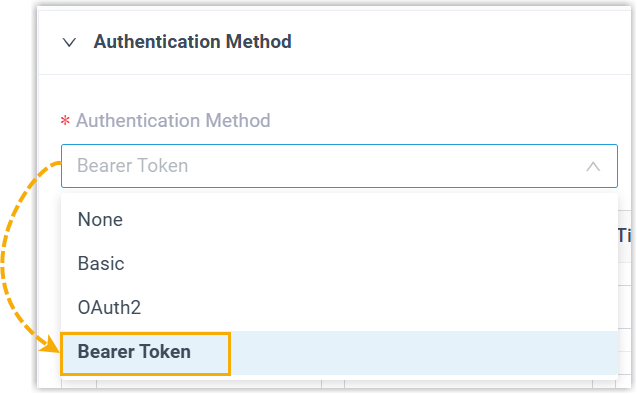
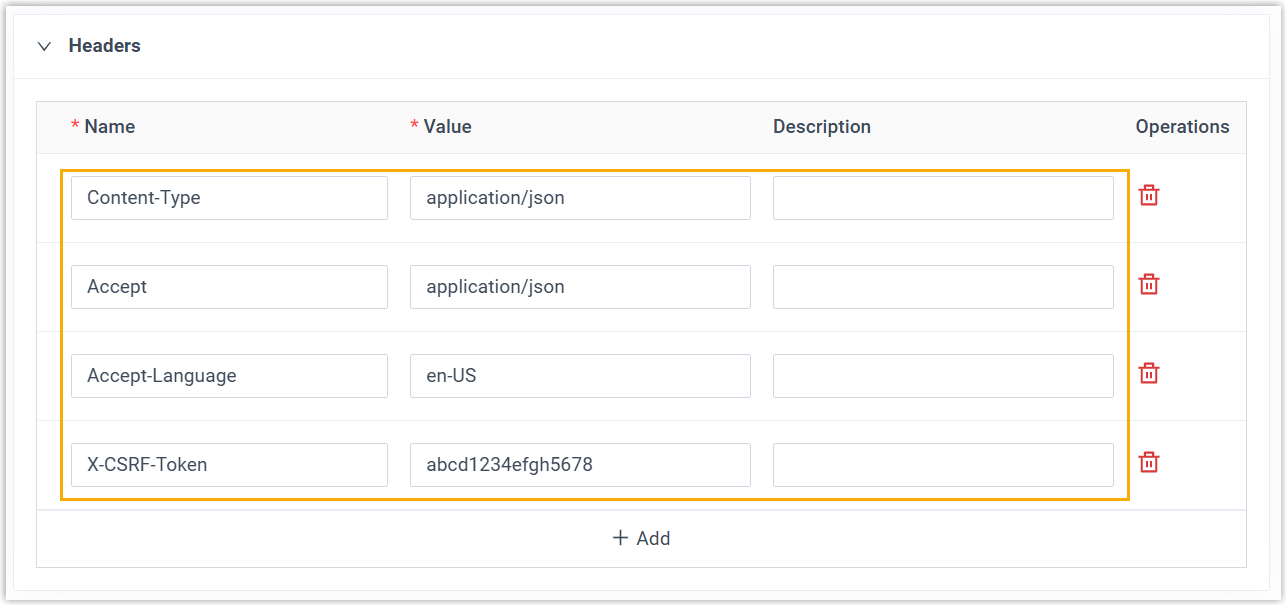
- Added support for adding custom request headers, which will be
included in every HTTP request to the CRM/Helpdesk.
- Added an authentication method Bearer
Token. When enabled, all HTTP requests to the
CRM/Helpdesk will automatically include the header
- API
-
- Added support for monitoring API events via Webhook.
For more information, see Developer Guide - Monitor Event via Webhook.
- Optimized API interfaces for the following features:
Feature Description Added Message Campaign With the new API interfaces of Message Campaign feature, the followings can be implemented: - Query the message campaign list.
- Search specific message campaigns.
- Query the information of one or more message campaigns.
- Upload one or more files for message campaigns.
- Retrieve content of WhatsApp message template for message campaigns.
- Add, edit, or delete a message campaign.
- Retry a message campaign.
For more information, see Developer Guide - Message Campaign.
Optimized System Optimized the interface system/get_menuoptions: Added request parameter valuesmessage_channelandmessage_queue, which allow you to query the information of existing message channels and the ID of message queues.For more information, see Developer Guide - Get Menu Options.
Optimized IVR - Optimized the
ivr/list,ivr/search,ivr/get, andivr/queryinterfaces: Added a response parameterclient_unique_ringtone, which returns the distinctive ringtone that will be played on extension users' Linkus clients when they receive calls from this IVR. - Optimized the
ivr/createandivr/updateinterfaces: Added a request parameterclient_unique_ringtone, which can be used to specify the distinctive ringtone that will be played on extension users' Linkus clients when they receive calls from this IVR.
Optimized Queue - Optimized the
queue/search,queue/get, andqueue/queryinterfaces: Added a response parameterclient_unique_ringtone, which returns the distinctive ringtone that will be played on agents' Linkus clients when they receive calls from this queue. - Optimized the
queue/createandqueue/updateinterfaces: Added a request parameterclient_unique_ringtone, which can be used to specify the distinctive ringtone that will be played on extension users' Linkus clients when they receive calls from this queue.
- Added an API event notification (30030) Bulk Message
Sending Failed, which will be triggered when
some messages failed to send in a message campaign.
For more information, see API Event - Bulk Message Sending Failed.
- Fixed the API event issue: After subscribing to the (30012) Call End Details Notification event for CDR, incoming calls via account trunk did not trigger the event notifications.
- Added support for monitoring API events via Webhook.
- Linkus SDK
- Optimized Linkus SDK for Web: Added support for video calls.
- Linkus Web Client
- Added support for configuring distinctive ringtones for incoming calls
based on different call sources, making it easier to distinguish calls
from colleagues, customers, or specific contacts (Path: ).
For more information, see Set Ringtones for Incoming Calls.