Yeastar P-Series Cloud Edition 84.19.0.110
New features
- Call Flow Designer
- Yeastar P-Series Cloud Edition provides the Call Flow Designer (CFD),
allowing you to visually create and automate call workflows. With an
intuitive drag & drop interface and fully configurable, pre-built
components, you can effortlessly set up voice menus, routing rules, and
more to design seamless call flows for diverse scenarios, significantly
boosting team productivity and enhancing customer satisfaction.
For more information, see Call Flow Designer Overview.
- AI Integration
- Yeastar P-Series Cloud Edition provides advanced speech and text processing
capabilities powered by its built-in artificial intelligence (AI),
including the followings:
- AI Text-to-Speech: Convert text into lifelike speech.
With this feature, you can easily create greetings or audio
prompts by entering text, eliminating the need to record or
upload audio files manually.
For more information, see AI Text-to-Speech Overview.
- AI Voicemail Transcription: Transcribe voicemail audio
into readable text using the PBX's built-in AI, allowing
extension users to quickly review their voicemail messages
without listening to audios.
For more information, see AI Voicemail Transcription Overview.
- AI Text-to-Speech: Convert text into lifelike speech.
With this feature, you can easily create greetings or audio
prompts by entering text, eliminating the need to record or
upload audio files manually.
Improvements and bug fixes
- User Role
- Added a configuration item Call Flow Designer, which can specify whether users with a specific role assigned can access the Call Flow Designer feature to create and manage call flows.
- Contact
-
- Optimized the contact management:
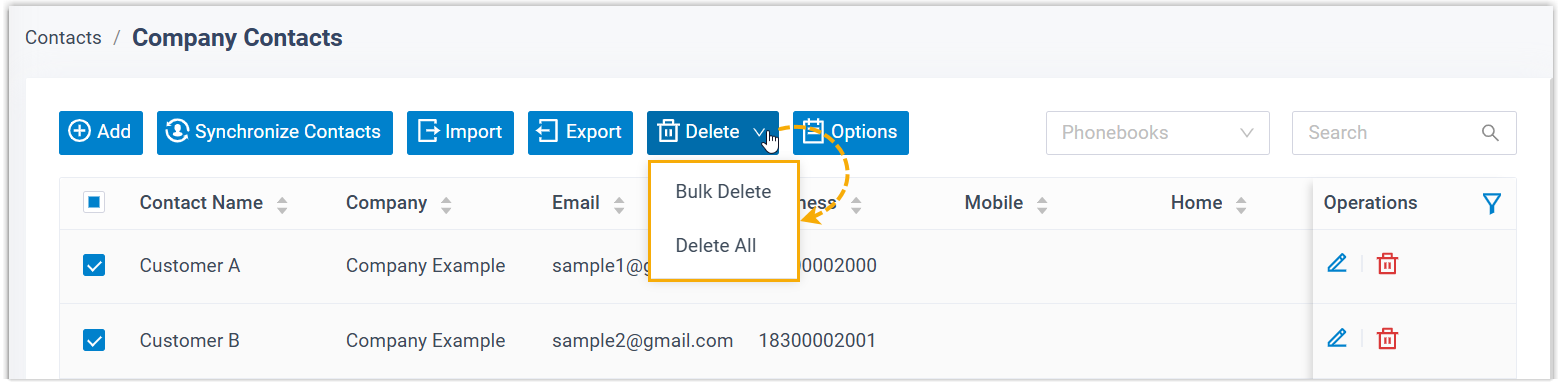
- Added support for bulk deleting multiple or all company
contacts.
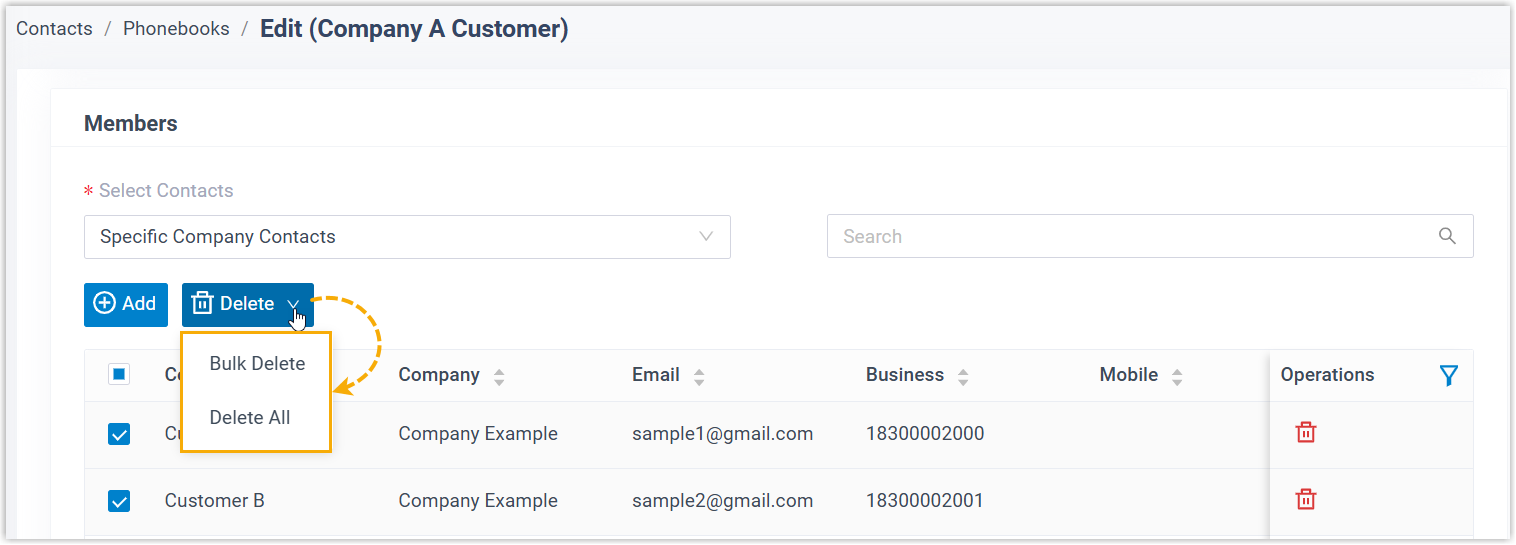
- Added support for bulk removing multiple or all company
contacts from a specific phonebook.
- Added support for bulk deleting multiple or all company
contacts.
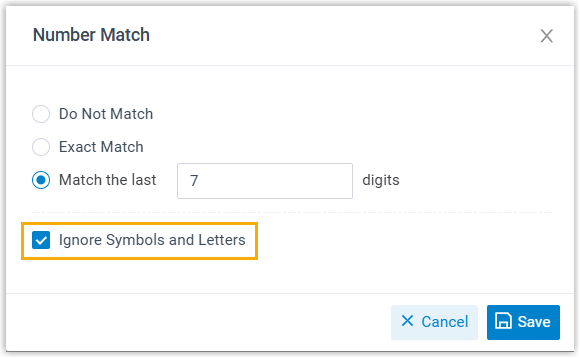
- Optimized number matching rules: Added a configuration item
Ignore Symbols and Letters (Path: ).
When enabled, the system will automatically ignore all symbols and letters in numbers during contact matching, using only numeric characters (0-9) for improved accuracy.
- Fixed the contact synchronization issue: When connecting to the LDAP server, the integration failed with a password error if the password contained special characters.
- Optimized the contact management:
- Voicemail
- Added support for setting voicemail number (Path: ). Extension users can dial this number to check the
messages in their extension
voicemails.Note: You can update the Linkus Welcome Email Template to inform users about this number by using the
{{.ReadVoicemailNumber}}template variable.
- Feature Code
-
- Optimized the feature code for Call Forwarding: Added a
configuration item Change the Call Forwarding
Destinations for Specific Extensions, which
allows authorized extension users to change the corresponding
destinations for a specific extension by
dialing
feature codes.
For more information, see Call Forwarding Feature Code.
- Optimized the feature code for Queue:
Added feature codes Log In to All Queues,
Log Out of All Queues, and
Log in to Last Queues, which allow
agents to conveniently bulk log in to / log out from multiple
queues simultaneously.
For more information, see Queue Feature Code.
- Optimized the feature code for Call Forwarding: Added a
configuration item Change the Call Forwarding
Destinations for Specific Extensions, which
allows authorized extension users to change the corresponding
destinations for a specific extension by
dialing
feature codes.
- Queue
- Optimized global queue settings (Path: ):
- Added a configuration item Default Status of Dynamic
Agents, which allows you to set the default
status for dynamic agents when they are added to queues. Note: Dynamic agents who are already in queues will NOT be affected by this setting.For more information, see Set Default Status for Dynamic Agents.
- Added a configuration item Auto-sync call disposition
results for repeat callers in the same queue.
When enabled, the system will automatically apply an updated
processing result to all
missed
or abandoned calls from the same caller to
the same queue within a specified time range.
For more information, see Automatically Synchronize Processing Results for Repeat Calls.
- Added a configuration item Default Status of Dynamic
Agents, which allows you to set the default
status for dynamic agents when they are added to queues.
- System Preferences
-
- Added support for number filtering (Path: ).
When enabled, the system will automatically remove all special characters (except digits,
+,*, and#) from the dialed number before sending it to the trunk.Note:- If the outbound route used for the call has number adaptation configured, filtering is applied after the number is adapted.
- This setting affects call rate matching, but does not affect emergency calling prefix.
- Added a configuration item Call Flow (Path: ), which can be used to specify the extension number range allocated to call flow.
- Added support for number filtering (Path: ).
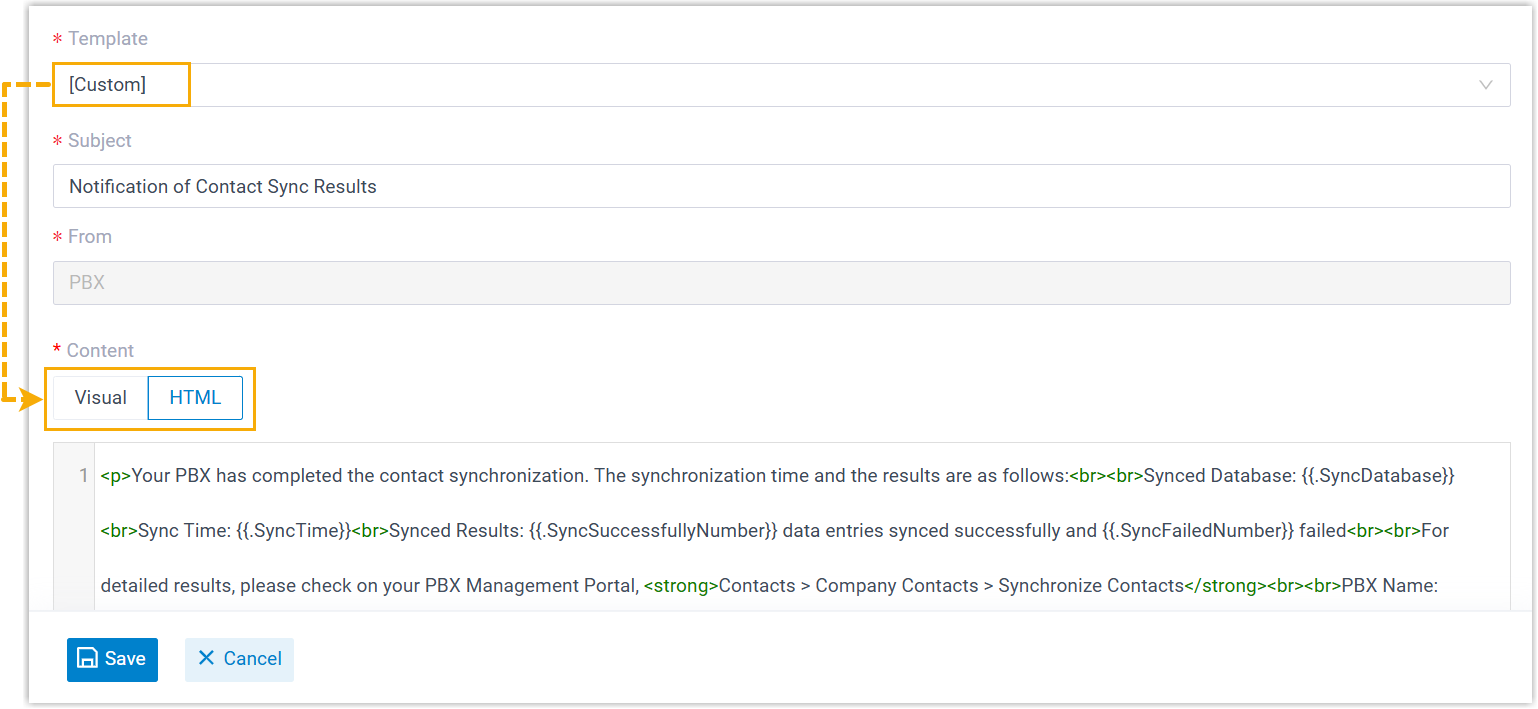
- Added support for editing custom email template in HTML mode for the
following types of emails:
- Linkus welcome email (Path: )
- System email (Path: )
- Event notification email (Path: )
- Event Notification
- Added the following event notifications for
AI transcription feature:
- Your AI Transcription Usage is Reaching the Capacity Limit: Indicates that the 90% or 95% of the total transcription minutes has been reached.
- AI Transcription Limit Reached: Indicates that the maximum usage limit for AI transcription minutes has been reached.
- CRM Integration
- Fixed the Custom CRM Template issue: Integration with a CRM using a template failed during authentication due to the token length exceeding 255 characters.
- API
- Optimized the API interfaces for the following features:
- CDR
-
- Optimized the CDR filters for enhanced user experience:
- Added support for selecting multiple extensions,
extension groups or departments in the Call
From and Call To
filter.
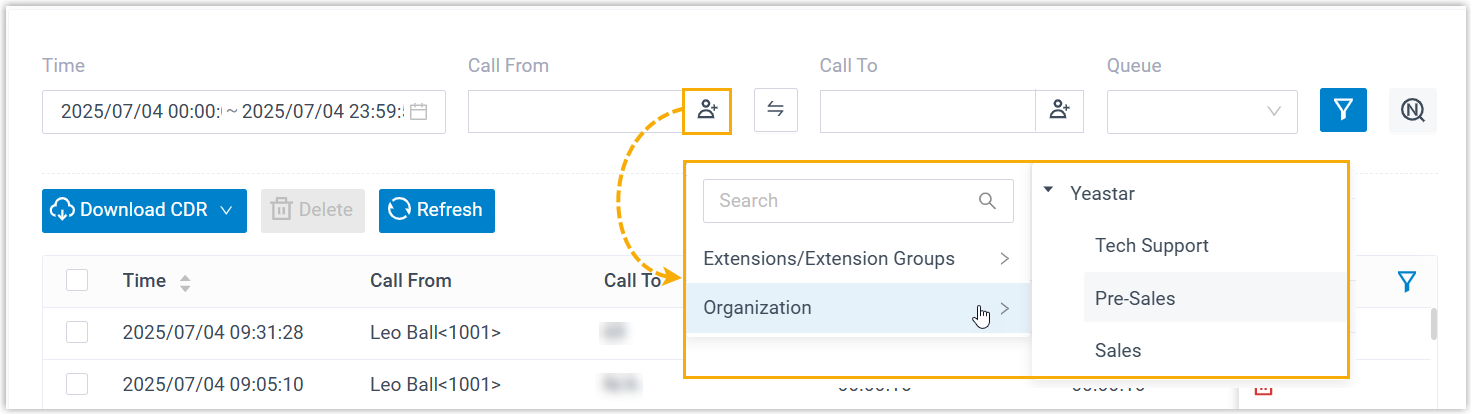
- Changed the Enable Number Fuzzy
Search filter to a standalone button on
the webpage.

- Added support for selecting multiple extensions,
extension groups or departments in the Call
From and Call To
filter.
-
Fixed the call note issue: When an inbound call to an extension was forwarded to a queue and not answered, the corresponding call log did not generate a call note.
- Optimized the CDR filters for enhanced user experience:
- Call Report
-
- Added a call report Transcription Usage Details, which offers a summary of usage details and total transcription minutes used.
- Fixed the scheduled report issue: The report content was not displayed on the webpage and was only visible after downloading.
- Linkus Web Client
-
- Added support for authorized extension users to customize their
AI Voicemail Transcription settings, including transcription
mode and languages (Path: ). The settings will be synchronized across the
user's Linkus UC
Clients.Note: To achieve this, you need to enable the AI Voicemail Transcription feature and grant permission to specific extensions on the PBX server (Path: ).
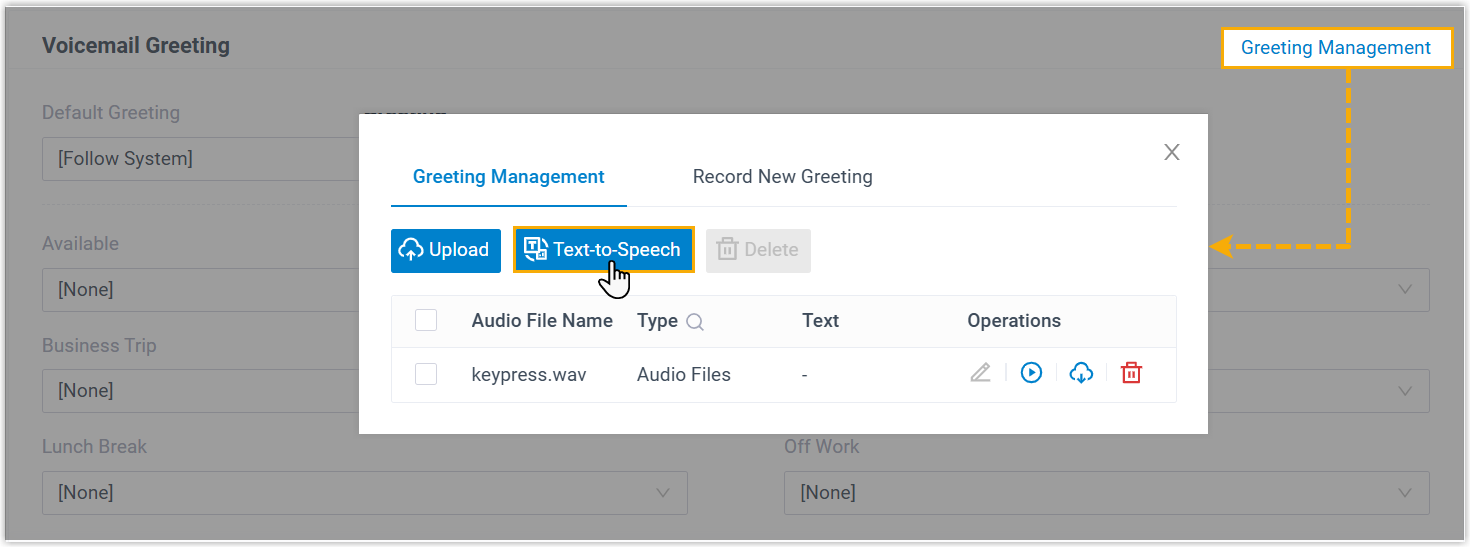
- Added support for extension users to generate custom greetings
for call forwarding destination or voicemail using AI
Text-to-Speech feature. The settings will be synchronized across
the user's Linkus UC
Clients.Note: To achieve this, you need to enable the AI Text-to-Speech feature on the PBX server (Path: ).
Call Forwarding Destination Voicemail 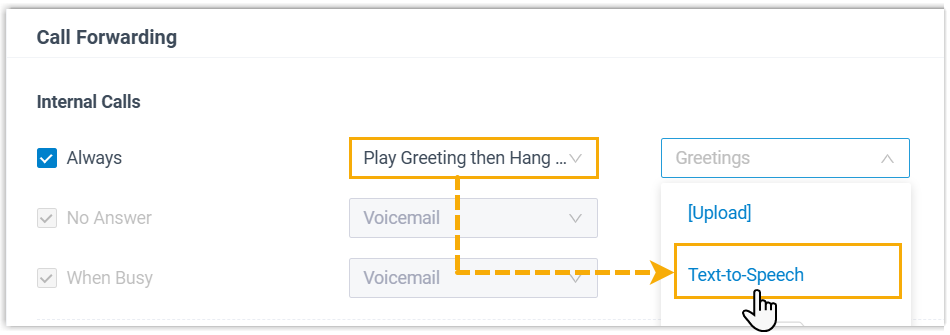
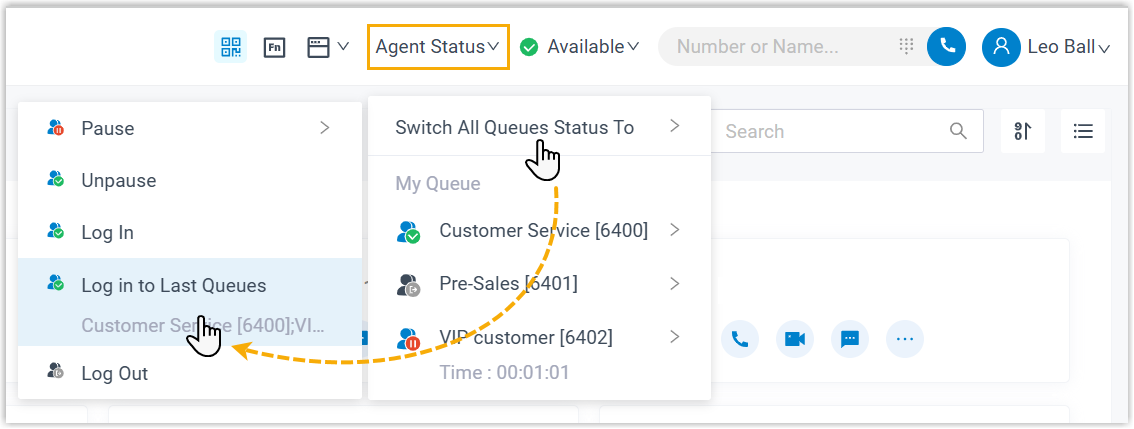
- Optimized the experience for queue agents: Added support for
Log in to Last Queues, which allows
agents to log in to all queues they were previously logged in,
without needing to select each queue manually.
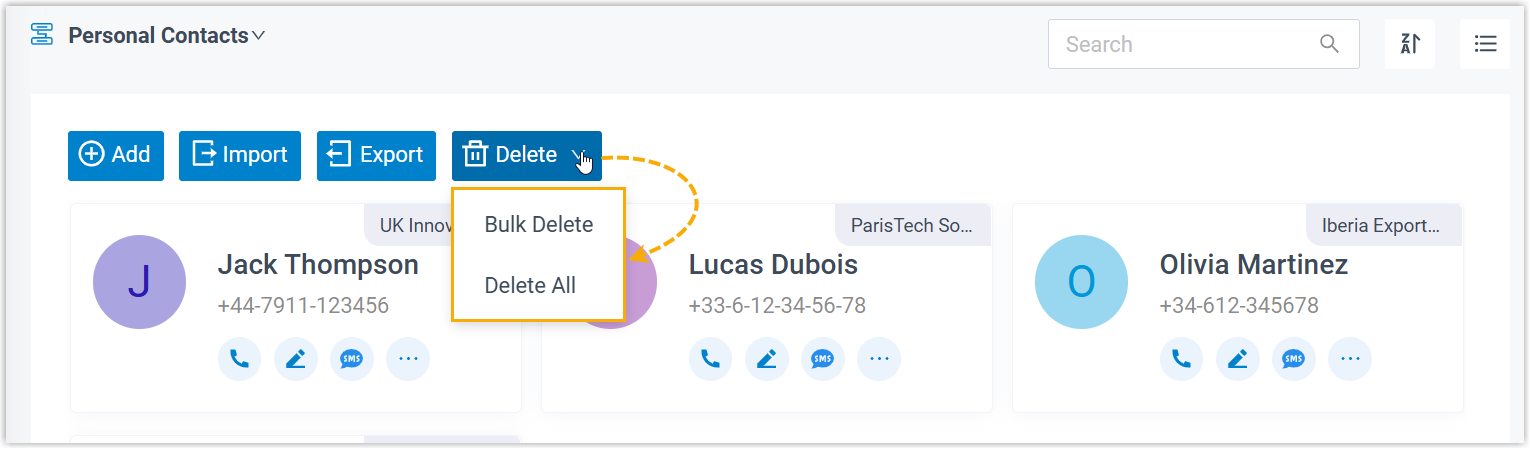
- Optimized the contact management: Added support for bulk
deleting multiple or all personal contacts.
- Fixed the Chat issue: The displayed chat time was one hour ahead of the PBX's system time.
- Added support for authorized extension users to customize their
AI Voicemail Transcription settings, including transcription
mode and languages (Path: ). The settings will be synchronized across the
user's Linkus UC
Clients.
- Call issue
- Fixed the call issue: Emergency calls failed when dialing out via a Bandwidth trunk.