Subscribe to Service for P-Series Cloud Edition
Yeastar provides multiple value-added services to help accelerate your business - High Availability, White Label, Custom Domain Name, and Dedicated IP. You can subscribe to the services on Yeastar Partner Portal as needed.
Subscribe to High Availability
- Log in to Yeastar Partner Portal, go to Products & Purchase.
- On the product list, click Cloud PBX (PCE Instance).
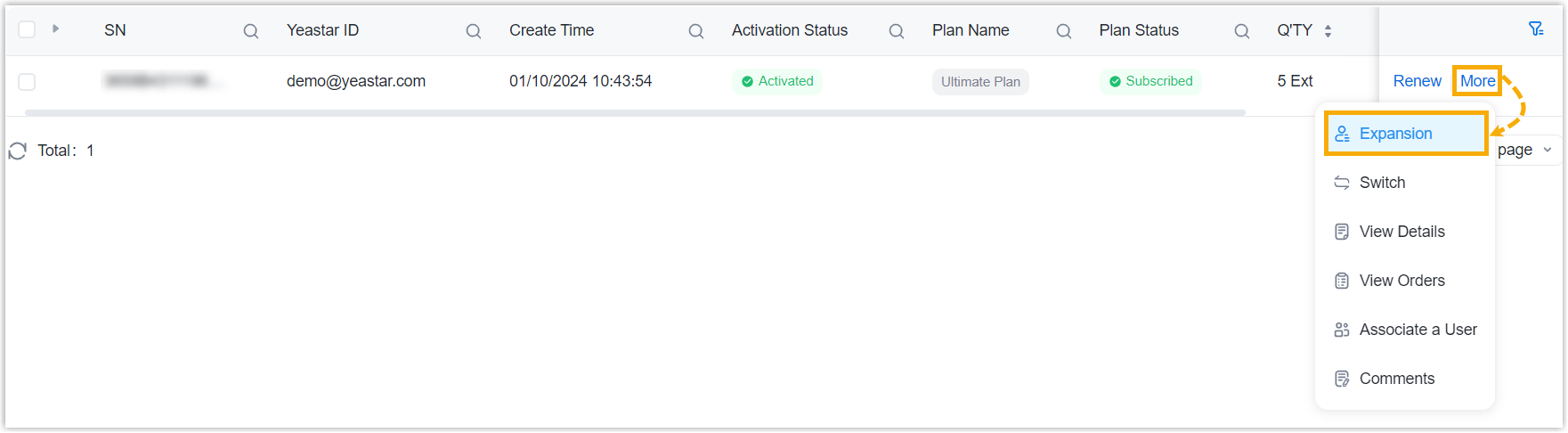
- On the right of the desired product, click More, then
select Expansion from the drop-down list.
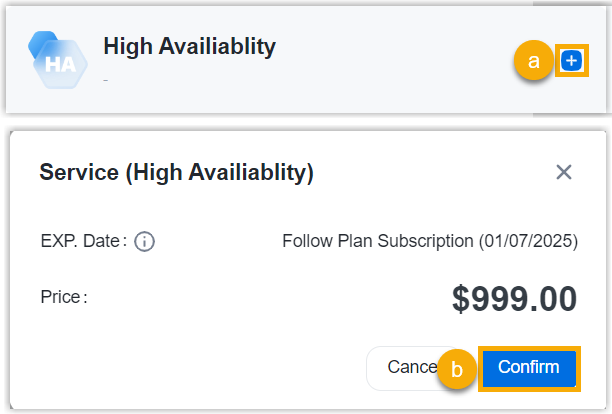
- Subscribe to High Availability service as
follows.
- On the right Order Summary section, click Checkout.
- Review the service information and billing information, then complete payment.
Subscribe to White Label / Custom Domain Name / Dedicated IP
- Log in to Yeastar Partner Portal, go to Products & Purchase.
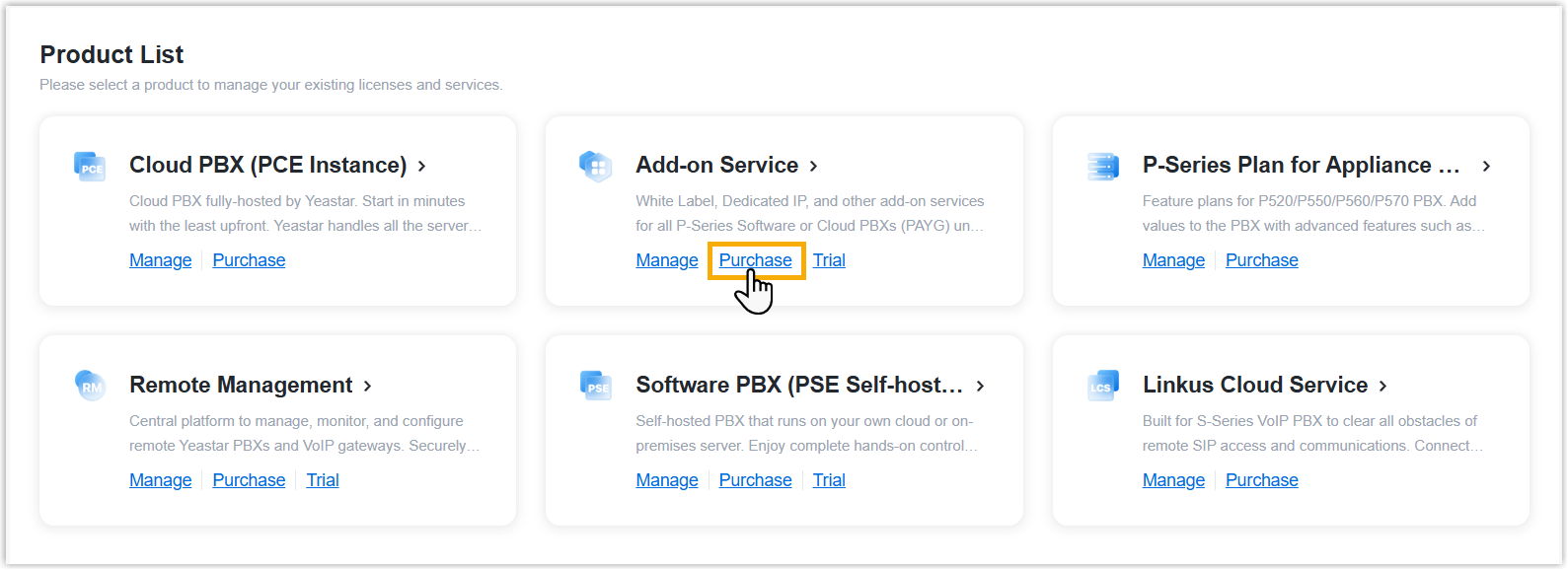
- On the product list, click Purchase on
Add-on Service.
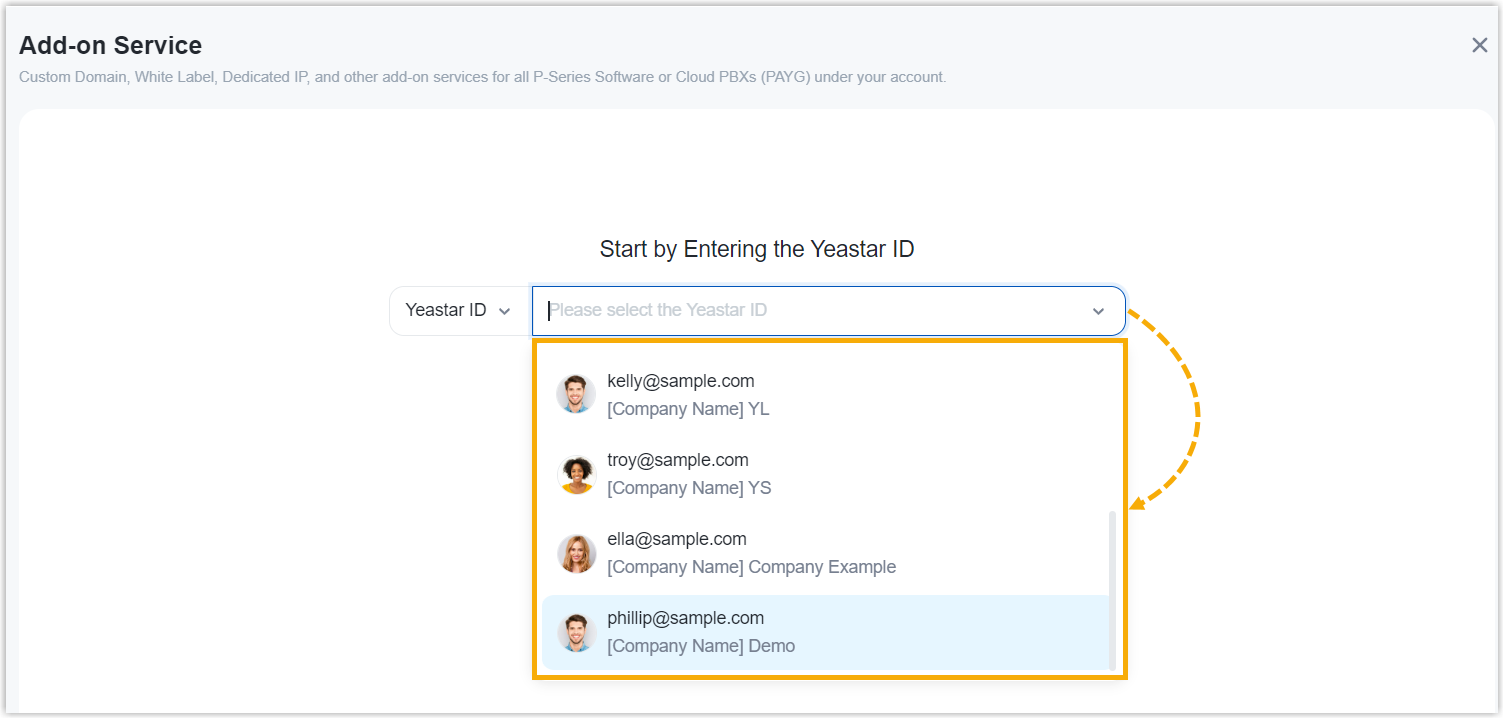
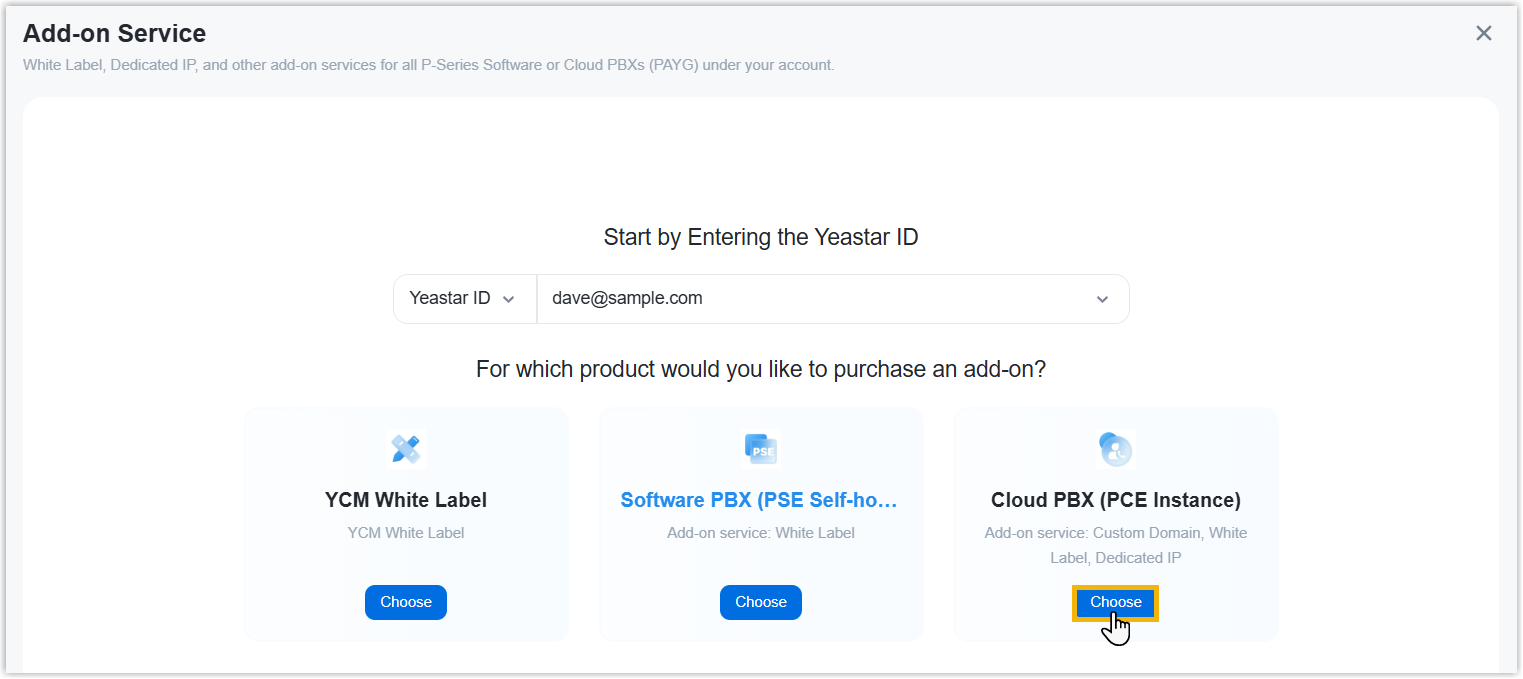
- Search and select the user for whom you want to purchase PCE add-on service
from the drop-down list by filter (Yeastar ID or
Company Name).
-
Click Choose on Cloud PBX (PCE Instance).
- Click Subscribe of the desired service.
- Optional: On the left Assign This Product To
section, search and select a user by filter (Yeastar
ID or Company Name) to associate with
the product.

- On the right Order Summary section, click Checkout.
-
Review the service information and billing information, then complete payment.
After you subscribe to White Label or Custom Domain Name service, you need to configure related settings on Yeastar Central Management (Path: ). When done, the configured settings can be applied to all the Cloud PBXs under your account.Note: For Dedicated IP service, contact Yeastar Sales.