Yeastar P-Series Software Edition 83.25.0.23 V26.1
This topic outlines the release history of firmware version 83.25.0.23, from the beta stages to the final release.
- To try out the new updates, check for firmware updates from PBX admin portal or download the firmware from Yeastar Official Website , and upgrade your phone system.
- For details on the new features and improvements in Linkus UC Clients and 'Yeastar Linkus for Google' Chrome extension, see Linkus Release Notes.
- If you found something that doesn't work as expected, you can submit feedback directly from here.
Firmware 83.25.0.23
Release date:October 29, 2026
Release version:V26.1-GA
Base version:83.24.0.122
Improvements and bug fixes
- Extension
-
- Added support for importing and exporting function key
templates, making function key configuration more
efficient.
For more information, see Export and Import Function Key Templates.
- Added support for SMS notifications for new voicemail messages
(Path: ).
When enabled, the system sends an SMS notification to the specified recipient number when the extension receives a new voicemail message.
For more information, see Set up Extension Voicemail.
- Optimized 2FA settings:
-
Added support for enforcing 2FA on individual extensions and configuring the verification methods allowed for each extension (Path: ).
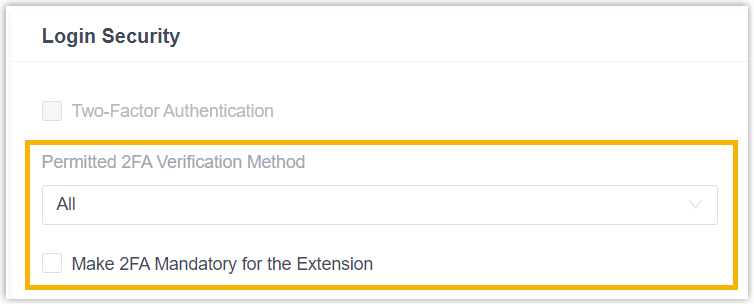
- Administrators can now disable 2FA for an extension without entering the password.
For more information, see Enforce Two-Factor Authentication for Specific Extension Users.
-
- Added support for importing and exporting function key
templates, making function key configuration more
efficient.
- Trunk
-
- Added a configuration item Do Not Send 180 for
Inbound Media Playback (Send 183 Only) (Path: ) for SIP trunks.When enabled, the PBX sends only 183 Session Progress with SDP for inbound calls that require music or prompt playback and does not send 180 Ringing.Note: This setting is intended to address compatibility issues with certain carrier lines for inbound calls. Enable it only if the issue has been confirmed on the relevant line.
- Fixed the user agent issue: The user agent configured for a specific SIP trunk was overridden by the global setting.
- Added a configuration item Do Not Send 180 for
Inbound Media Playback (Send 183 Only) (Path: ) for SIP trunks.
- Auto Provisioning
-
- Added support for the phone templates YSDP_SangomaP and
YSDP_SangomaS, which are available for the following
phone models:
- Sangoma P310
- Sangoma P315
- Sangoma P320
- Sangoma P325
- Sangoma P330
- Sangoma P370
- Sangoma S500
- Fixed the auto provisioning issue: Phones could not be added when the custom phone model name exceeded the length limit.
- Added support for the phone templates YSDP_SangomaP and
YSDP_SangomaS, which are available for the following
phone models:
- Inbound Route
-
- Added Inbound Route as a destination option, allowing the destination of the current inbound route to be set to another inbound route (Path: ).
- Voicemail
-
- Added a configuration item SMS Notification
Settings (Path: ), allowing you to configure the sending channel,
sender number, and message content for SMS notifications.
For more information, see Global Voicemail Settings.
- Fixed the group voicemail issue: A newly created group voicemail was not displayed on the web page after the configuration was saved.
- Added a configuration item SMS Notification
Settings (Path: ), allowing you to configure the sending channel,
sender number, and message content for SMS notifications.
- Call Recording
-
- Added a configuration item Enable Global Call
Recording (Path: ), allowing you to enable global call recording
with a single click and specify the communication types to be
recorded.
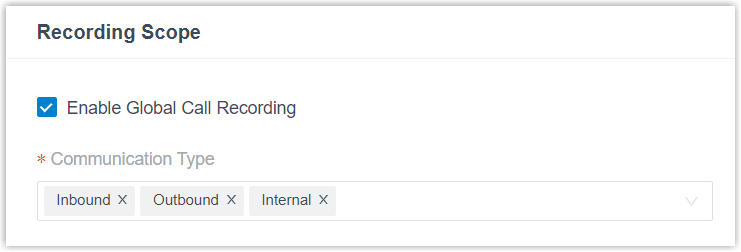
When enabled, the system records all calls that match the specified communication types.
- Optimized recording settings for extensions and trunks:
- For extensions, added support for the
Communication Type setting
(Path: ).
When enabled, the system records the extensions' calls that match the specified communication types.
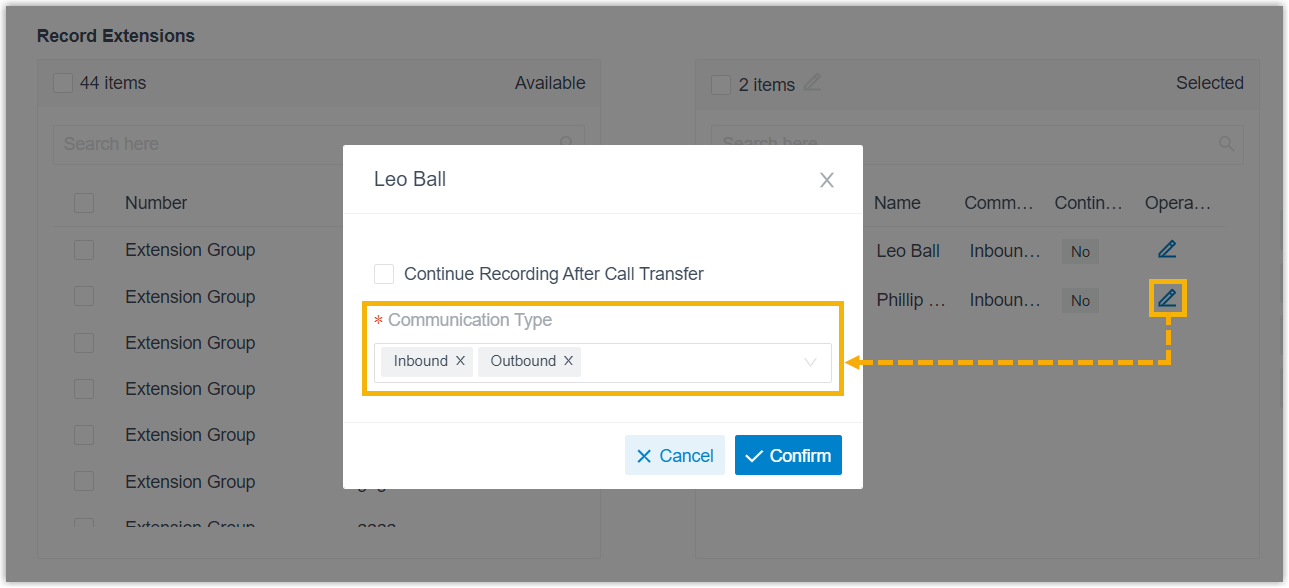 Note: The Enable Recording of Internal Calls setting has been removed, as the new setting covers the internal call recording.
 - For trunks, added support for the Call
Type setting (Path: ).
When enabled, the system records calls routed through the trunk that match the specified call types.
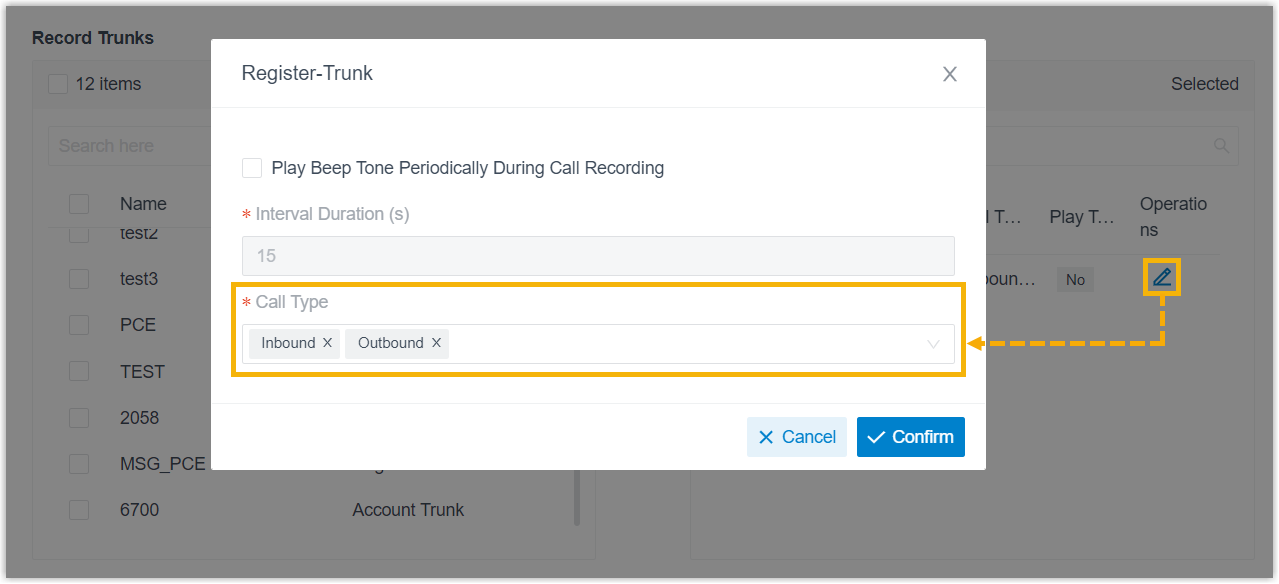
For more information, see Set up Call Recording.
- For extensions, added support for the
Communication Type setting
(Path: ).
- Added a configuration item Enable Global Call
Recording (Path: ), allowing you to enable global call recording
with a single click and specify the communication types to be
recorded.
- Call Parking
-
- Added a configuration item Enable parking number
grouping (Path: ), which allows you to group call parking numbers
and assign a different music on hold to each parking group.
For more information, see Set up Music on Hold for Call Parking.
- Added a configuration item Enable parking number
grouping (Path: ), which allows you to group call parking numbers
and assign a different music on hold to each parking group.
- Network
-
- Fixed the network issue: The PBX became inaccessible after the IP address was changed when network card redundancy was enabled.
- CDR
-
- Fixed the CDR query issue: Querying call records failed in the Safari browser.
- Microsoft Entra ID (Azure AD) Integration
-
-
Fixed the Microsoft SSO login issue: Users in groups synchronized from Microsoft Entra ID to the PBX were assigned extensions, but the extensions could not log in to the PBX using their Microsoft Entra ID credentials, and the error "Extension Not Found" was displayed.
-
- HubSpot CRM Integration
-
-
Optimized HubSpot CRM integration to use the latest OAuth API, replacing the deprecated v1 OAuth API.Note: To ensure uninterrupted HubSpot integration, upgrade the PBX to this version or later before February 16, 2027.
-
- Zendesk Integration
-
-
Optimized Zendesk integration authentication to support OAuth 2.0 token refresh. The PBX now automatically refreshes tokens periodically to maintain authorization and ensure uninterrupted integration.
Note: If an existing Zendesk integration encounters the Error state, you can restore the connection by clicking Re-authorize next to the Status field to complete the authorization process.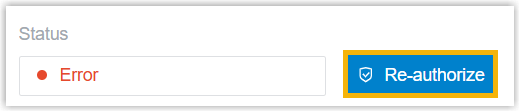
-
- API
-
- Added support for the following API events:
Event Description (30039) Call End Timeline Notification When the Timeline feature is enabled, the PBX sends the event report to the third-party application when a call ends. (30040) Call End AI Summary Notification When an AI-generated call summary is available after a call ends, the PBX sends the event report to the third-party application. For more information, see API Events.
- Optimized the following API events:
Event Description (30012) Call End Details Notification Added the recording_pathparameter to indicate the path to the call recording file.(30029) Agent Status Changed Added the timestampparameter to indicate when the event occurred. - Optimized API interfaces for the following features:
Feature Description System Added the timezoneandcountrycodeparameter value to themenuparameter for the following interface, allowing you to query the time zones and country codes supported by the system.system/get_menuoptions
Extension Added multiple parameters for the following interfaces, allowing you to query or configure extension settings for Outbound Caller ID (DOD), Voicemail, Business Hours, Time-conditional Presence Auto Switch, SIP Security, and Login Security. extension/searchextension/getextension/queryextension/createextension/update
Trunk Added the skip_180_ringingparameter for the following interfaces, allowing you to query or configure whether the PBX sends only 183 Session Progress with SDP for inbound calls that require music or prompt playback.trunk/gettrunk/querytrunk/createtrunk/update
Auto Provisioning Added the provision_linkparameter value to theprovisioning_methodparameter for the following interfaces, allowing you to query IP phones provisioned via provision link or bulk add IP phones using provision link.phone/getphone/batchcreate
Inbound Route Added theinrouteparameter value to thedefault_destinationparameter for the following interfaces, allowing you to query or configure an inbound route's destination as another inbound route.inbound_route/listinbound_route/searchinbound_route/getinbound_route/queryinbound_route/createinbound_route/update
Outbound Route Added multiple parameters for the following interfaces, allowing you to query or configure time-based outbound routes. outbound_route/searchoutbound_route/getoutbound_route/queryoutbound_route/createoutbound_route/update
Business Hours and Holidays Time Zone: Added the following interfaces to query or manage time zones.timezone/gettimezone/createtimezone/updatetimezone/delete
Business Hours: Add the following interfaces to query or manage business hours.businesshour/listbusinesshour/getbusinesshour/querybusinesshour/createbusinesshour/updatebusinesshour/delete
Holidays: Added the following interfaces to query or manage holidays.holidays/listholidays/getholidays/queryholidays/searchholidays/createholidays/updateholidays/deleteholidays/importholidays/export
Feature Code Added the following interfaces to query or configure feature code settings. feature_code/getfeature_code/update
IVR Added multiple parameters for the following interfaces, allowing you to query or configure time-based IVR settings. ivr/searchivr/getivr/queryivr/createivr/update
Queue Added multiple parameters for the following interfaces, allowing you to query or configure time-based queue settings. queue/searchqueue/getqueue/queryqueue/createqueue/update
Recording Added the enb_global_recordandrecord_call_typesparameters for the following interfaces, allowing you to query or configure global call recording and specify the communication types to record for each object.autorecord/getautorecord/update
Preferences Added the following interfaces to query or configure system preference settings. preference/getpreference/update
Archive Archive Server: Added the following interfaces to query or manage archive servers. archive_server/listarchive_server/getarchive_server/queryarchive_server/viewpasswordarchive_server/createarchive_server/updatearchive_server/uploadarchive_server/delete
Archive Task: Added the following interfaces to query or manage archive tasks.archive_task/bucketnamelistarchive_task/listarchive_task/getarchive_task/queryarchive_task/searcharchive_task/createarchive_task/updatearchive_task/delete
Archival Logs: Added the following interfaces to query or manage archival logs.archival_logs/listarchival_logs/getarchival_logs/queryarchival_logs/searcharchival_logs/retryarchival_logs/delete
CDR Added the recordingparameter for the following interface to return the call recording duration.cdr/detail
For more information, see API Interfaces & Events Summary.
- Added support for the following API events: