Upload a System Prompt
Upload a custom system prompt language package to the PBX.
Request URL
POST {base_url}/{api_path}/system_prompt/upload?access_token={access_token}Request parameters
| Parameter | Required | Type | Description |
|---|---|---|---|
| file | Yes | File | The system prompt language package to upload. Note: The
file must be a tar package, and the filename must be in the format
"sound-<XX>.tar" (e.g., "sound-en.tar"). |
Response parameters
| Parameter | Type | Description |
|---|---|---|
| errcode | Integer | Returned error code.
Note: You can check the error code and
error message in Error Code and Error Message.
|
| errmsg | String | Returned message.
|
Example
Request example
POST /openapi/v1.0/system_prompt/upload?access_token=gwakjgu9ZBUfz36wql4ndsVKkryI0kdj HTTP/1.1
Host: 192.168.5.150:8088
Content-Type: multipart/form-data; boundary=----WebKitFormBoundary7MA4YWxkTrZu0gW
------WebKitFormBoundary7MA4YWxkTrZu0gW
Content-Disposition: form-data; name="file"; filename="sound-en.tar"
Content-Type: application/octet-stream

<binary package content>
------WebKitFormBoundary7MA4YWxkTrZu0gW--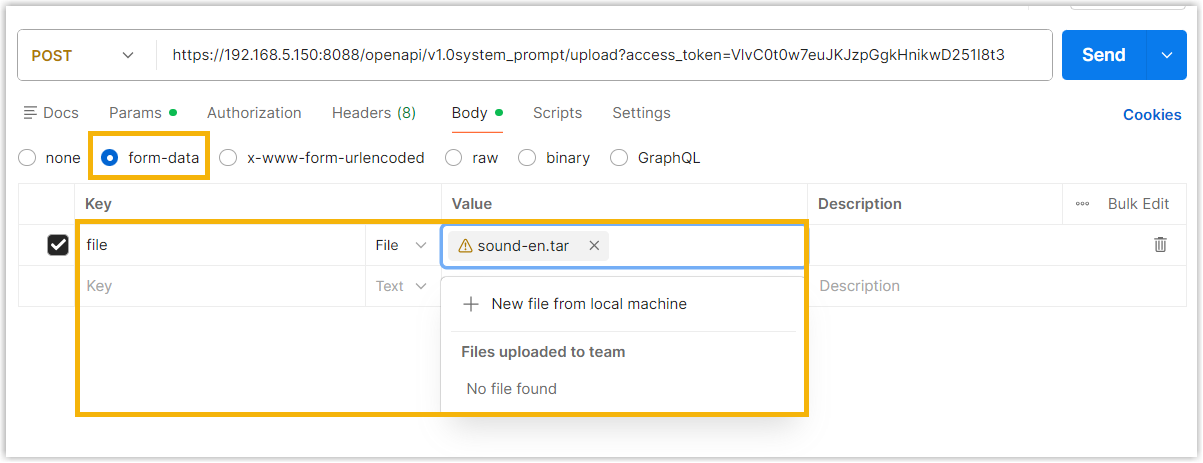
Response example
HTTP/1.1 200 OK
{
  "errcode": 0,
  "errmsg": "SUCCESS"
}