Disable Call Timeline for CDR
If you don't need timeline data for CDR, you can disable the call timeline feature. This topic describes how to disable call timeline for CDR.
Note: Disabling call timeline for CDR will clean up all timeline data.
Ensure that you have backed up any important data before proceeding.
Procedure
- Log in to PBX web portal, go to .
- In the CDR (Advanced) tab, turn off the switch of
Timeline.
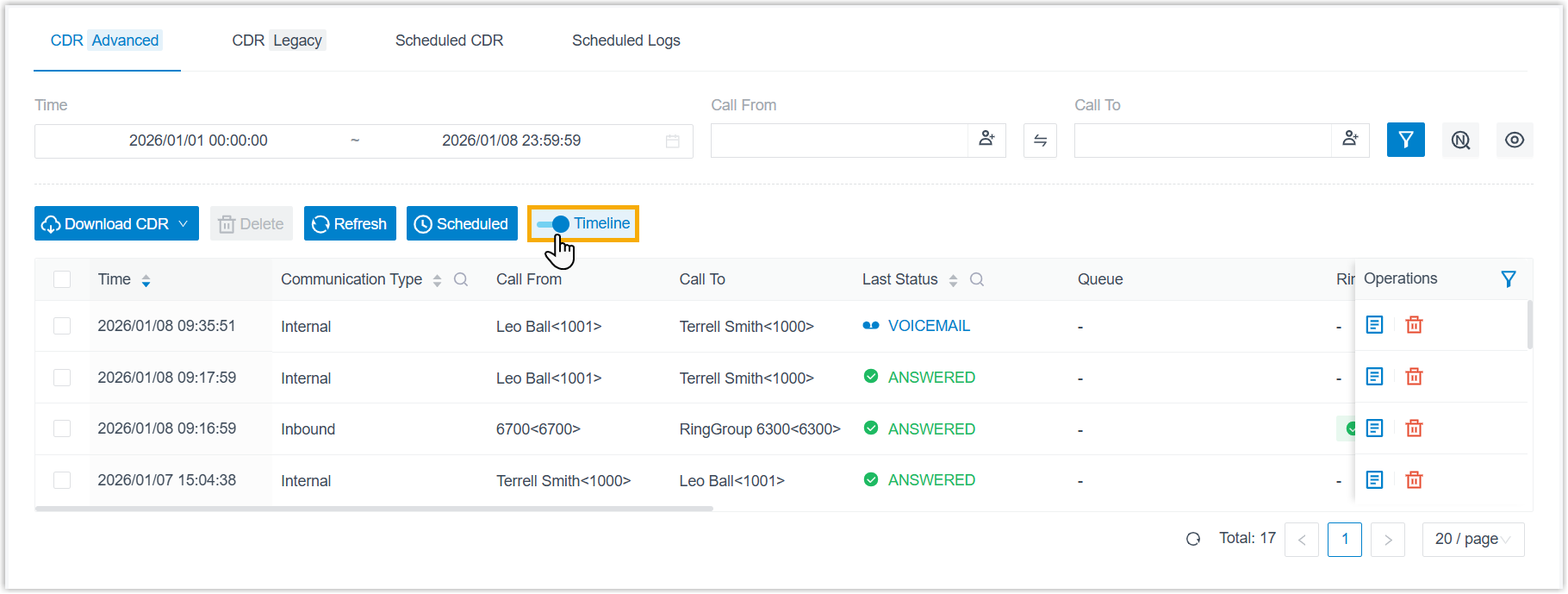
- In the pop-up window, confirm the operation.
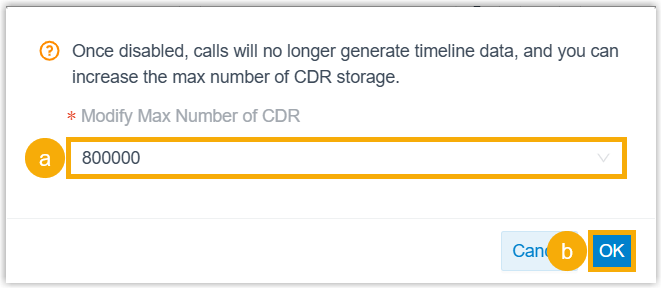
- If you want to increase the CDR storage limit, keep the recommended value or select a value from the drop-down list of Modify Max Number of CDR.
- Click OK.
Result
- Existing timeline data will be cleared; New CDRs from new calls will NOT include timeline data.
- If you have adjusted the CDR storage limit, the setting will automatically synchronize to the CDR auto cleanup rule (Path: ).