Enable Encryption Tunnel for Linkus Mobile Calls
Yeastar Central Management supports encrypted tunneling for mobile calls. Once enabled, all SIP signaling and RTP media are routed through an encrypted tunnel between the P-Series Cloud PBX and their Linkus Mobile Clients. This improves communication security and helps prevent carrier‑level SIP blocking, ensuring reliable PBX extension registration and stable calls even in restrictive network environments.
Note: To use the encrypted tunnel, the "Call Encryption Tunnel"
feature must be enabled on both Yeastar Central Management and Cloud
PBX.
Requirements
| Requirement | |
|---|---|
| Network | You have manually open the tunnel service port 1090 (TDP&TCP) for the SBC Server. |
| Firmware |
|
Procedure
- Log in to Yeastar Central Management, go to .
- At the top of the Cloud PBX list, click
Options.

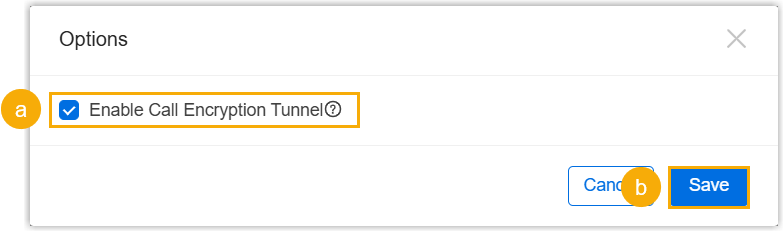
- In the pop-up window, select the checkbox of Enable Call
Encryption Tunnel, then click
Save.
A confirmation dialog will appear, reminding you to ensure that port 1090 (UDP & TCP) is correctly in your network.
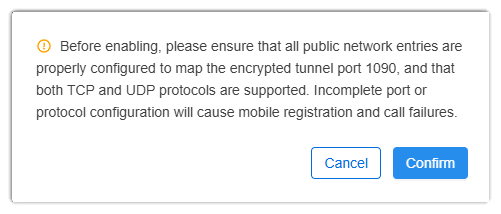
- Click Confirm to proceed.
Result
The encrypted tunnel feature has been enabled globally, and the followings will be
achieved:
- A configuration option Enable Call Encryption Tunnel will be
available in each Cloud PBXs that meet the firmware requirement (Path: ). This option is enabled by default, and can be disabled per
PBX.

- All call signaling and media for Linkus Mobile Clients on these PBXs will be routed through the encrypted tunnel.