Enable or Disable Internal Chat Feature for a P-Series Cloud PBX
P-Series Cloud PBX supports internal chat feature, allowing users to send instant messages with colleagues on their Linkus UC Clients. You can enable or disable the internal chat feature for P-Series Cloud PBXs as needed.
Requirements
| Platform | Requirement |
|---|---|
| Yeastar Central Management | 87.6.0.16 or later |
| P-Series Cloud PBX | 84.12.0.32 or later |
| Linkus UC Clients | The setting will be applied to Linkus clients that meet the
following requirements.
|
Enable internal chat feature for a P-Series Cloud PBX
- Log in to Yeastar Central Management, go to .
- Click
 beside a desired PBX.
- Go to , select the checkbox of Allow to Use Internal
Chat, then click Save.
Users can access and use the internal chat feature on their Linkus UC Clients.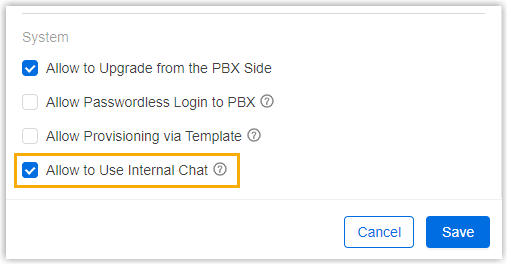
Disable internal chat feature for a P-Series Cloud PBX
- Log in to Yeastar Central Management, go to .
- Click beside a desired PBX.
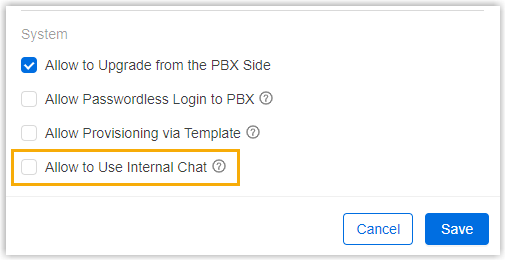
- Go to , unselect the checkbox of Allow to Use Internal
Chat, then click Save.
Users can NOT access the internal chat feature on their Linkus UC Clients.