Enable Call Recording Playback in Zendesk
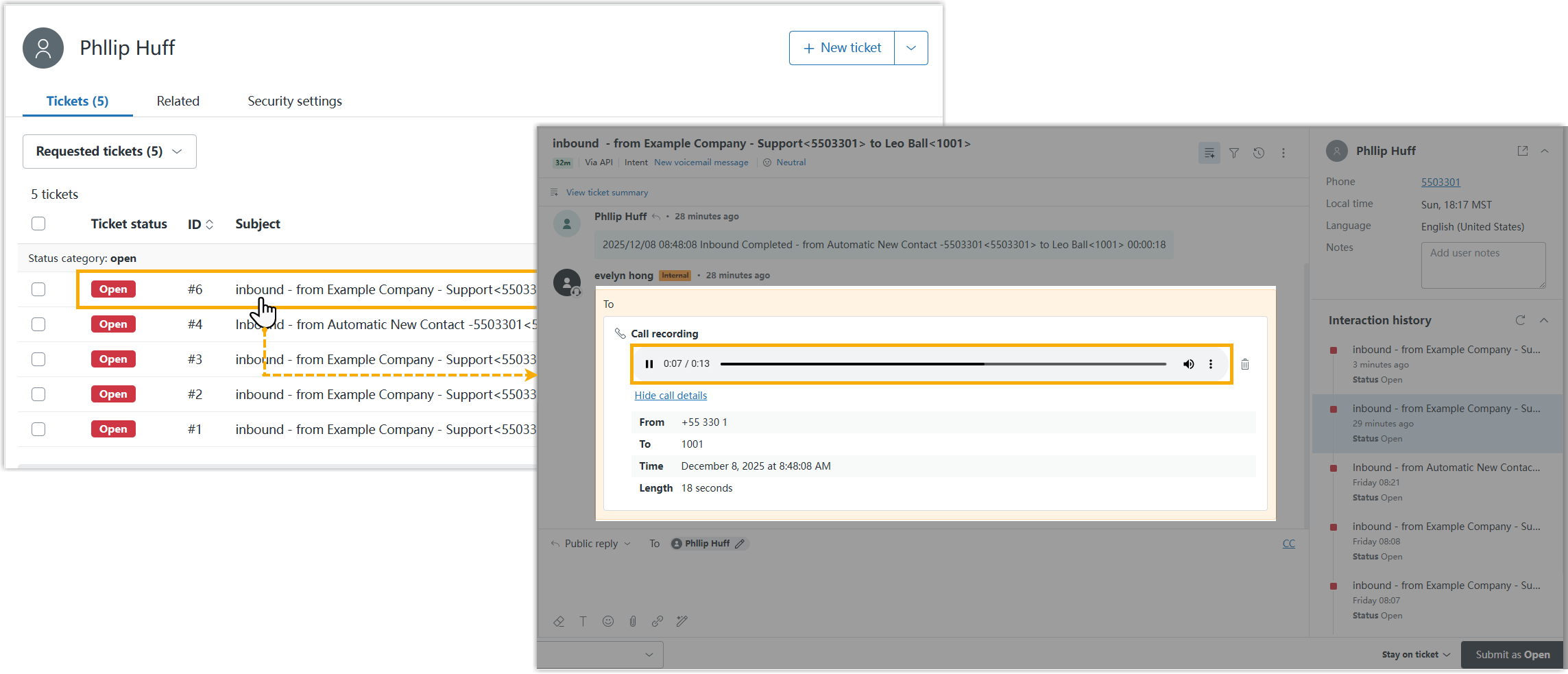
After the integration, call logs can be automatically synchronized to Zendesk when an associated user ends calls with Helpdesk contacts. You can set up to enable playing the call recordings of the corresponding call logs directly within Zendesk.
Prerequisites
Procedure
-
Log in to PBX web portal, go to .
-
On the Zendesk integration page, scroll down to Call Journal.
- Select the checkbox of Play Call Recording.
If enabled, the Zendesk users who associated with extensions on PBX can directly view and play call recordings stored on the PBX within the Zendesk system.
Note: When users click to play call recording in the Zendesk, the system will request recording file from the PBX. For details on how the Zendesk platform protects the privacy of recording data, please contact Zendesk provider. - Click Save.
Result
The Zendesk users who associated with PBX extensions can directly view and play recordings in the corresponding tickets on the Zendesk interface.