Set Pause Reasons for Queue Agents
NovoOne allows you to configure pause reasons for queue agents. In doing so, agents can pause receiving queue calls with a selected reason using a feature code or a dedicated button (available only in NovoOne Web Client).
Limitation
Up to 20 pause reasons are supported.
Procedure
- Log in to NovoOne Tenant portal, go to .
- At the top of the list, click Pause Reason.
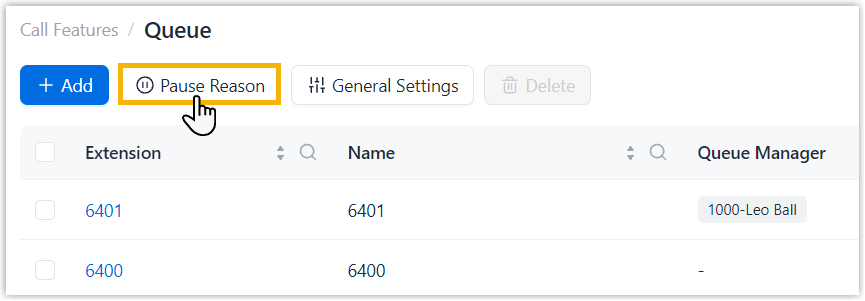
- In the pop-up window, configure the following settings.
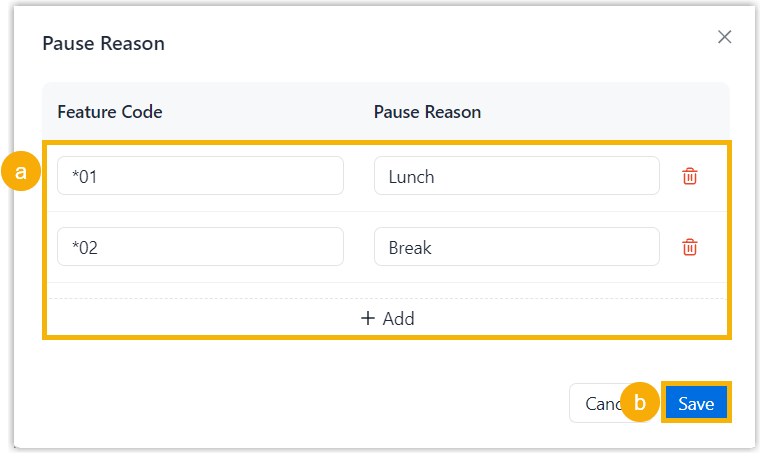
- Specify feature codes and corresponding pause reasons.
- Feature Code: Assign a feature code.Note: The feature code must start with
*or#and end with a number, with a length of 2 - 7 digits. - Pause Reason: Enter the reason for pausing receiving calls.
- Feature Code: Assign a feature code.
- Click Save.
- Specify feature codes and corresponding pause reasons.
Result
- The pause reasons are added and synchronized to .
- Agents can pause receiving queue calls with a selected reason using a
feature code or a dedicated button in NovoOne Web Client.
Scenario Instruction Pause service with a pause reason using feature code Dial pause_feature_code+queue_number+pause_reason_feature_code.For example, dial
*076400*01to pause service in queue 6400 with the reason lunch.Note: Pause feature code can be obtained from .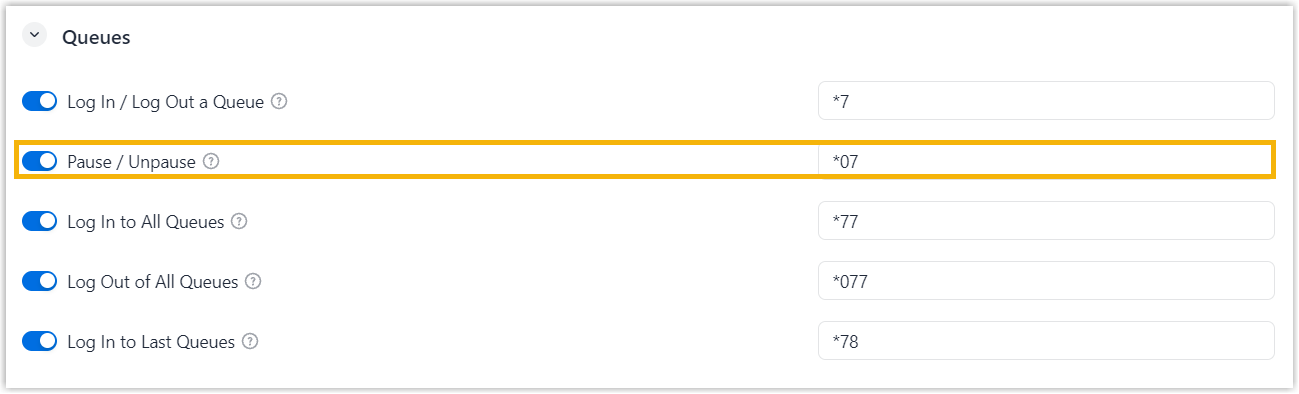
Pause service with a pause reason using dedicated button Access NovoOne Web Client, and perform the following operations. 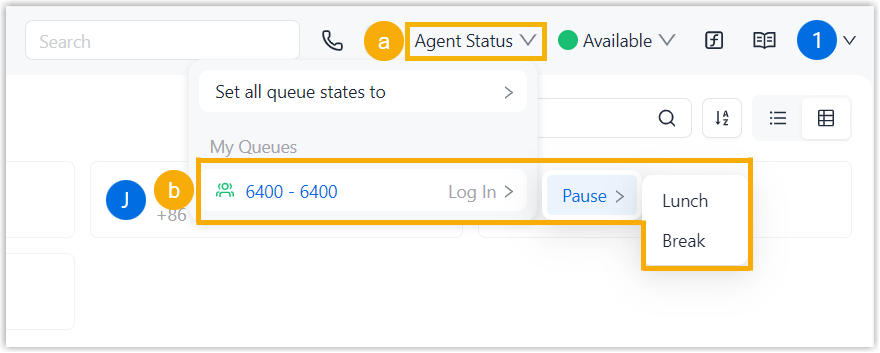
- At the top of the list, click Agent Status.
- Click the desired queue, then click Pause and select a pause reason.