Import and Export Phone Information
This topic describes how to import and export phone information on NovoOne Tenant.
Import phone information
- Log in to NovoOne Tenant portal, go to .
- At the top of the phone list, click Import.
- In the Download Template File section, click
Download Template File.
A template file is downloaded to your computer.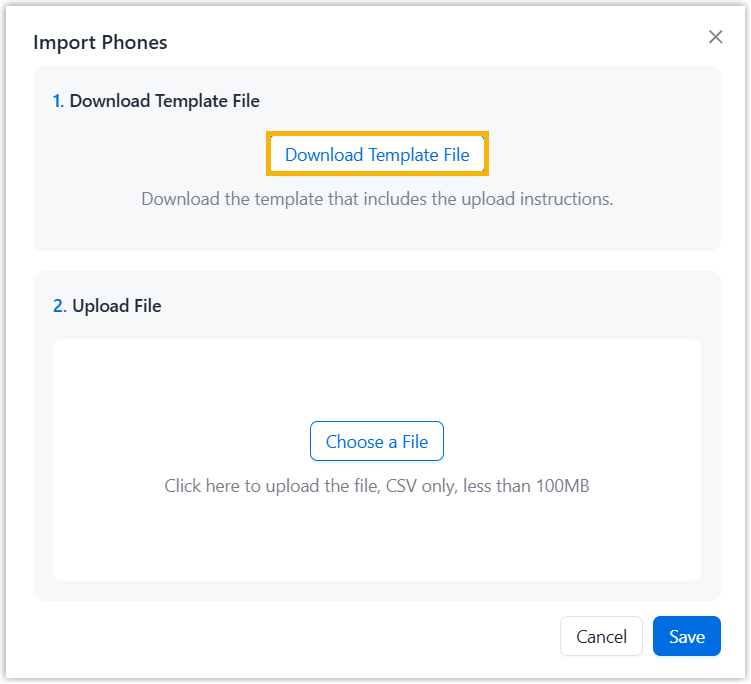
- Open the downloaded template file on your computer, and complete IP phone
details following the sample fields.Note: The completed file must meet the following requirements:
- Format: UTF-8.CSV
- Size: Less than 100 MB
- File name: Less than 127 characters
- Import parameters: Ensure that the import parameters meet requirements. For more information, see IP Phone Parameters.
- Back to NovoOne Tenant portal.
- In the Upload File section, click Choose a
File and select your CSV file.
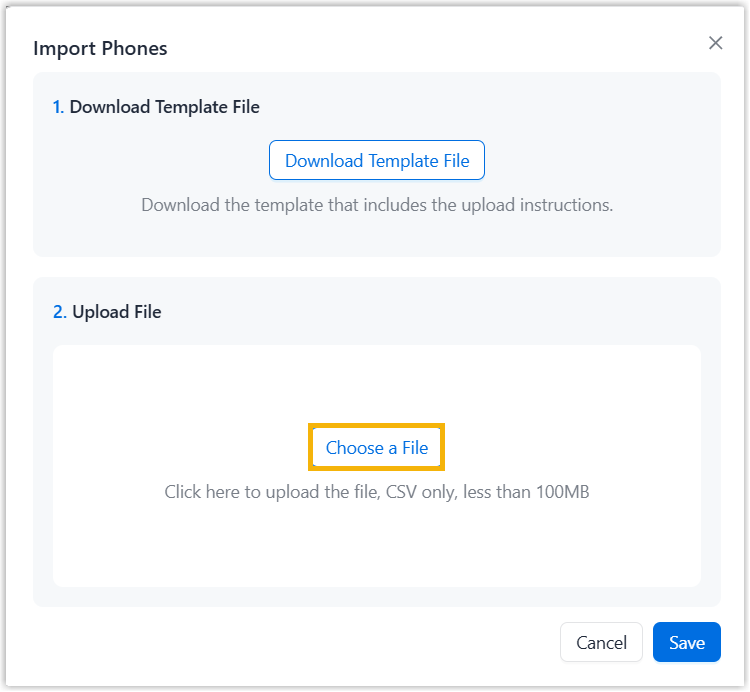
- Click Save.
The phone information in the CSV file will be displayed in the phone list.
Export phone information
- Log in to NovoOne Tenant portal, go to .
- Export phone information as needed.
- To expert information of all phones, directly click Export at the top.
- To export information of specific phones, select the checkboxes of desired phones, and click Export at the top.
The phone information is exported to a
.csvfile.