Automatically Generate Random Passwords for Phones
NovoOne Tenant supports to generate random and complex passwords for admin, user, and var accounts on auto provisioned phones, eliminating the need to manually change the default password for each phone. This topic describes how to enable this feature on NovoOne Tenant.
Procedure
- Log in to NovoOne Tenant portal, go to .
- At the top of the list, click .
- In the pop-up window, select the checkbox of Generate Random Phone Password, then click OK.
Result
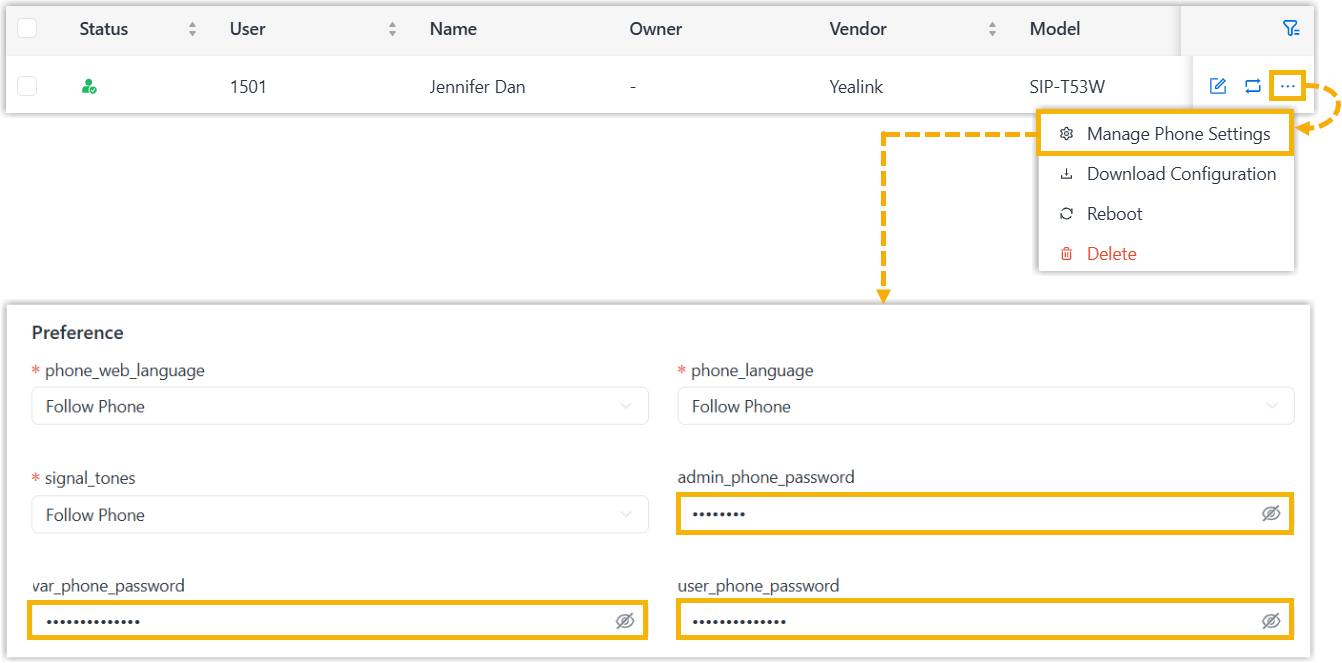
When provisioning IP phones, random phone passwords are generated automatically.Note: If you want to
change the password, hover over  beside the desired phone and click Manage
Phone Settings, then edit the password in the corresponding
fields.
beside the desired phone and click Manage
Phone Settings, then edit the password in the corresponding
fields.
beside the desired phone and click Manage
Phone Settings, then edit the password in the corresponding
fields.