Add a PIN List
This topic describes how to add and configure a PIN list.
Procedure
- Log in to NovoOne Tenant portal, go to .
- At the top of the list, click Add.
- In the pop-up window, complete the following settings.
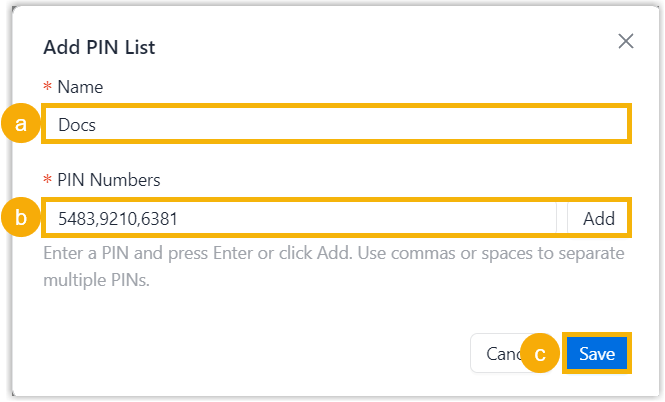
- In the Name field, enter a name to help identify the PIN list.
- In the PIN Numbers field, enter one or more
PIN codes, then click Add or press
Enter.Note:
- Only numbers are allowed, and each PIN code must be 3 to 15 digits long.
- For multiple PIN codes, separate them with commas
,or spaces.
- Click Save.
Result
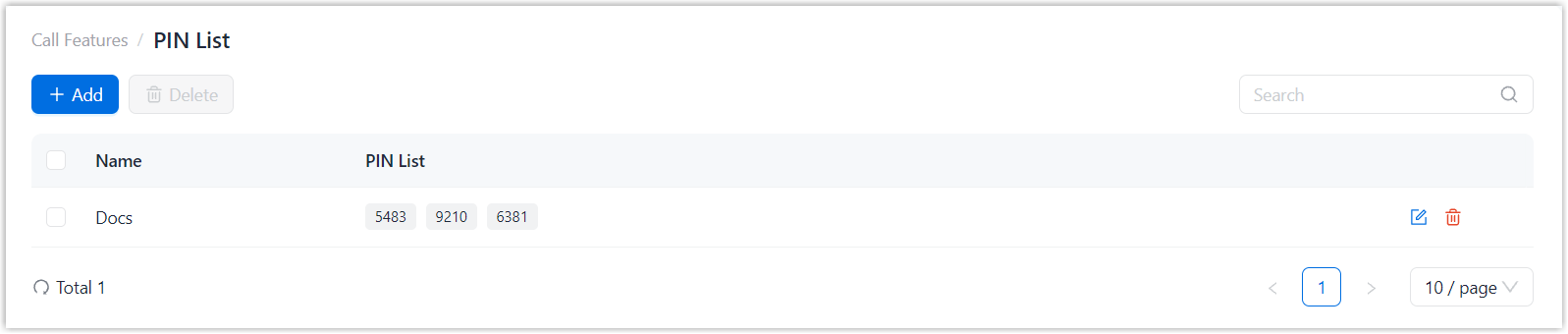
The PIN list is added and displayed in the list.
What to do next
Apply the PIN list to an outbound route, then provide the PIN codes to users for outbound calls.