Manage PIN Lists
After PIN lists are added, you can edit or delete them as needed.
Edit a PIN list
You can update the name of a PIN list or modify the PIN codes it contains.
- Log in to NovoOne Tenant portal, go to .
- Click
 beside the desired PIN list.
 - Edit the list name or PIN codes as needed.
- Click Save.
Delete a PIN list
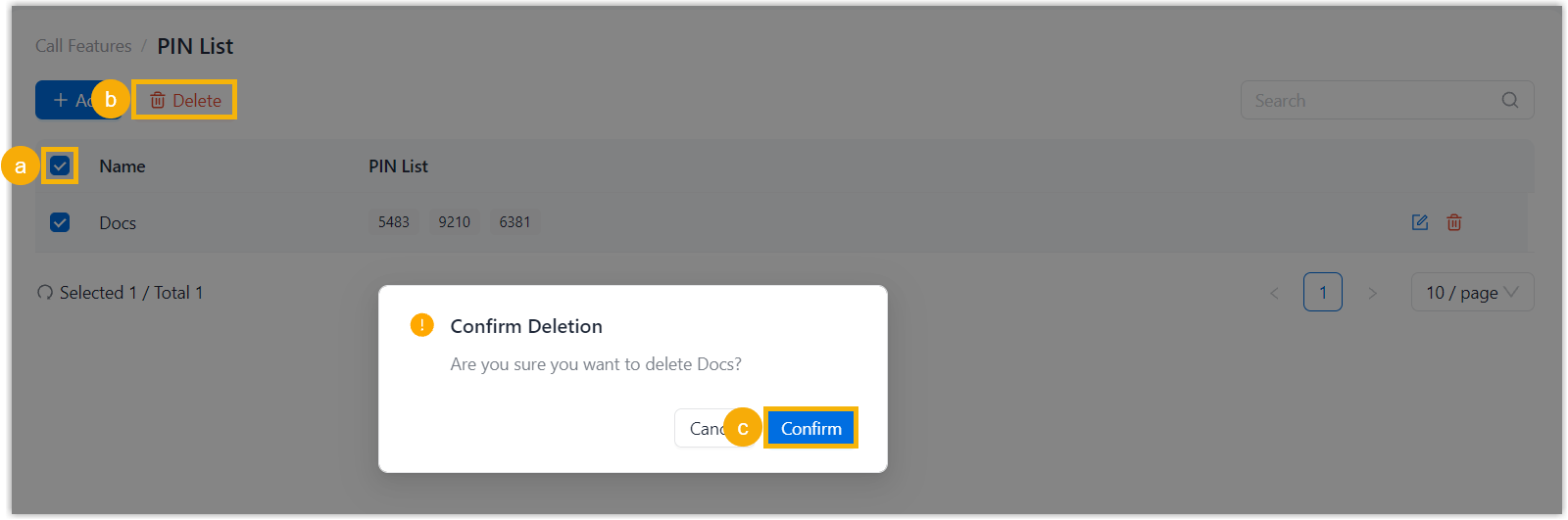
You can delete PIN lists that are no longer needed.
Note: If a PIN list is applied to an outbound route, deleting
it will disable PIN authentication for the route.
- Log in to NovoOne Tenant portal, go to .
- Select the checkbox of the desired PIN list, then click
Delete and confirm the operation.