Configure Login Method for Colleagues
This topic describes how to configure unified login method for all colleagues to allow them to log in to Yeastar Central Management via YCM account or Microsoft account.
Procedure
- Log in to Yeastar Central Management, go to .
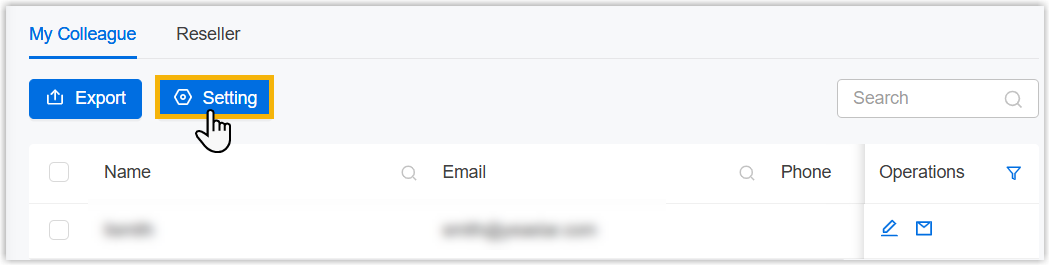
- At the top of colleague list, click Setting.
- In the pop-up window, configure the login method.
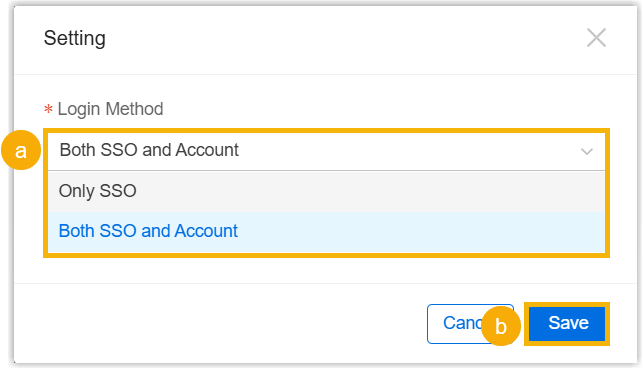
- In the Login Method drop-down list, select
the desired login method.
- Only SSO: Colleagues can log in to Yeastar Central Management only using Microsoft account.
- Both SSO and Account: Colleagues can log in to Yeastar Central Management with either Microsoft account or YCM account.
- Click Save.
- In the Login Method drop-down list, select
the desired login method.
Result
All colleagues can log in to Yeastar Central Management within the configured login method.