Allow Passwordless Login to P-Series Appliance/Software Edition
If you are responsible for routine maintenance of end user's P-Series PBX system (Appliance Edition or Software Edition), you can enable passwordless login to the P-Series PBX system from your Yeastar Central Management. In this way, you can quickly and easily access the PBX system without entering password, thus improving efficiency.
Requirements
- Your account has subscribed to RM Premium (Self-hosted) service.
- The firmware of Yeastar Central Management is 87.15.0.83 or later.
- The firmware of the P-Series Appliance/Software Edition is 37.24.0.122 / 83.24.0.122 or later.
Prerequisites
You have connected the P-Series Appliance/Software Edition to Yeastar Central Management.
For more information, see Connect PBX System to Yeastar Central Management Using Email and Connect PBX System to Yeastar Central Management Using Authentication Code.
Procedure
- Enable the 'Passwordless Login' feature on P-Series Cloud PBX.
- Log in to PBX web portal, go to .
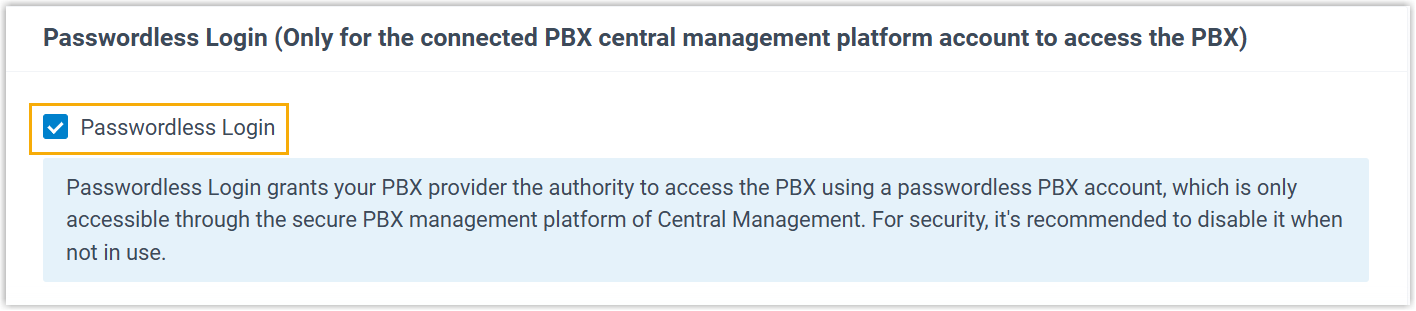
- Select the checkbox of Passwordless
Login.
- Click Save.
- Enable the 'Passwordless Login' feature for the PBX on Yeastar Central
Management.
- Log in to Yeastar Central Management, go to .
- Click
 beside a desired PBX.
- Scroll down to the bottom, select the checkbox of Allow
Passwordless Login to PBX.

- Click Save.
Result
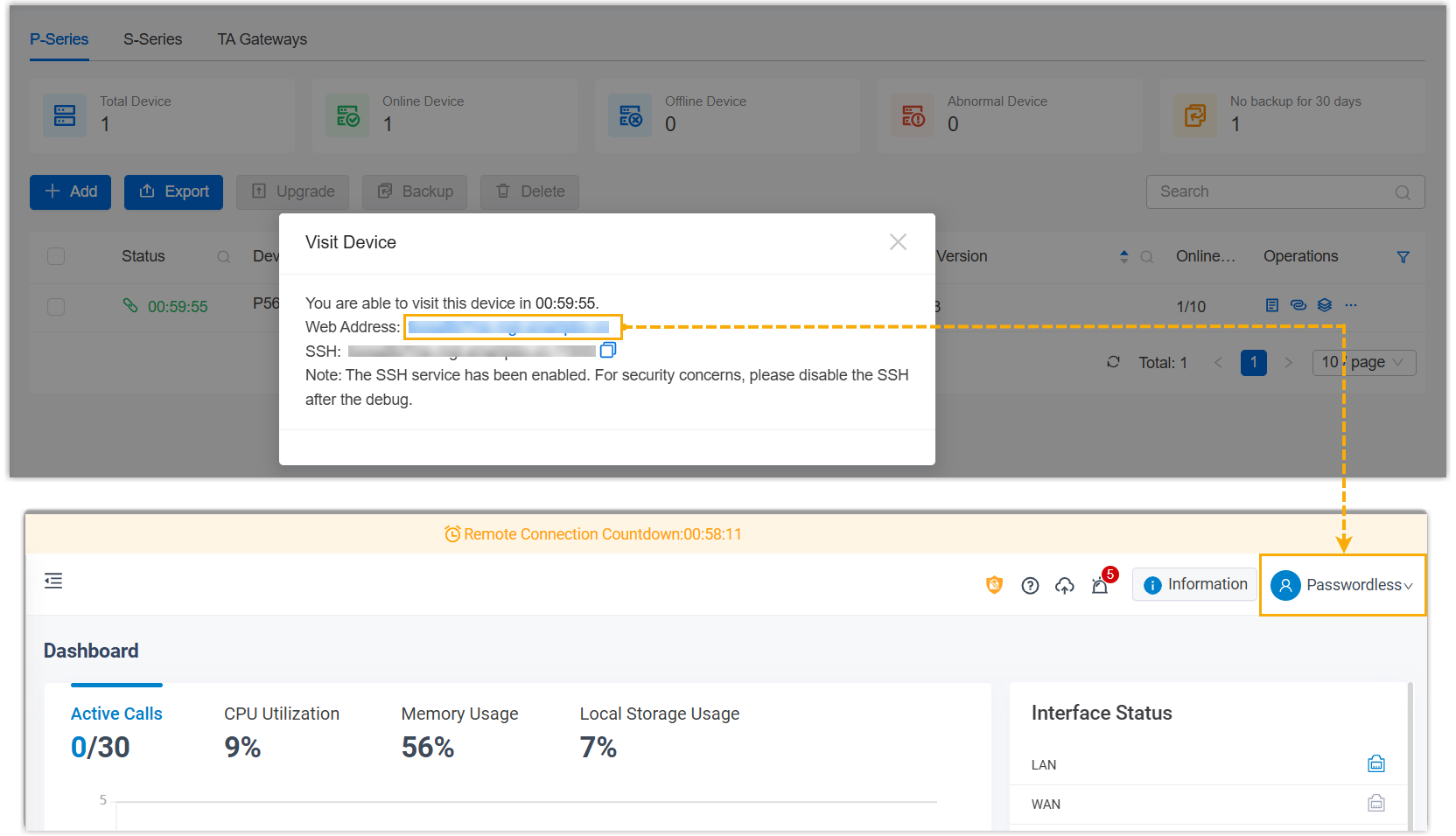
On Yeastar Central Management, you can directly log in to the PBX web portal with a dedicated Passwordless account by clicking the URL of the desired device.
- Permissions of the Passwordless account are the same as that of PBX super administrator.
- The PBX system automatically logs out the account after 15 minutes if no operation is performed on the web page.