Remotely Visit a PBX System
After connecting a Yeastar PBX system to Yeastar Central Management, you can quickly access it for further management through web access or SSH directly from Yeastar Central Management.
Prerequisites
The PBX system to be visited is connected to Yeastar Central Management.For more information, see Connect PBX System to Yeastar Central Management Using Authentication Code and Connect PBX System to Yeastar Central Management Using Email.
Procedure
- Log in to Yeastar Central Management.
- Go to , click
 beside a desired device.
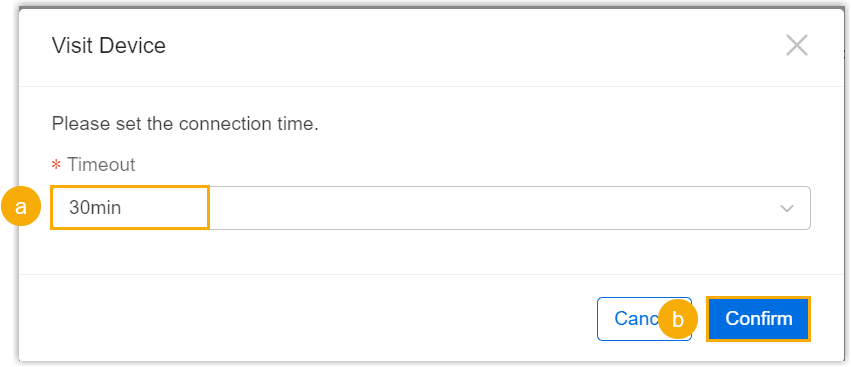
 - In the pop-up window, set the timeout, then click
Confirm.Note: The timeout setting determines the valid time of the remote connection (whether it is SSH or web access).
Result
- The remote visit information for web access and SSH access is displayed in
the window.
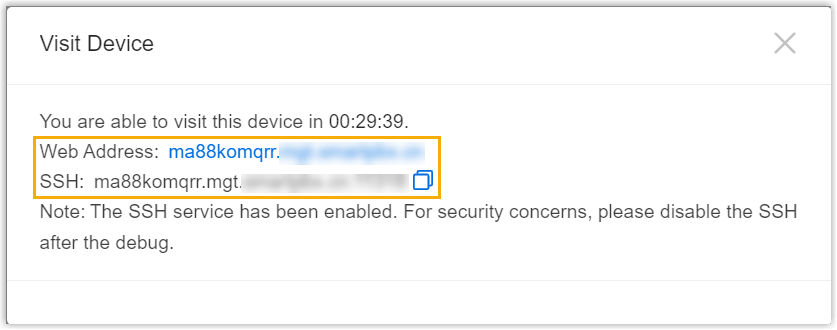
- The timeout is displayed beside connection status.

What to do next
Click the web address link or use the SSH information to remotely visit the device.