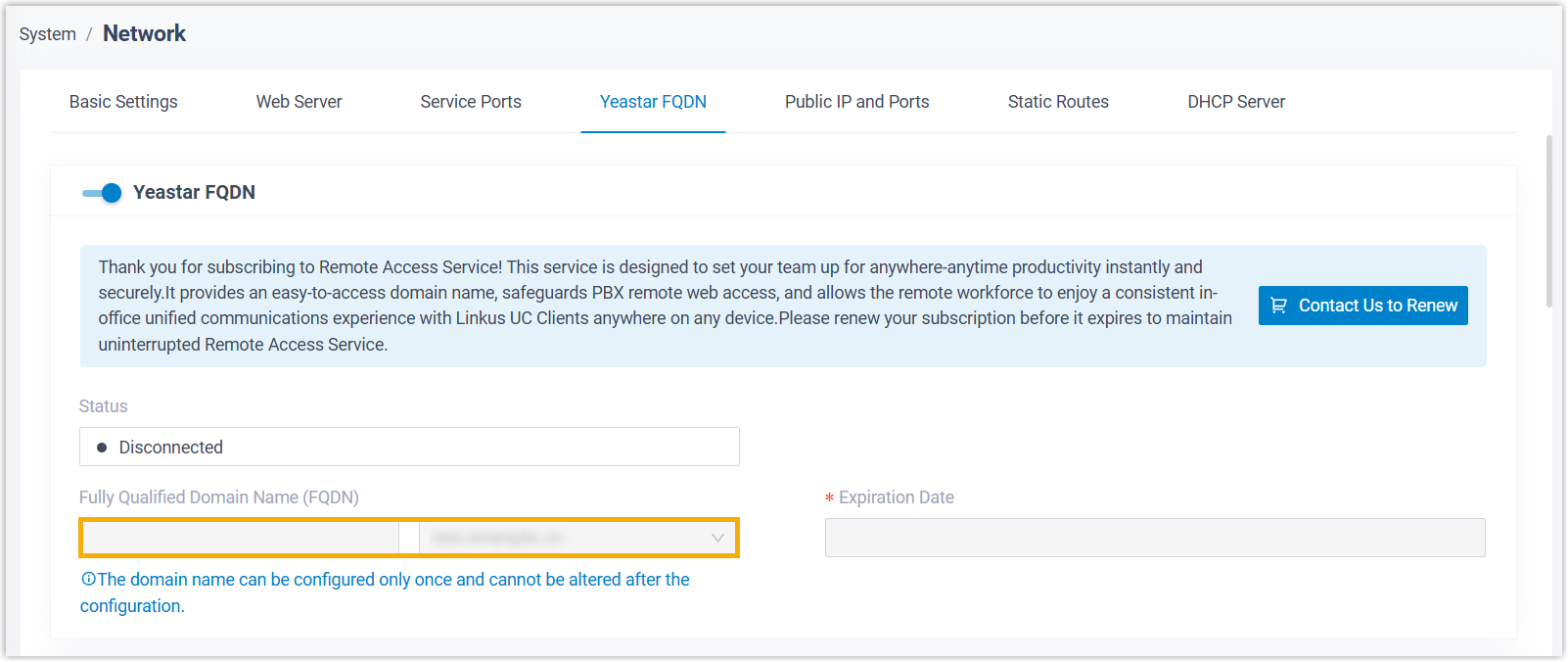
Release FQDN for P-Series Appliance Edition
In case of need, you can release FQDN for P-Series Appliance Edition from Yeastar Partner Portal, and then configure a new one through PBX web portal.
Important: Once you release the FQDN of a PBX, all
extension endpoints registered using FQDN will be disconnected from the phone system.
Ensure that you fully understand the impact before proceeding.
Prerequisites
- Your account manager has granted you the permission to release FQDN for P-Series Appliance Edition.
- You are the product owner of the appliance PBX for which you want to release FQDN.
Procedure
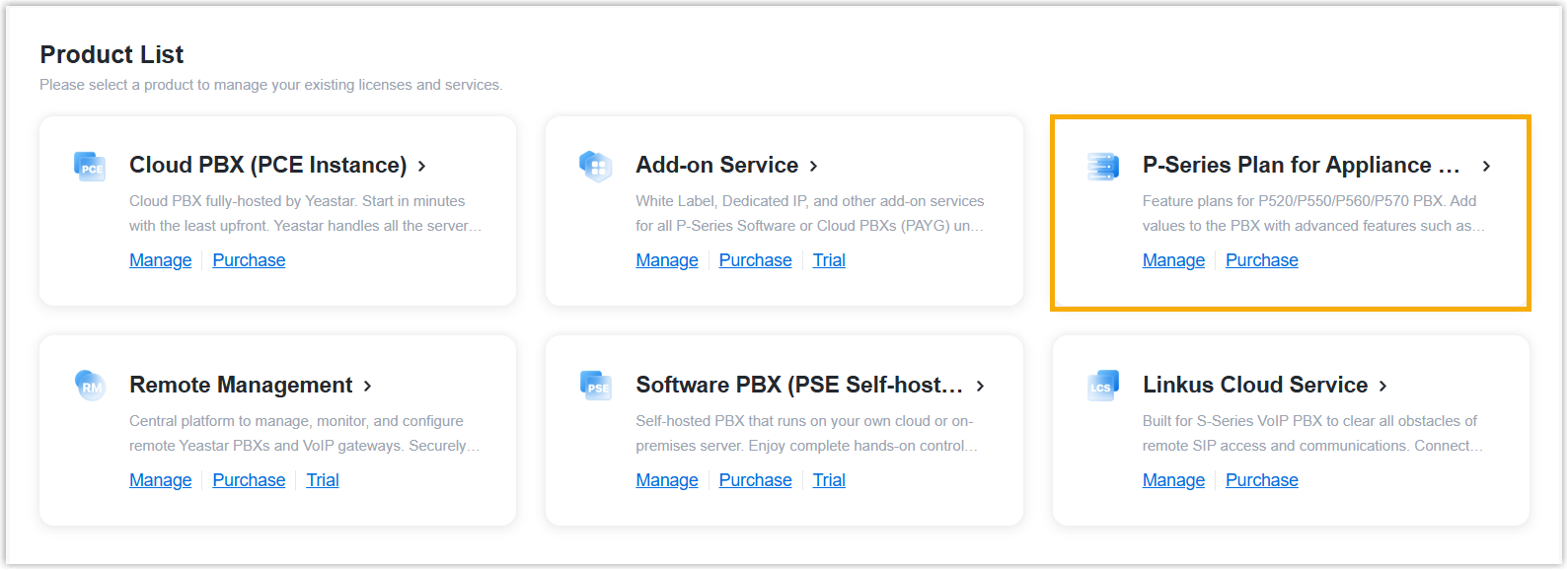
- Log in to Yeastar Partner Portal, go to Products & Purchase.
- On the product list, click P-Series Plan for Appliance
Edition.
- Release FQDN for the desired appliance PBX.
- In the FQDN column, click
 beside the appliance PBX for which you want to
release FQDN.
beside the appliance PBX for which you want to
release FQDN.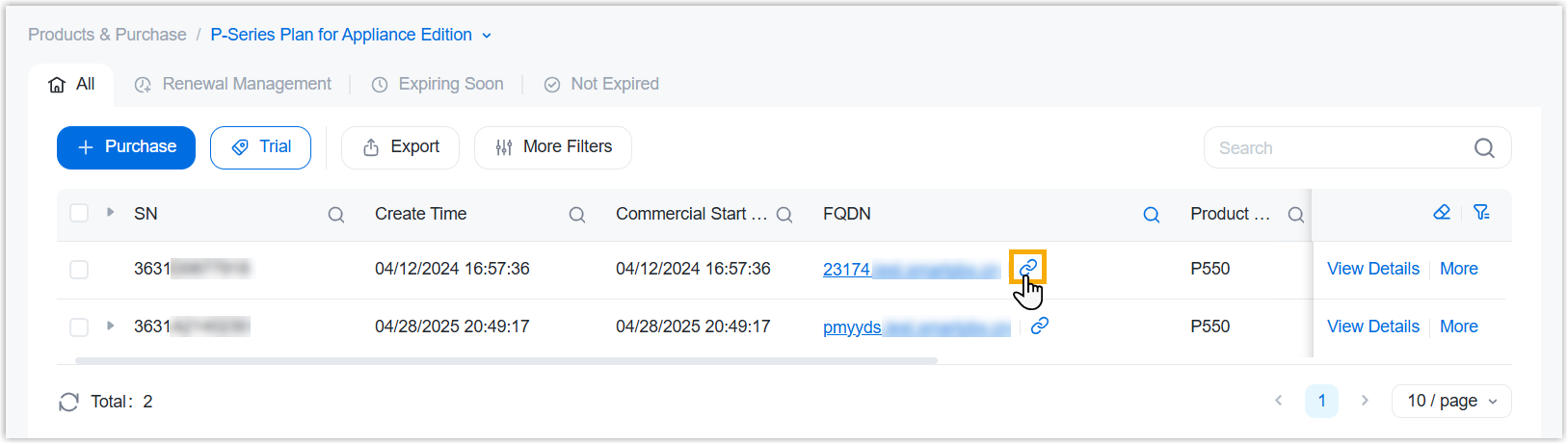
- In the pop-up window, enter the captcha to verify your operation,
then click Release.
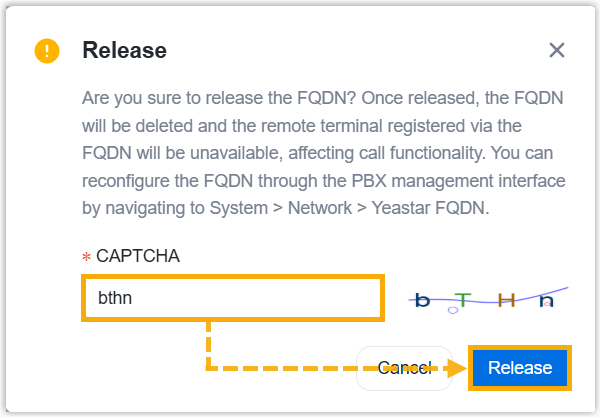
- In the FQDN column, click
Result
- The FQDN is successfully released from the appliance PBX.
- All extension endpoints that were registered to the PBX using FQDN are disconnected from the phone system.
Tip: To configure a new FQDN, log in to the PBX
management portal, then go to .