Allow Agents to Identify Callers from Company Contacts in Queue Panel
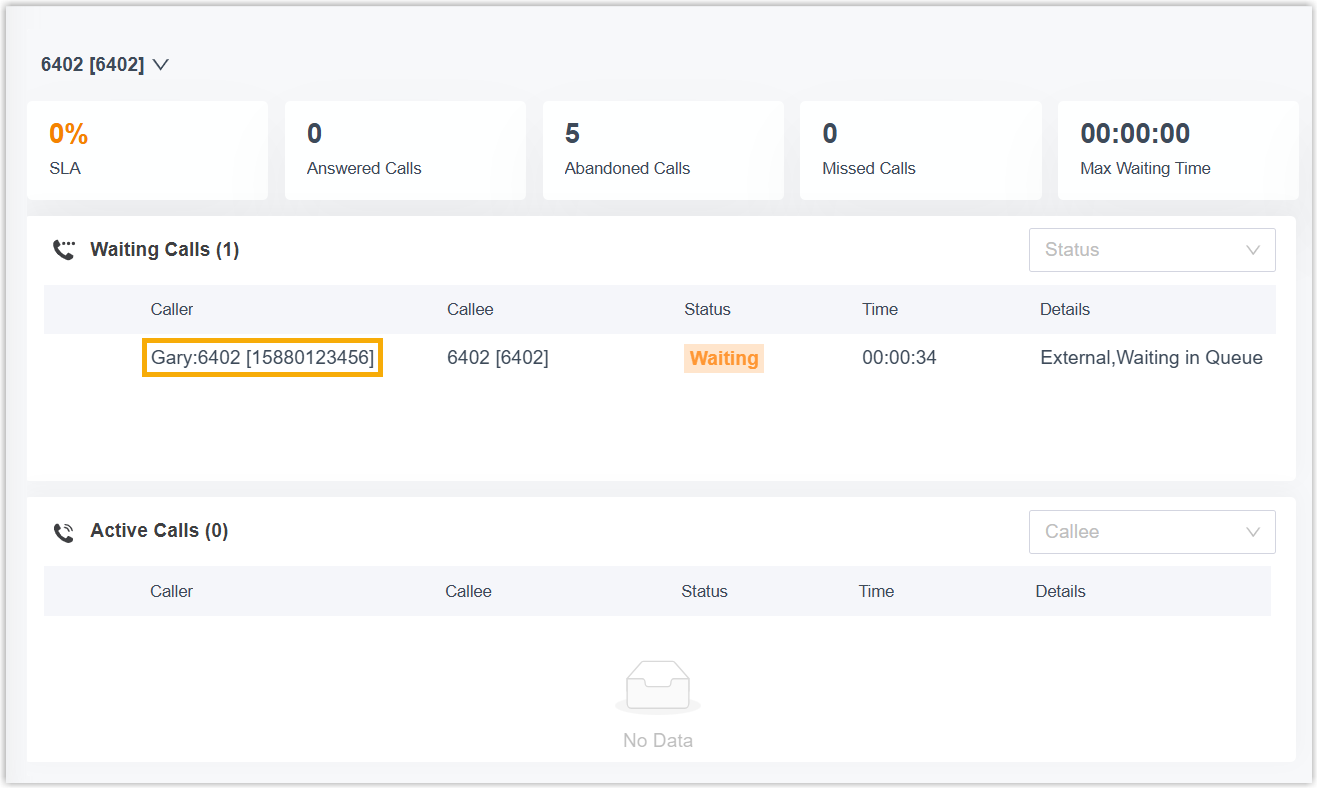
Yeastar P-Series Software Edition allows both queue manager and queue agents to view contact names in Queue Panel when receiving queue calls from company contacts. This topic describes how to enable contact name display for queue agents.
Introduction
To allow queue agents to view contact names in Queue Panel when receiving queue calls from company contacts, you need to assign the relevant Queue Panel permission to agents in specific queues, and configure the matching rule for company contacts.
In doing so, when a call from a company contact reaches a specified queue, the PBX will ignore the contact visibility rule and display the contact name in Queue Panel of all agents assigned to the queue.
Requirements
The firmware version of PBX server is 83.20.0.128 or later.
Step 1. Grant permission to agents in specific queue
- Access the configuration page of call queue.
- Log in to PBX web portal, go to .
- On the right of the desired queue, click
 .
.
- Grant permission to queue agents.
- Click Queue Panel Permissions tab.
- Scroll down to Agents section, then select
the checkbox of Show Company Contacts Matching
Results.
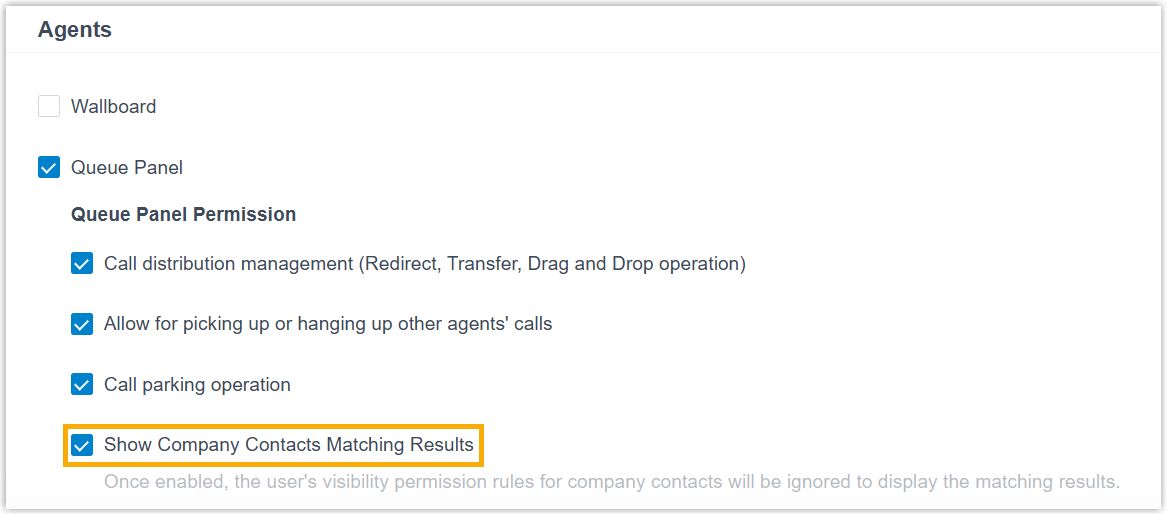
- Click Save and Apply.
Step 2. Configure company contacts matching
- Access the configuration page of company contacts matching.
- Go to .
- On the Company Contacts page, click
Options.
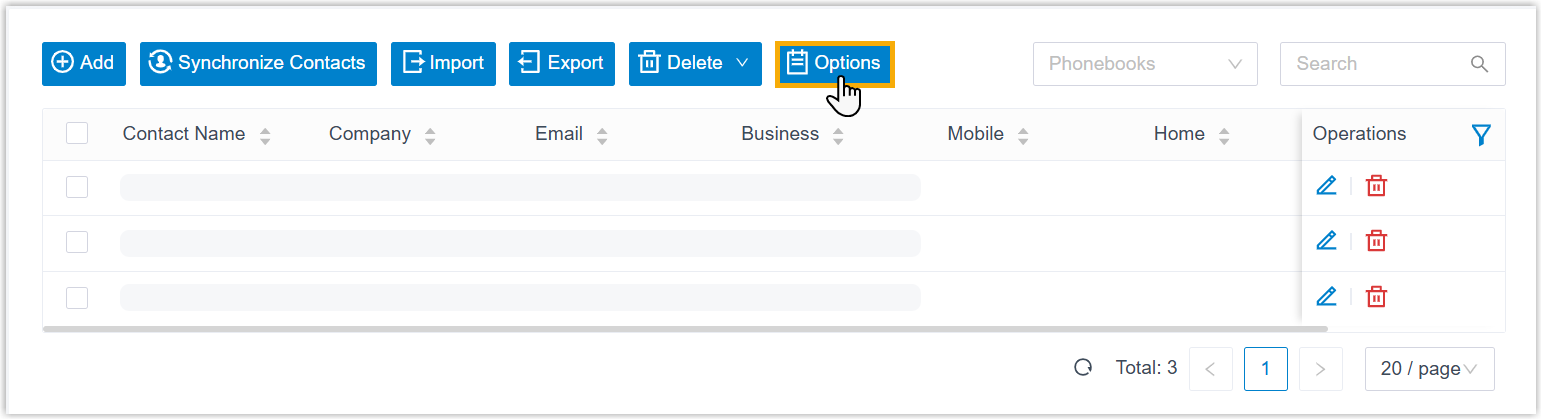
- In the pop-up window, configure Caller ID match.
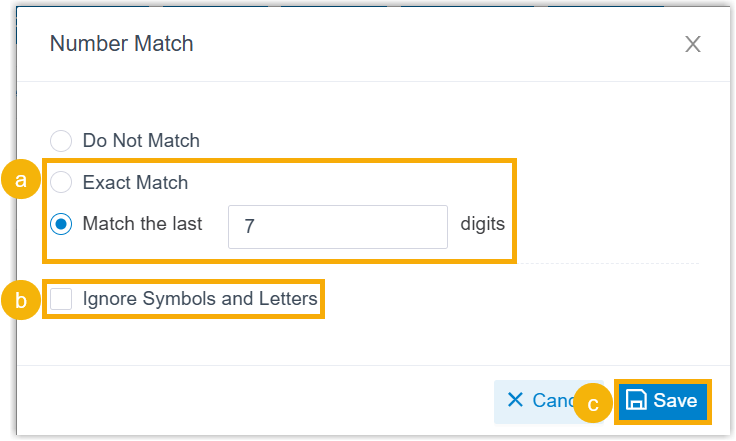
- Choose how to match incoming Caller ID.
Option Description Exact Match Display contact name when an incoming Caller ID exactly matches existing number. Match the last {number} digits Display contact name based on the digits of incoming Caller ID. - If the digit length of an incoming Caller ID is shorter than or equal to the specified value, contact name will be displayed only when the incoming Caller ID exactly matches existing number.
- If the digit length of an incoming Caller ID is longer than the specified value, contact name will be displayed when the last {number} digits of the incoming Caller ID matches that of existing number.
Note: The default value is 7. You can enter a value between 4 and 31. - Optional: To ignore symbols and letters in numbers during contacts matching, select the checkbox of Ignore Symbols and Letters.
- Click Save.
- Choose how to match incoming Caller ID.
Result
When company contacts call the queue, agents can see contact name in Queue Panel if a match is found, as shown below.