Automatically Synchronize Processing Results for Repeat Calls
The auto-sync for processing results of repeat calls allows the system to automatically apply an updated processing result to all missed or abandoned calls from the same caller to the same queue within a specified time range, which helps maintain consistent call records and prevents multiple agents from making duplicate callbacks to the same caller. This topic describes how to enable the auto-sync for processing results.
Requirements
The firmware version of PBX server is 83.19.0.110 or later.
Procedure
- Log in to PBX web portal, go to .
- At the top-right corner of page, click Options.
- In the pop-up window, do as follows:
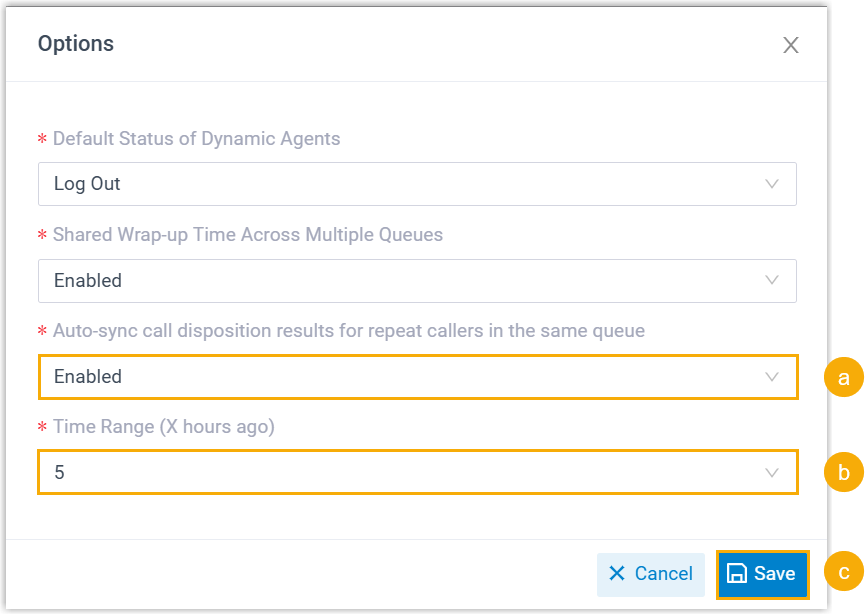
- In the Auto-sync call disposition results for repeat callers in the same queue drop-down list, select Enabled.
- In the Time Range (X hours ago) drop-down
list, specify the time range for syncing call processing
results.
This setting determines that, starting from the time when an agent manually updates the processing result for a missed or abandoned queue call log, all missed or abandoned call logs from the same number to the same queue received in the preceding {X} hours will be synchronized.
For example, if you set the time range to 2 hours, and update the processing result of a missed call log at 3:00 PM, then call logs of all missed calls from the same number between 1:00 PM and 3:00 PM will be synchronized.
- Click Save.
Result
- Synchronization is only triggered when the processing status moves forward (e.g. from Not Dealt to Dealing).
- The operation details of the synchronized missed call logs will show
"Auto Sync" to indicate that the results was updated
automatically.
