Configure Call Transfer Feature Code
This topic describes how to set up call transfer feature code.
Procedure
- Log in to NovoOne Tenant portal, go to .
- In the Call Transfer section, set up call
transfer.
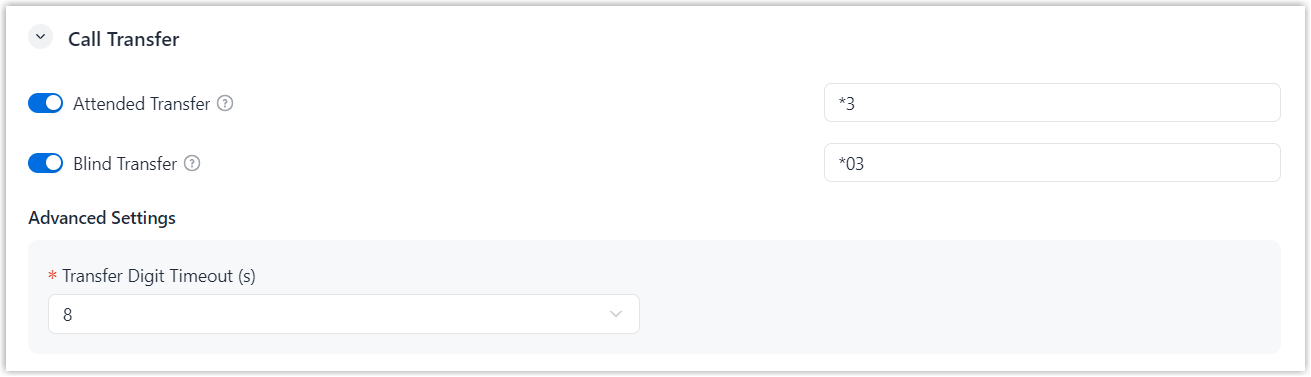
- Turn on the switch for the desired transfer type.
- Retain the default feature code, or modify it as needed.
- In the Transfer Digit Timeout (s) drop-down
list, set the maximum interval (in seconds) allowed between digits
when transferring a call.
If the timeout is reached, the transfer will be canceled and the original call will be resumed.
- Click Save.
Result
Users can perform call transfer by dialing the configured feature code during a call.
For more information, see Perform Call Transfer Using Feature Code.