Upload P-Series Appliance / Software Edition Firmware
Contact Yeastar to obtain a specific P-Series Appliance / Software Edition firmware if necessary, then upload it according to the instructions provided in this topic.
Requirements
- Your account has subscribed to RM Premium (Self-hosted) service, or the remotely connected P-Series Appliance / Software Edition has subscribed to Remote Management Connection service.
- The firmware of Yeastar Central Management is 87.15.0.83 or later.
Limitations
The firmware to be uploaded must be in .bin format and less than
500MB.
Procedure
- Log in to Yeastar Central Management, go to .
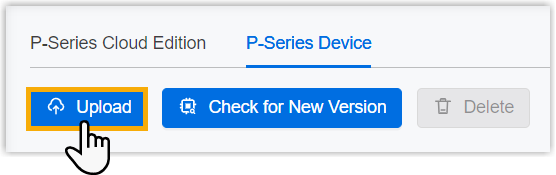
- Under P-Series Device tab, click
Upload.
- In the pop-up window, do as follows:
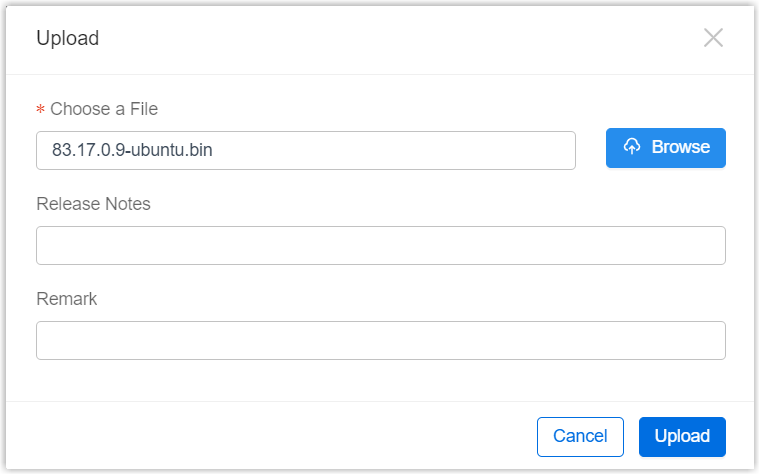
- Click Browse to choose a firmware.
- Optional: In the Release Notes field, describe what is updated in the version.
- Optional: In the Remark field, enter a description to help you identify the firmware.
- Click Upload.
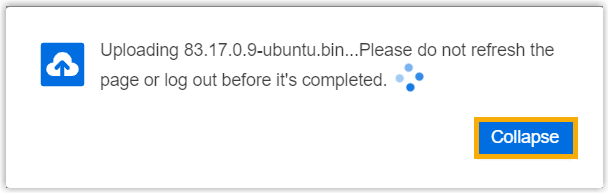
A pop-up window prompts that the firmware is being uploaded, you can click Collapse to collapse the window to the bottom-right corner.
Result
The firmware is displayed on P-Series Device list, marked with .
.
What to do next
To upgrade P-Series Appliance / Software Edition to the firmware on Yeastar Central Management, see Upgrade Firmware of P-Series Appliance/Software Edition or Schedule an Automated Upgrade Task.