Configure Call and Door Release for PBX Extensions on the Intercom
This topic describes how to set up calls from the 2N IP intercom to PBX extensions, and configuring door release settings. Once configured, extension users can receive visitor calls and remotely unlock the door right from their Linkus UC client.
Prerequisites
- You have created extensions for indoor receivers on the PBX.
- You have configured network for the 2N IP intercom and registered a PBX extension to the device.
Procedure
Configure the call destination
- Log in to the web interface of the 2N IP intercom.
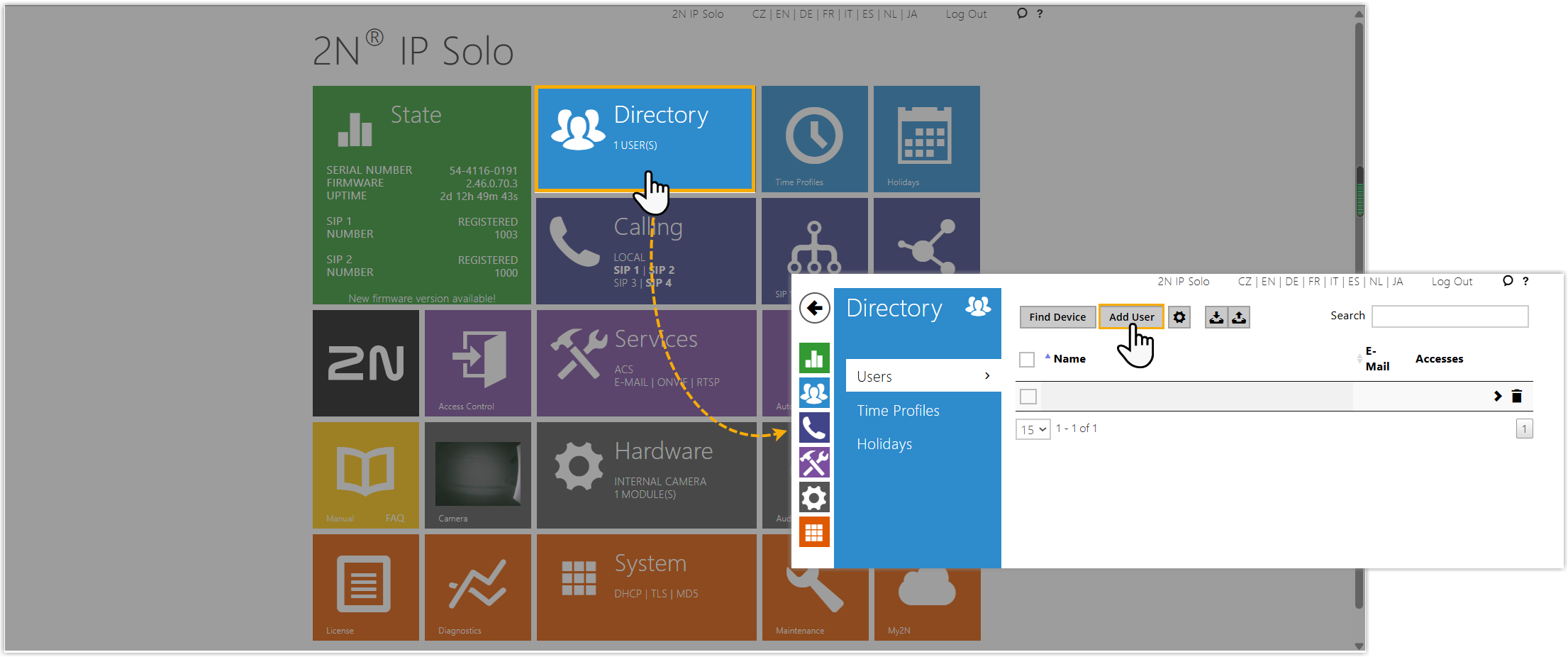
- Add one or more users and their PBX extensions to the intercom.
- Go to , click Add User.
- Complete the following settings.
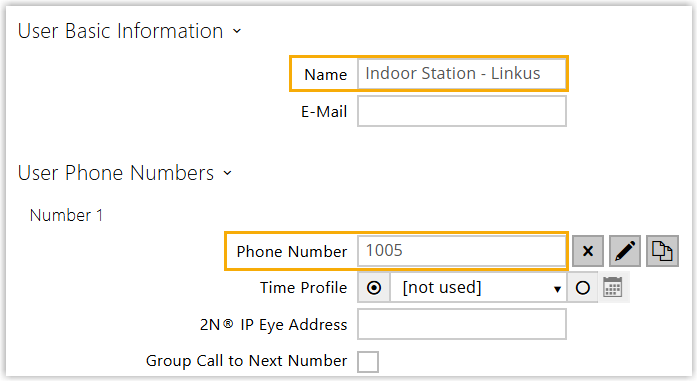
- Name: Specify a name to help you identify the user.
- Phone Number: Enter the extension number of the user.
- At the bottom-right of the web interface, click Save.
- Go to , click Add User.
- Assign the target users to the call button.
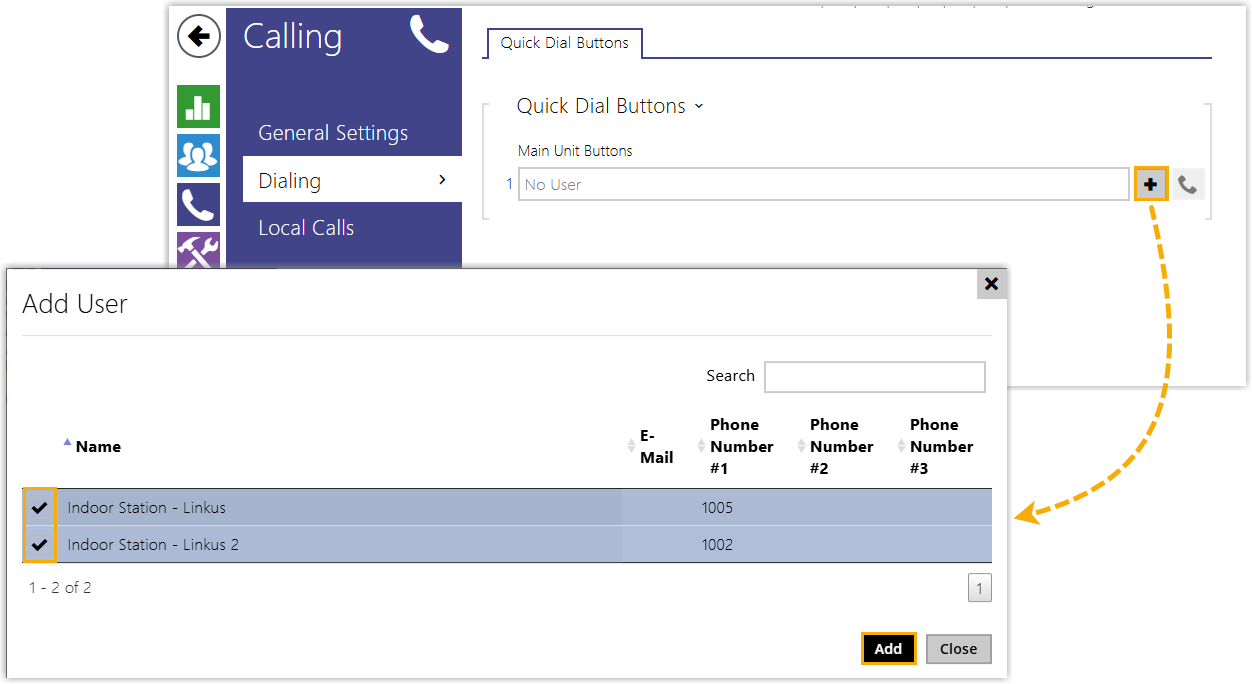
- Go to , click
 in the Main Unit
Buttons.
in the Main Unit
Buttons. - In the pop-up window, select the user(s) you have added, then click Add.
- At the bottom-right of the web interface, click Save.
- Go to , click
Set the DTMF code for door release
- On the web interface of 2N IP intercom, go to .
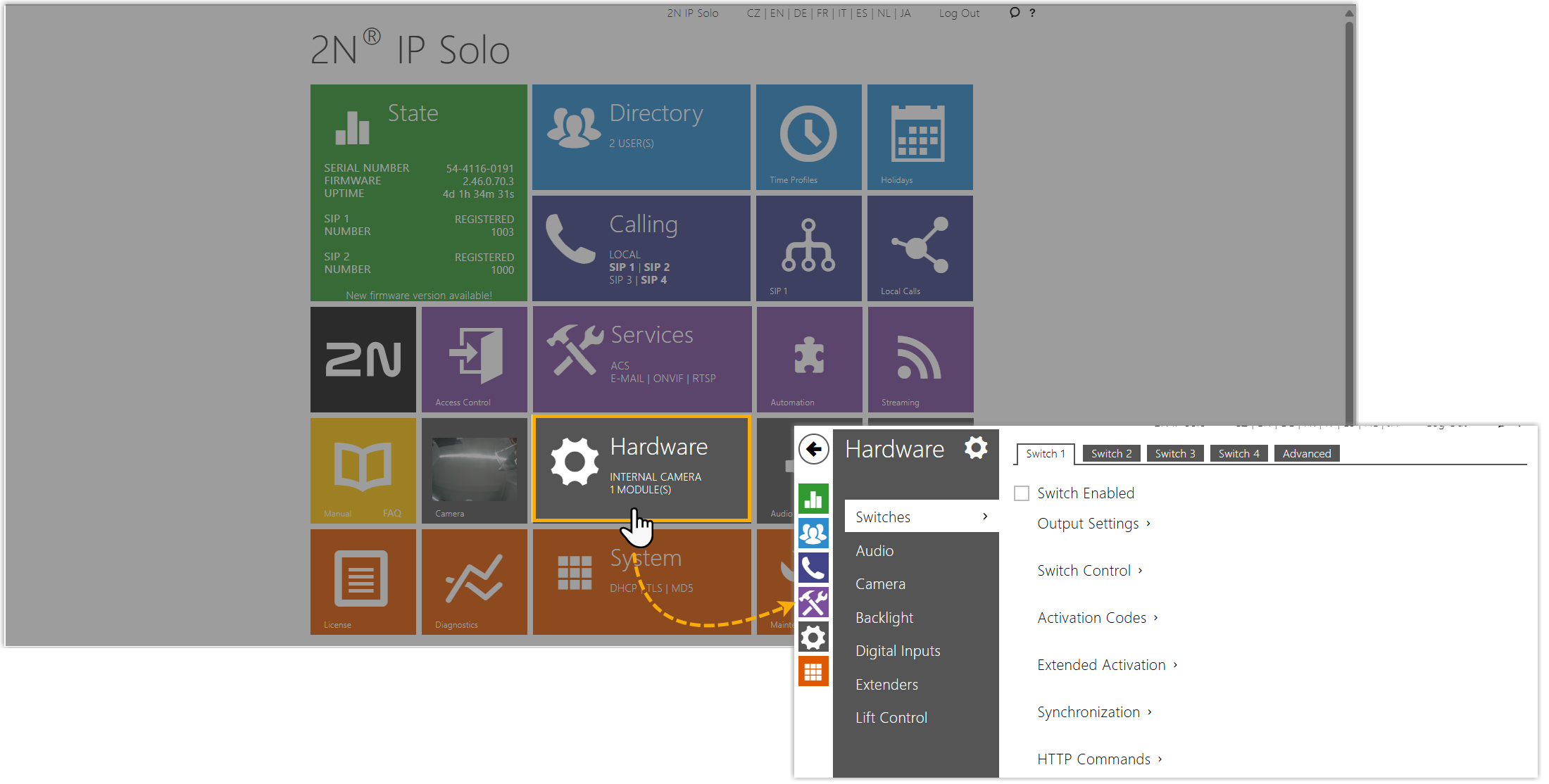
- Under the Switch 1 tab, configure the DTMF code for
door release.
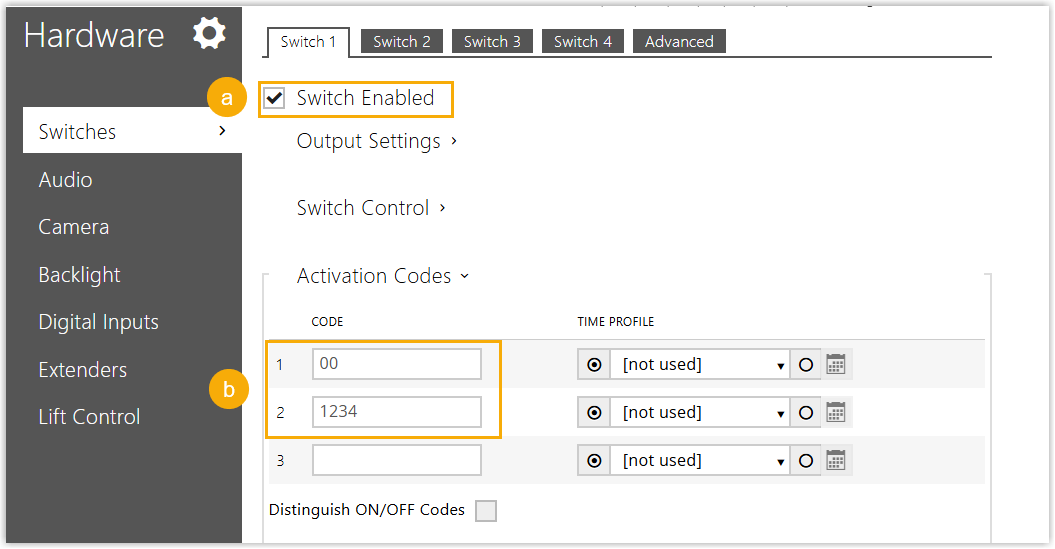
- Select the checkbox of Switch Enabled.
- In the Activation Codes, set one or more DTMF codes.
- At the bottom-right of the web interface, click Save.
(Optional) Customize the audio prompt for door release
- On the web interface of 2N IP intercom, go to .
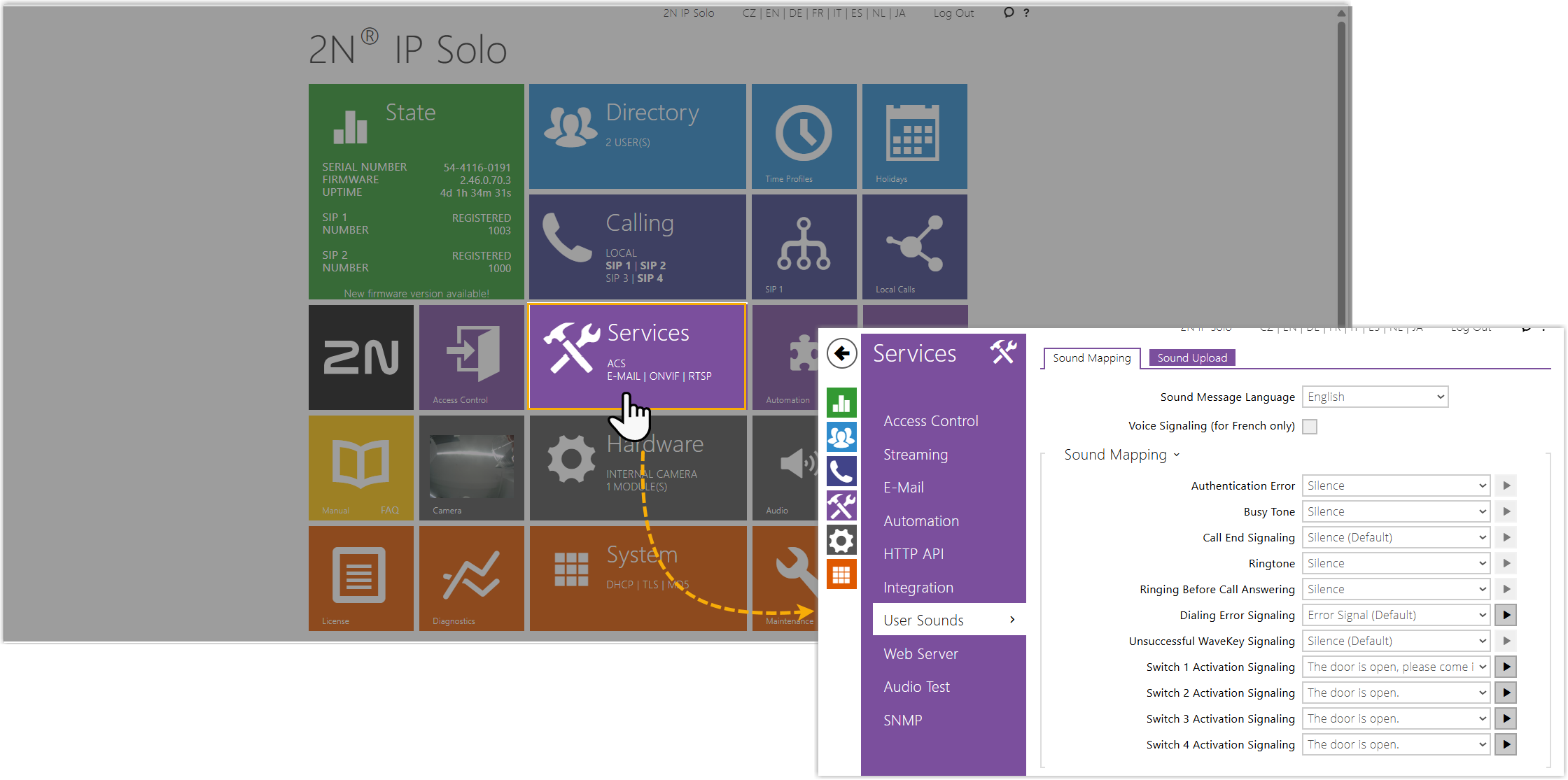
- In the Sound Mapping tab, select a desired sound for
Switch 1.
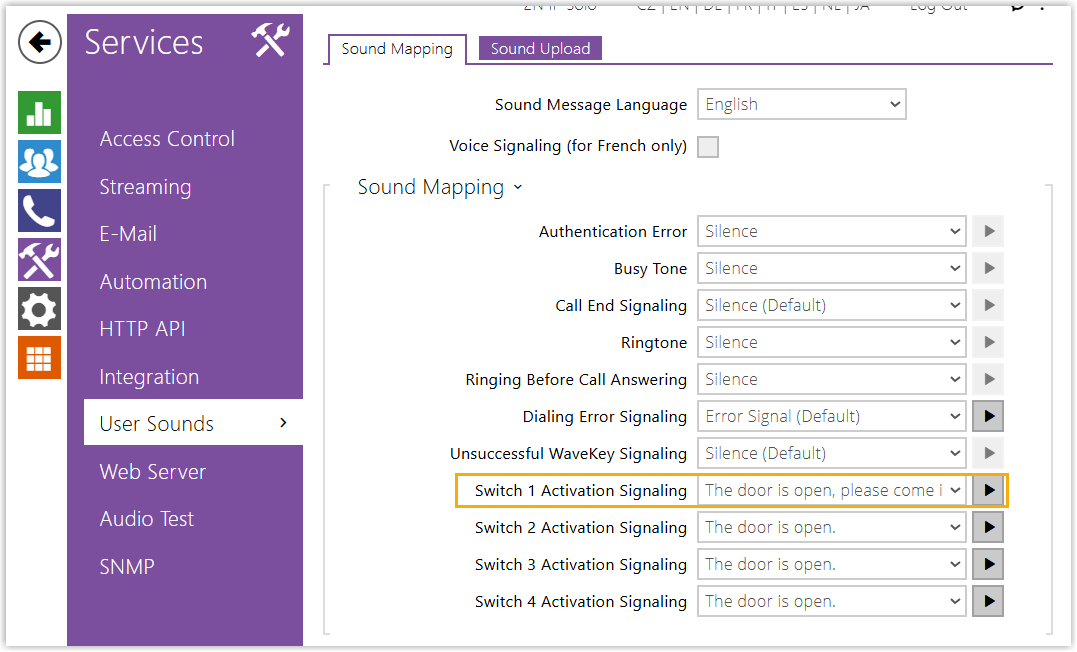
When the door is unlocked using the code configured in the Switch 1 tab, the intercom will play the assigned audio prompt.
Result
- When a visitor presses the call button on the 2N IP intercom, it automatically places a video call to the designated extensions.
- Extension users can preview the video and answer the call on their Linkus UC
client. To grant access, the user simply dials the switch code followed by
character
*(e.g.,00*or1234*) during the call. The door station plays the prompt "The door is open, please come in.", indicating that the door has been successfully unlocked.